

How to find and understand your eStatements
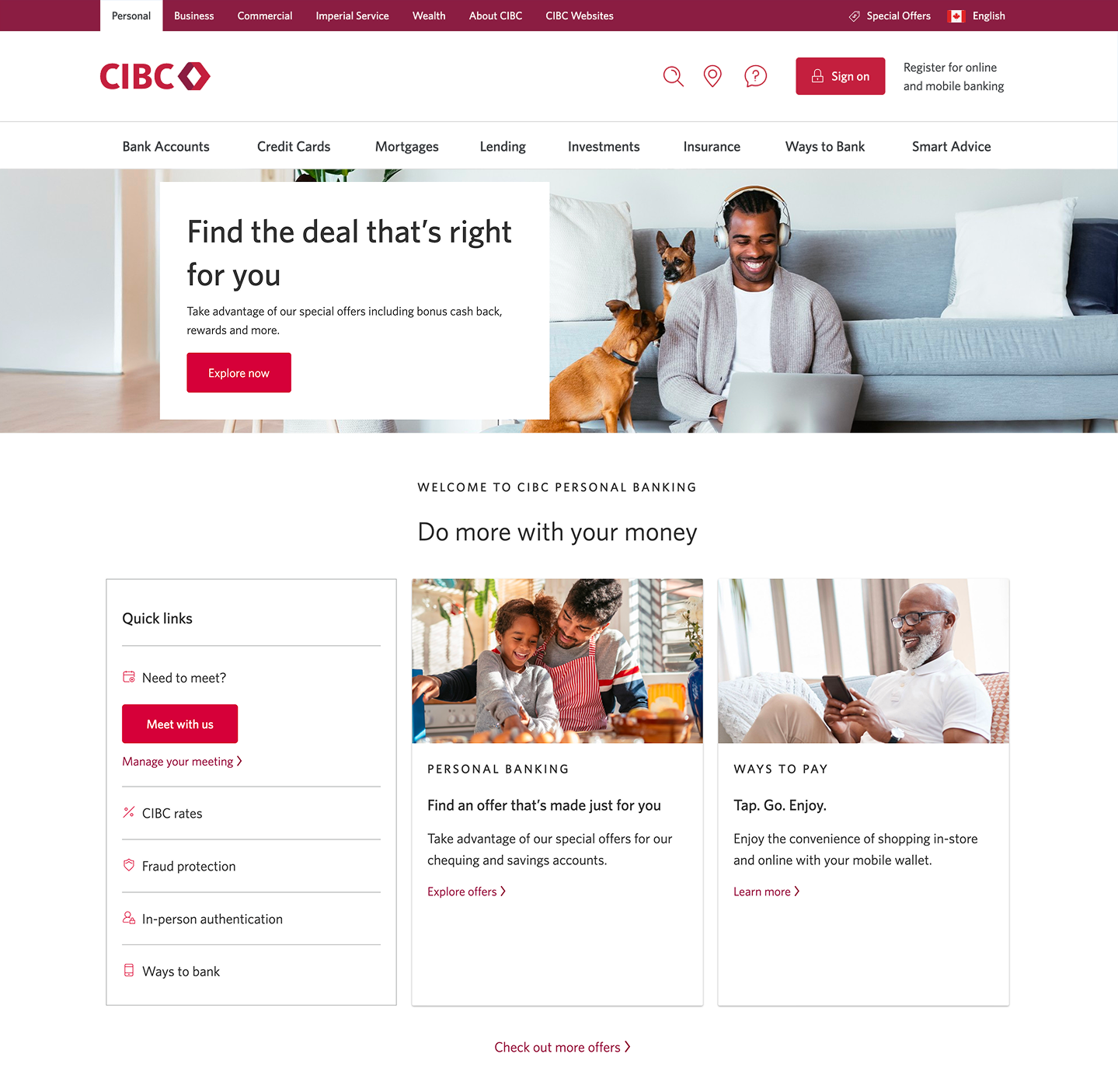
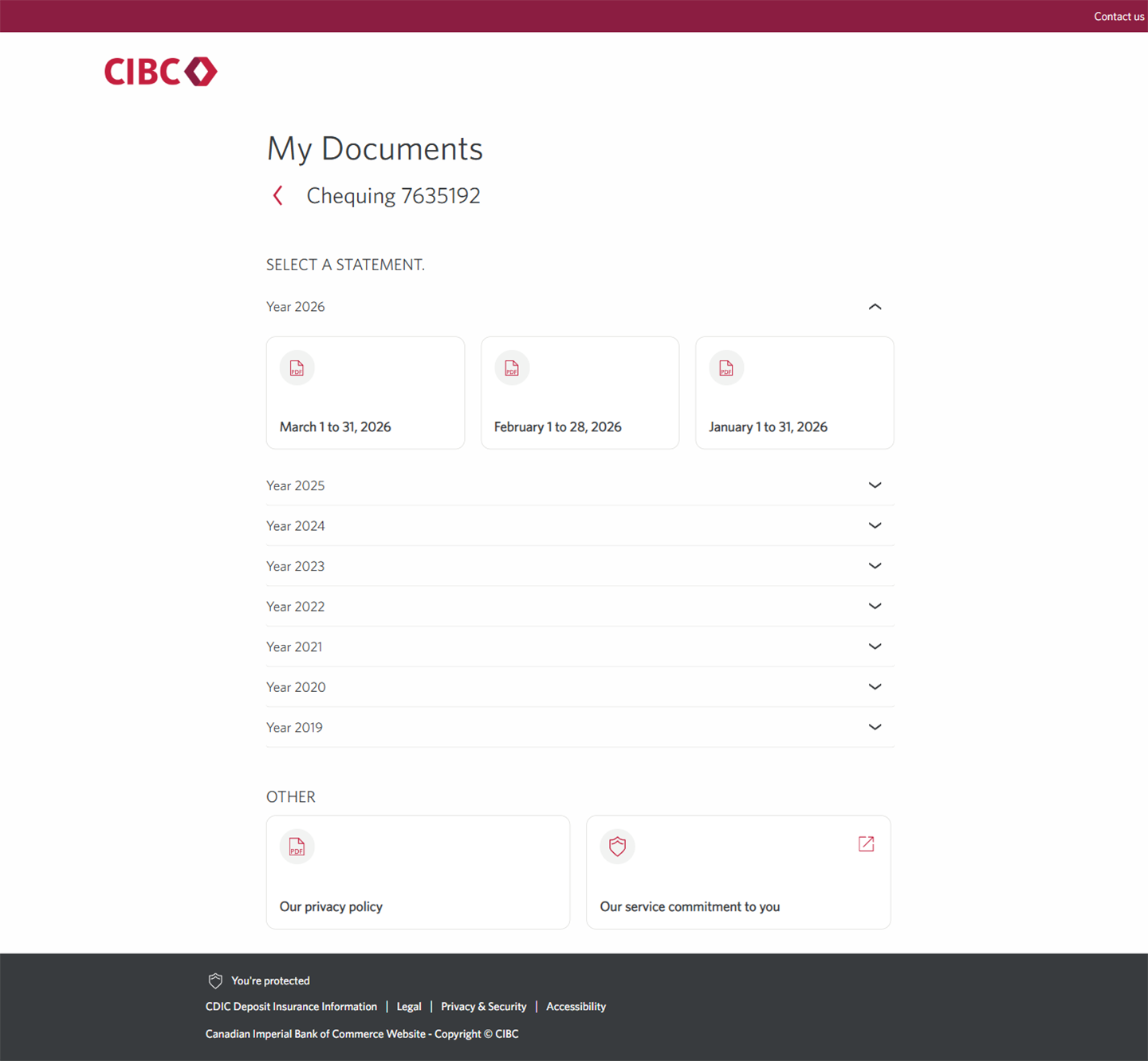
Step 1 : Let's get started on your web browser
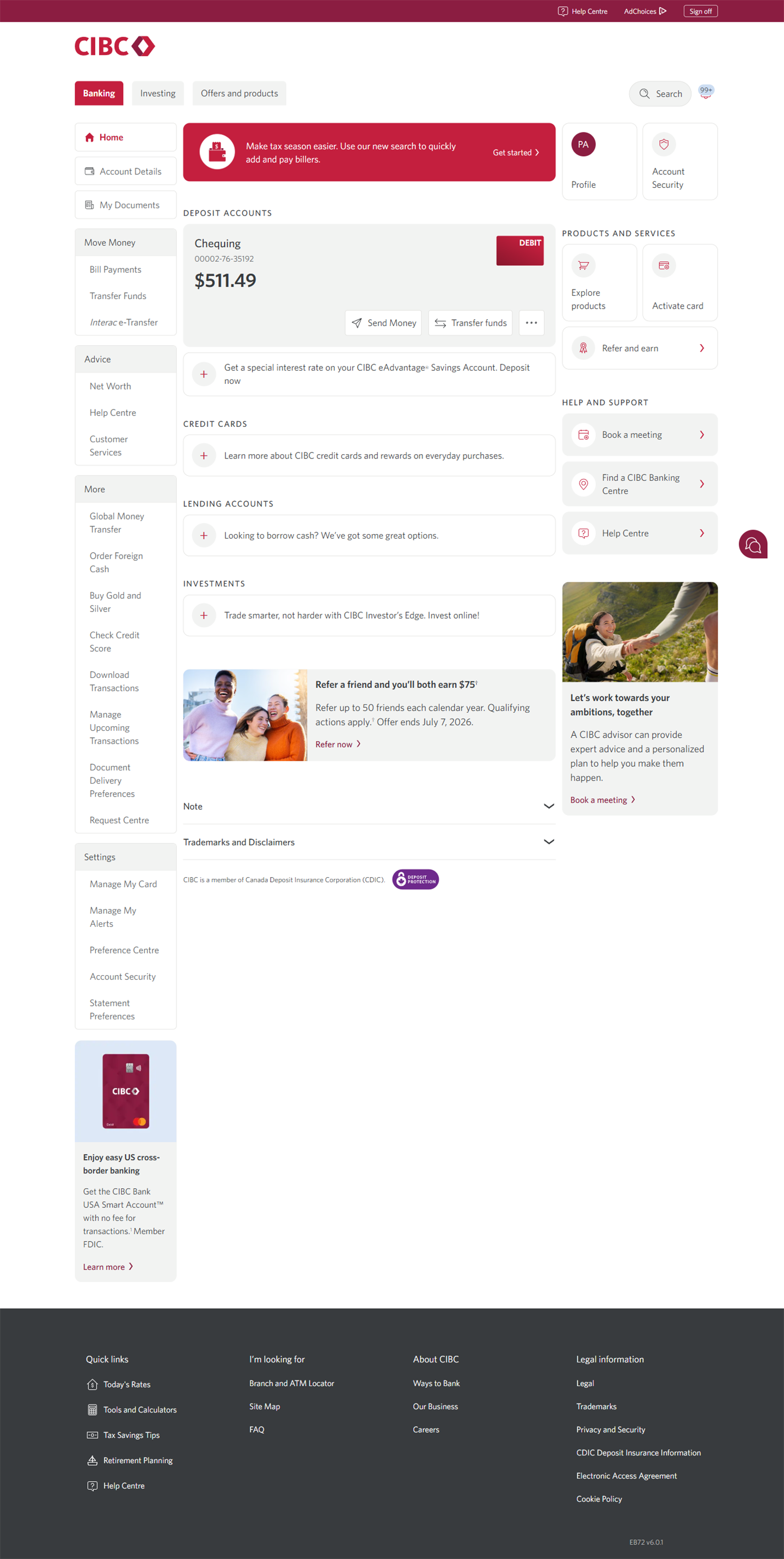
Step 2 : Select "My Documents"
On the CIBC Online Banking homepage, select the "My Documents" button, which is where you'll find your eStatements.
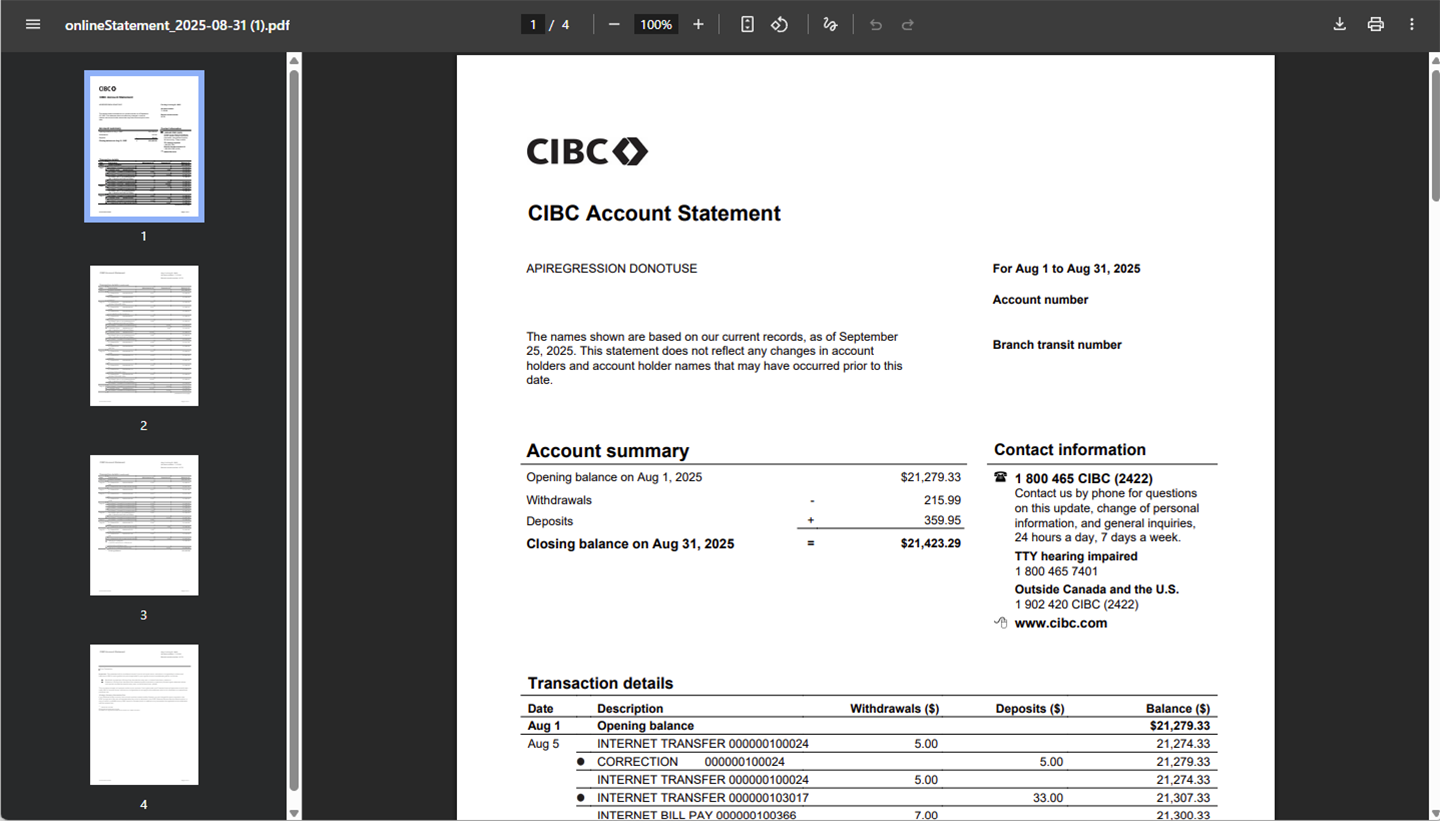
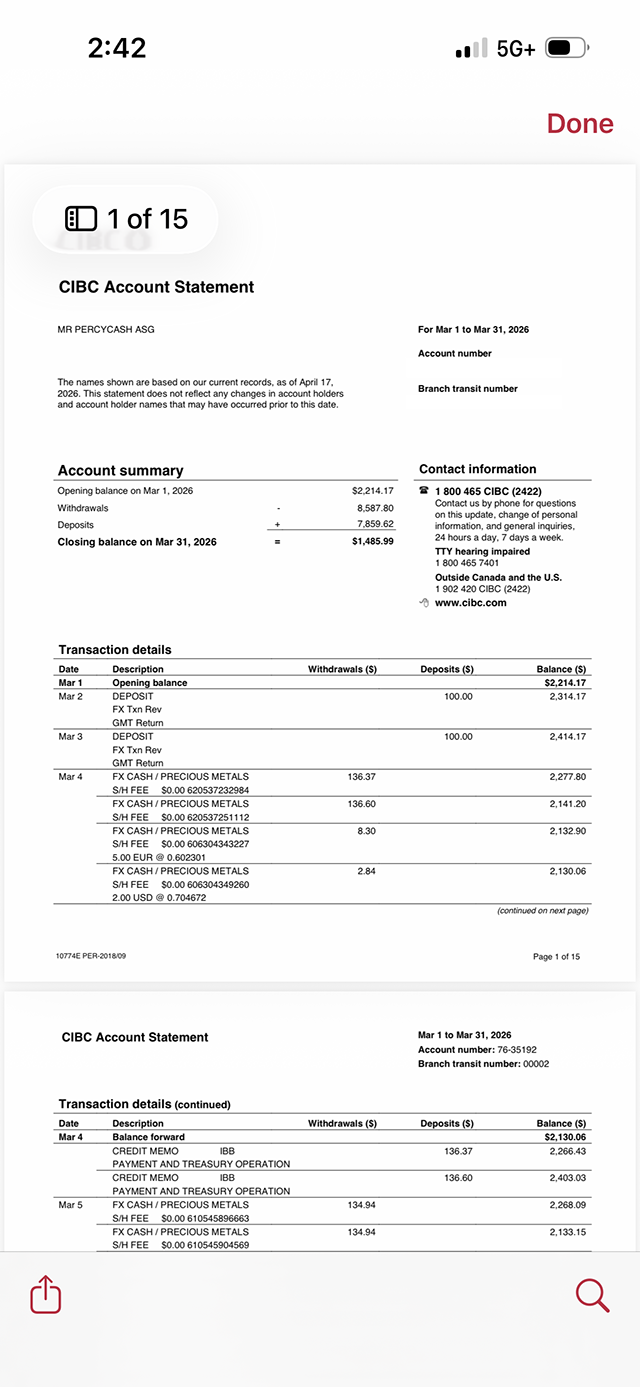
An eStatement is a digital version of your monthly statement that summarizes the activity in your account. It typically includes:
- Account information and summary
- Transaction details
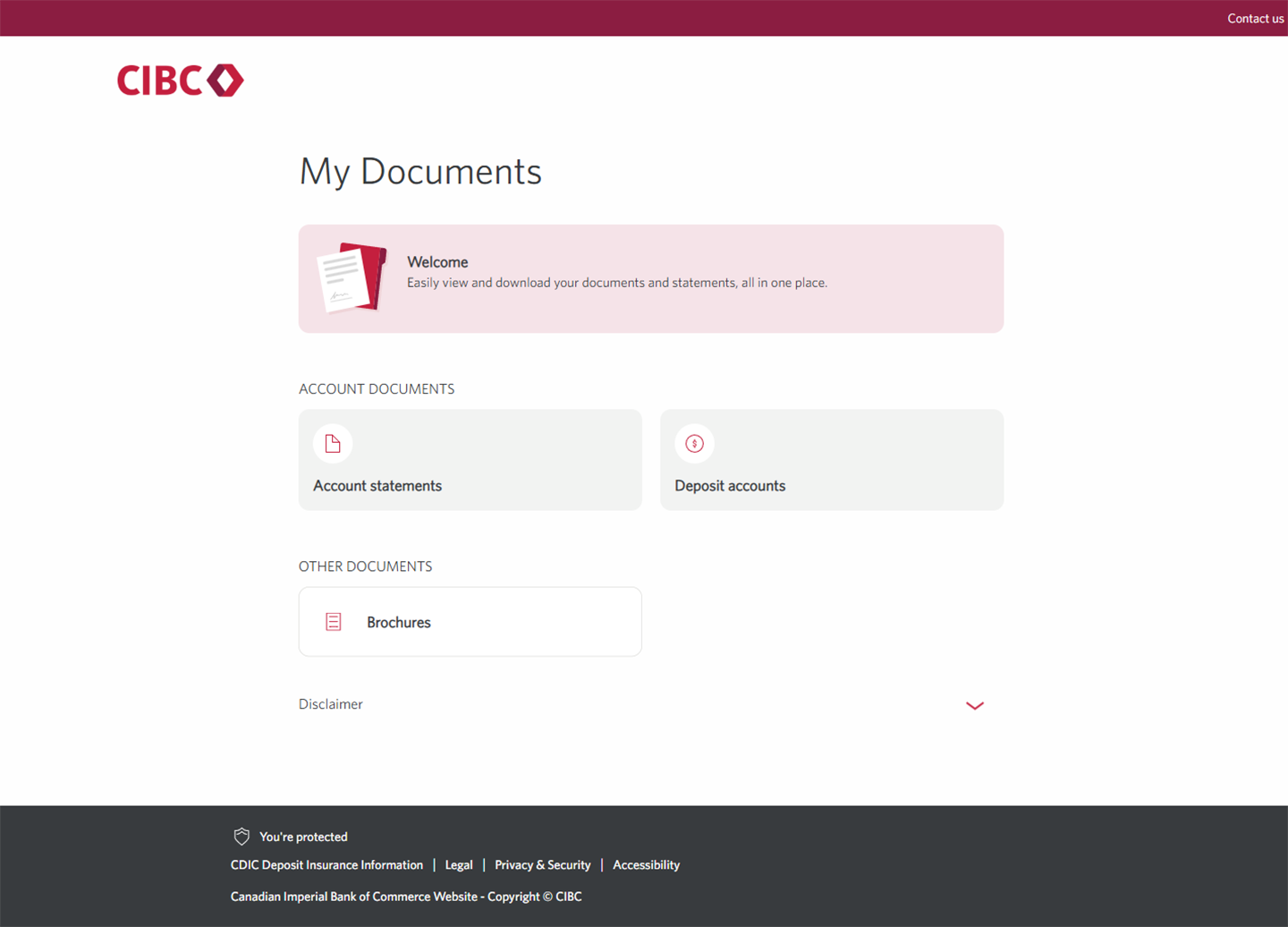
Step 3 : Select "Account statements"
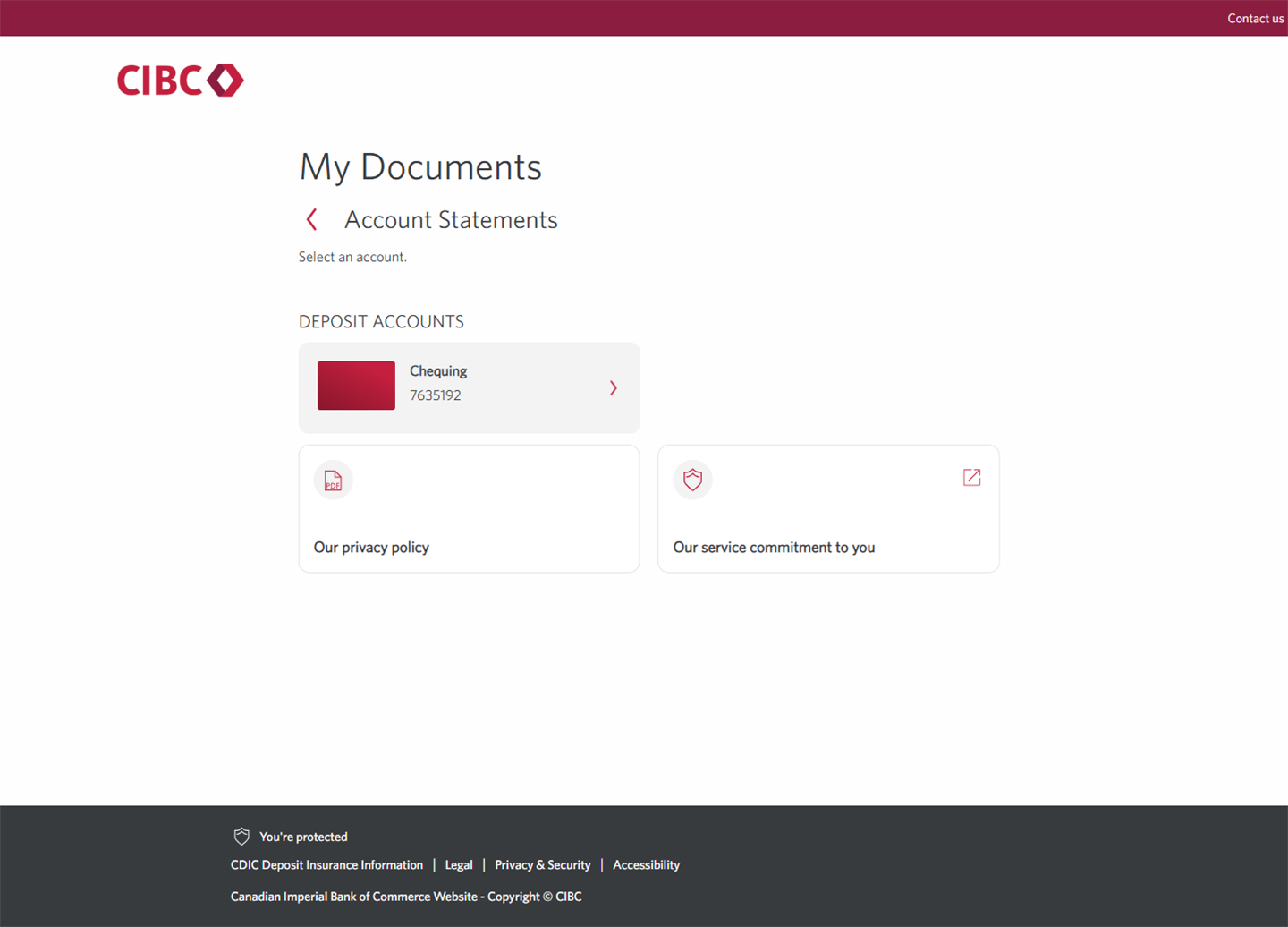
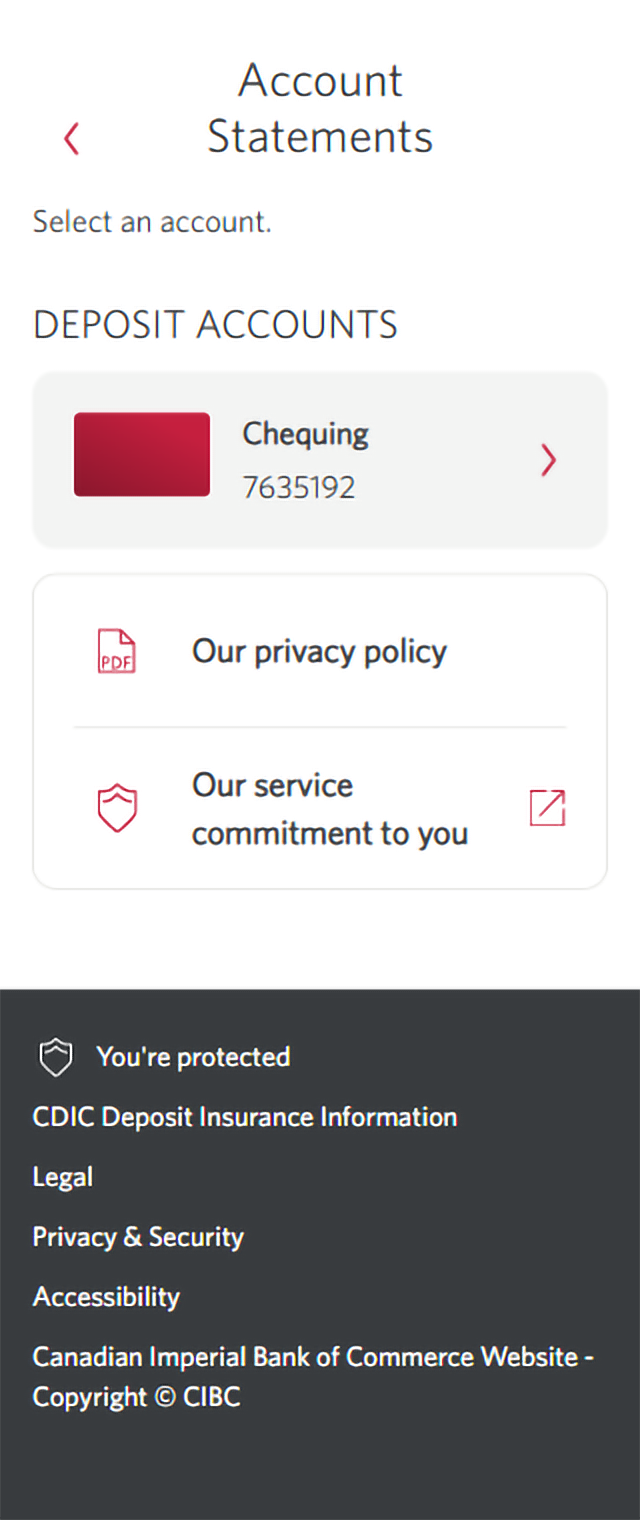
Step 4 : Select the account you want to find an eStatement for
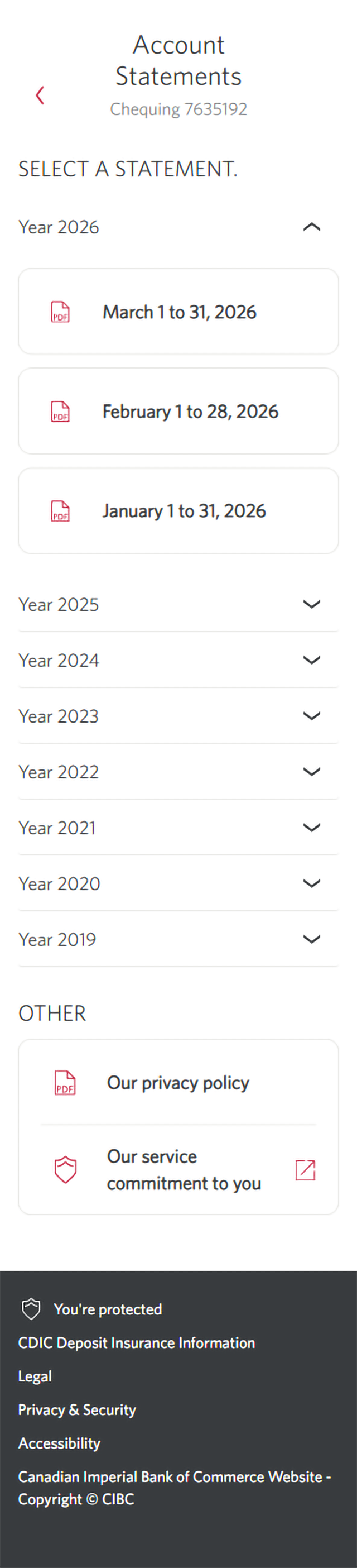
Step 5 : Select an eStatement to review
Step 6 : Great job!
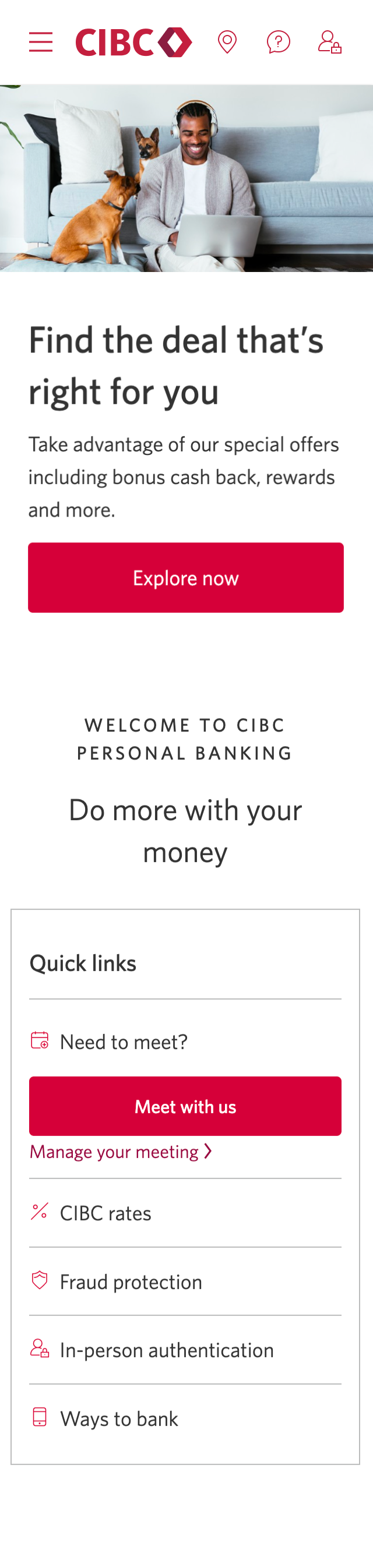


Step 1 : Let's get started on your web browser
Step 2 : Select the three-line menu icon to open the navigation bar
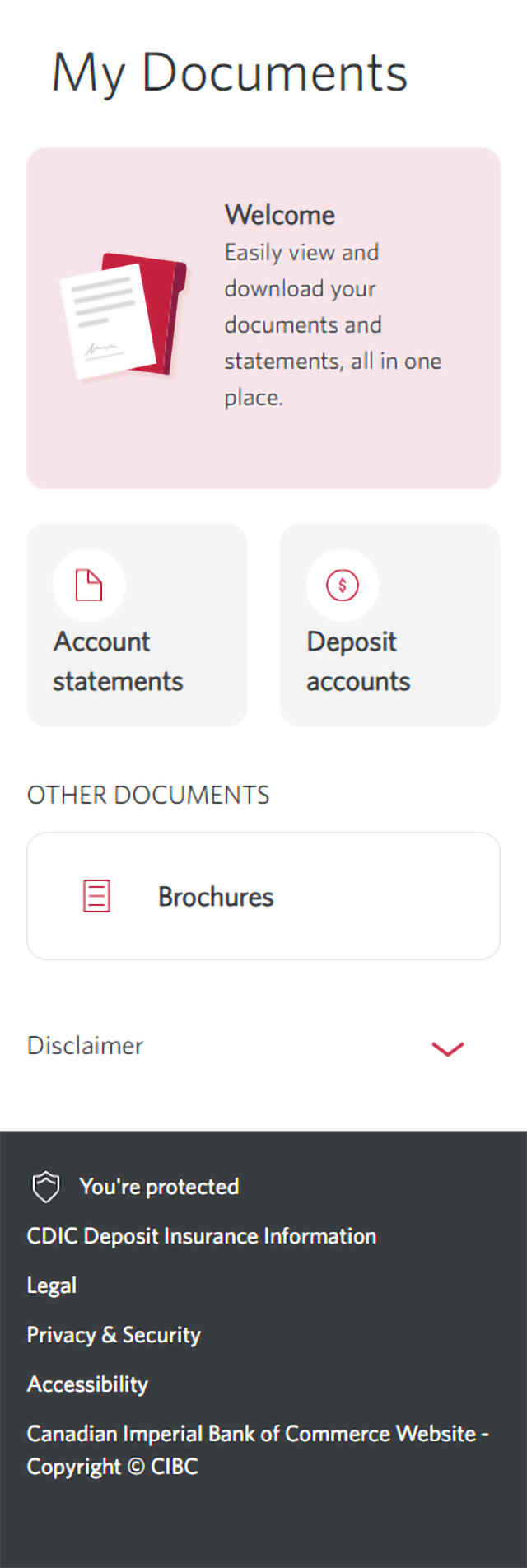
Step 3 : Select "My Documents"
On the menu, select "My Documents", which is where you'll find your eStatements.
An eStatement is a digital version of your monthly statement that summarizes the activity in your account. It typically includes:
- Account information and summary
- Transaction details
Step 4 : Select "Account statements"
Step 5 : Select the account you want to find an eStatement for
Step 6 : Select an eStatement to review
Step 7 : Great job!
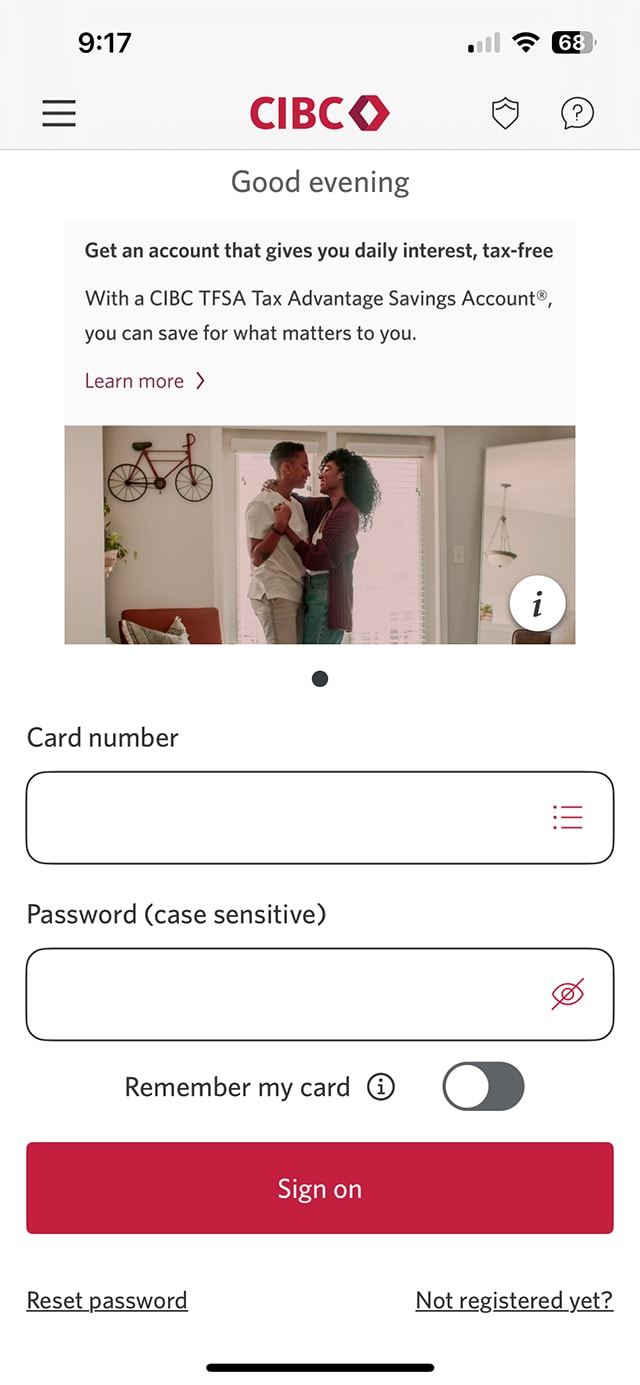
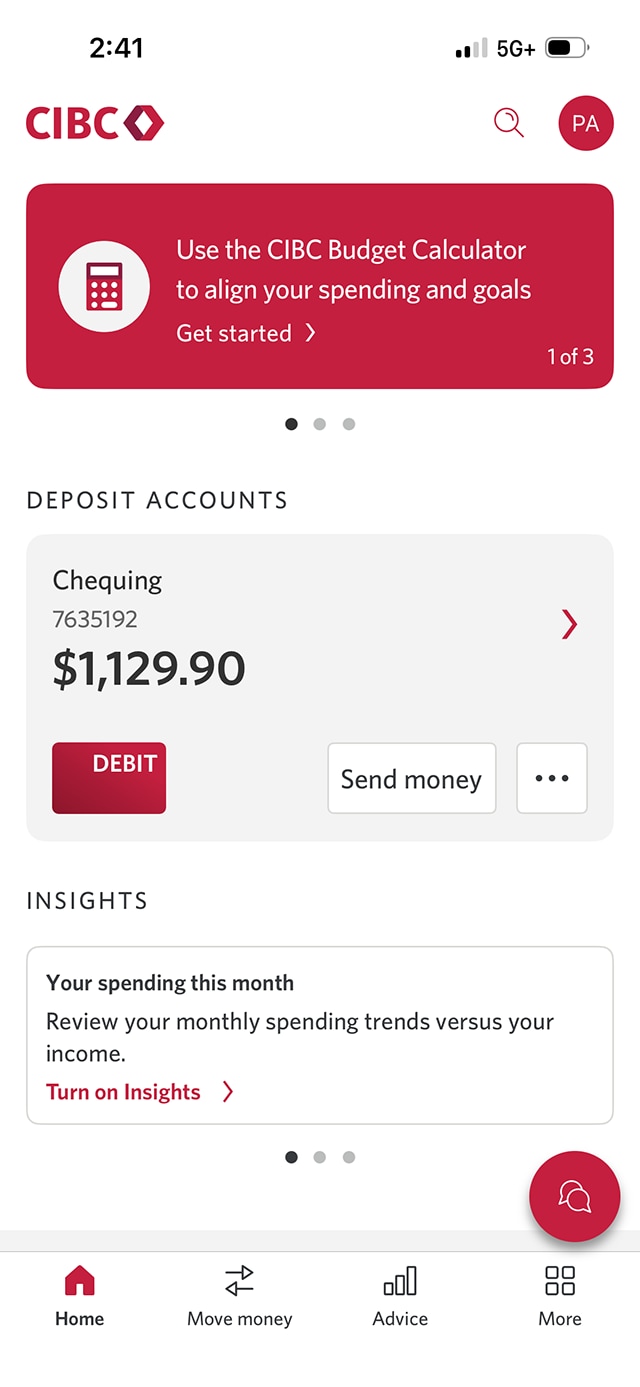
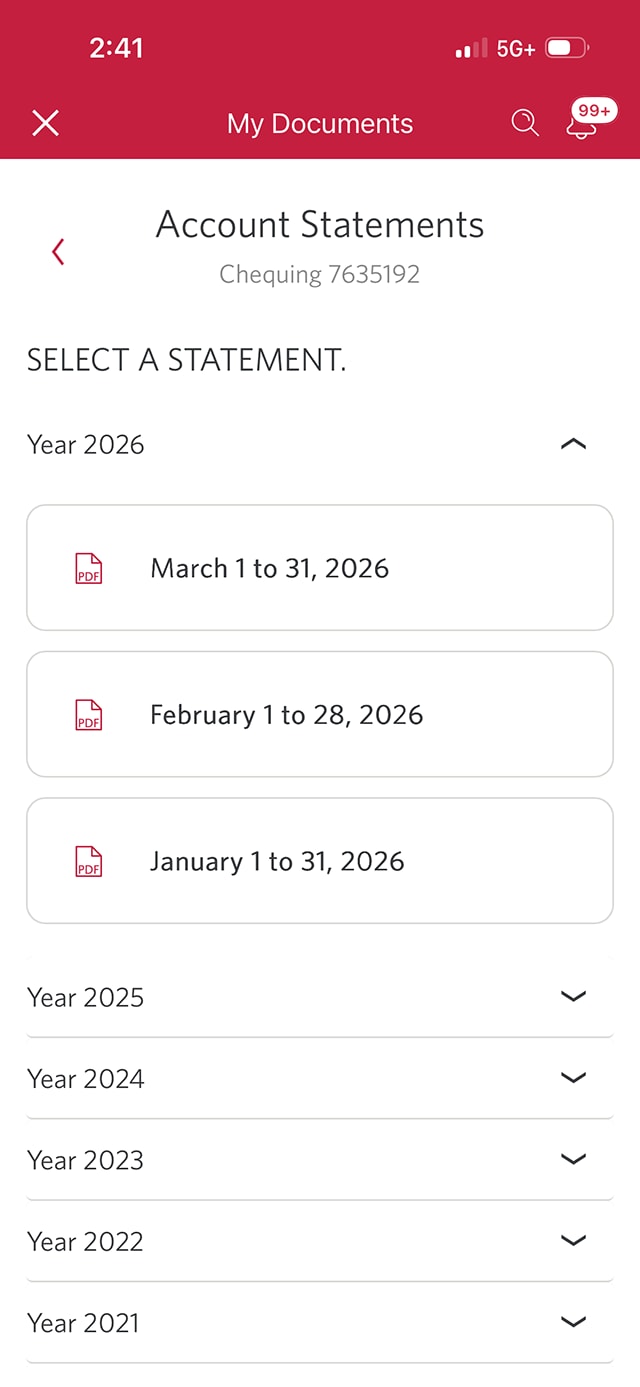
Step 1 : Let's get started on the mobile app
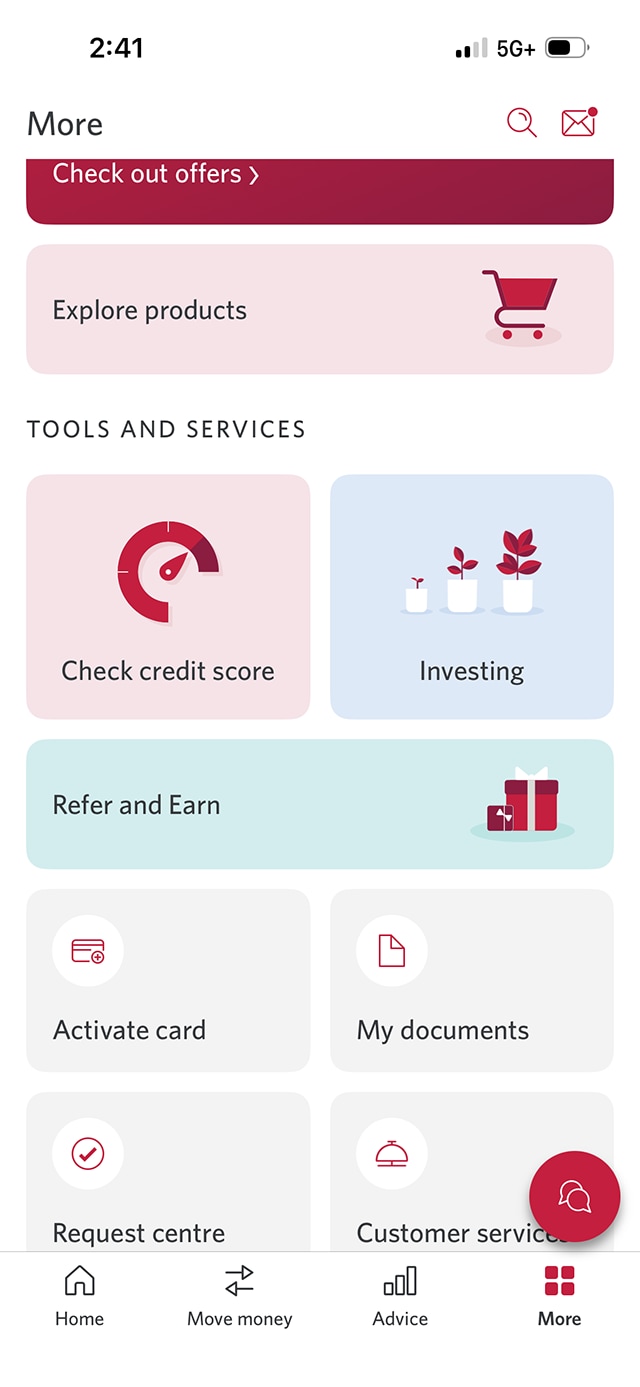
Step 2 : Select "More"
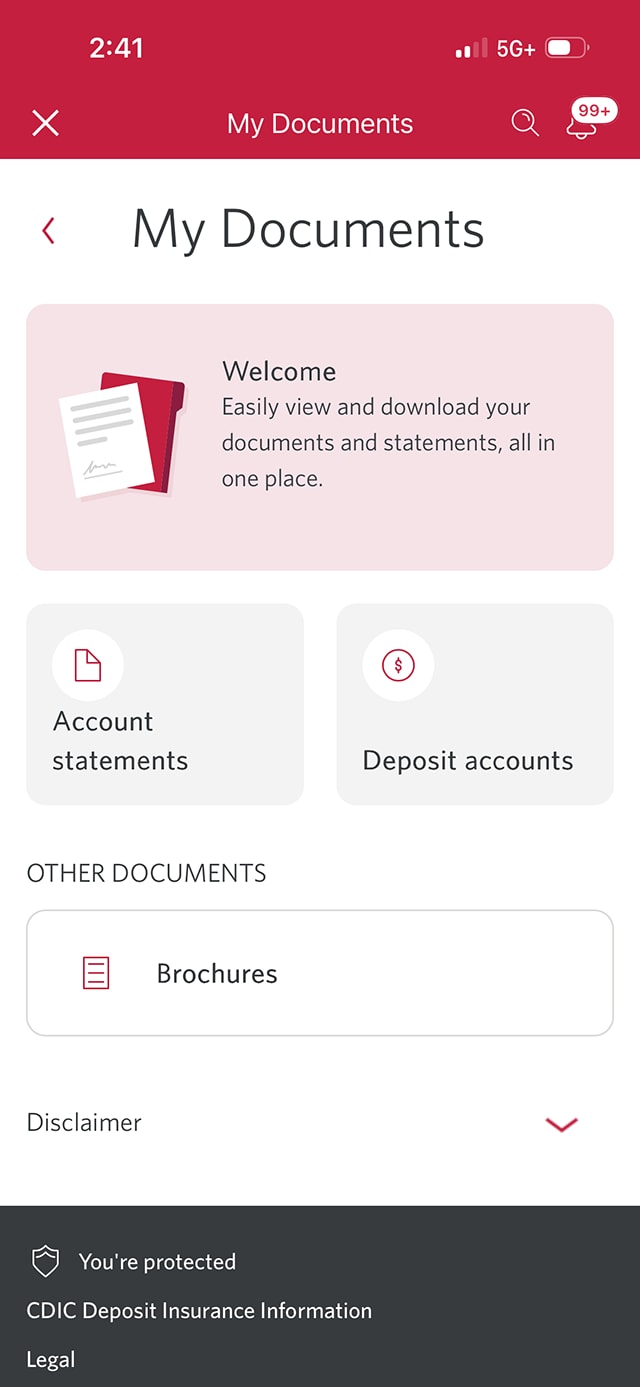
Step 3 : Select "My documents"
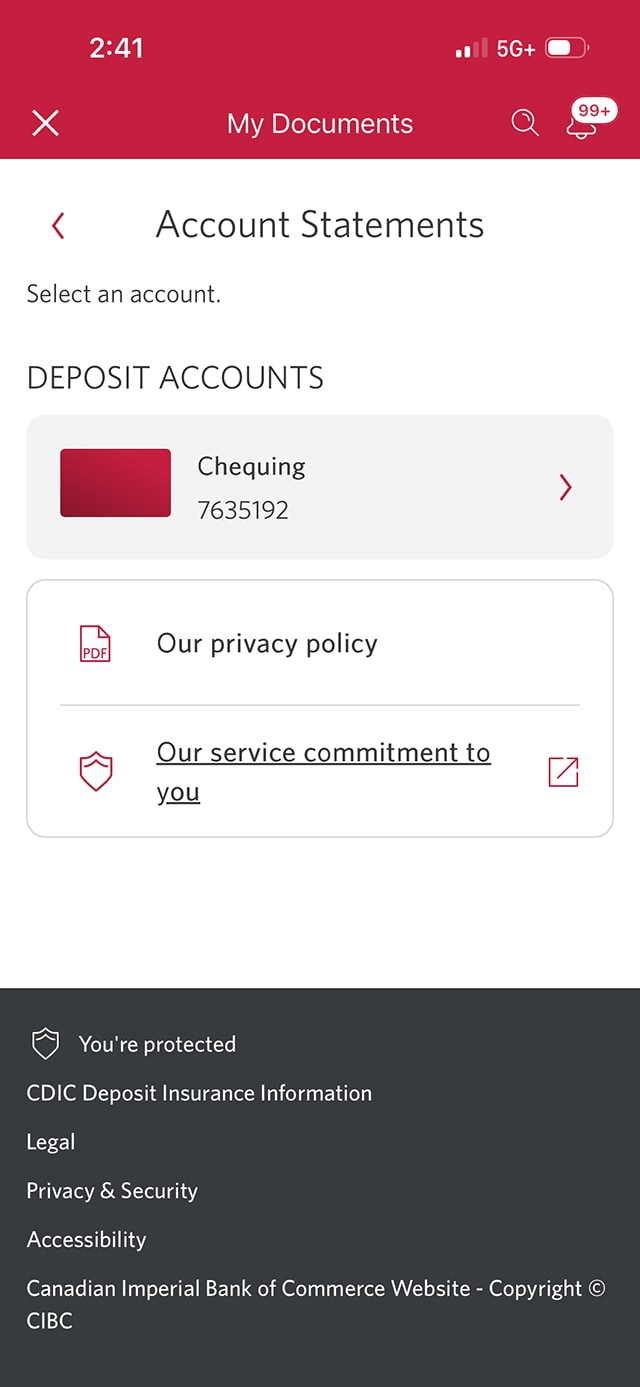
Step 4 : Select "Account statements"
Step 5 : Select the account you want to find an eStatement for
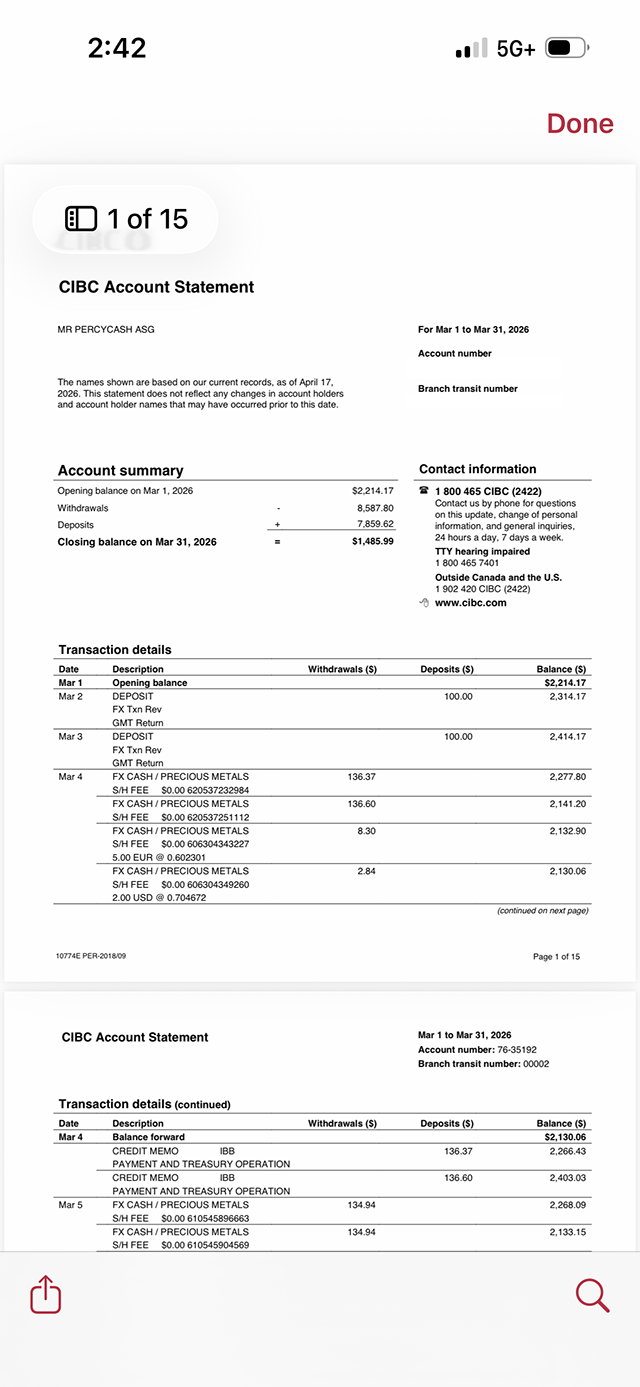
Step 6 : Select an eStatement to review
Step 7 : Great job!
Want an overview of all the steps?
For full instructions on how to find and understand your eStatements, check out the step-by-step process all in one place.
Learn more about what's on an eStatement
An eStatement includes specific information, such as:
Deposits: Money added to your account (cash deposits, transfers, direct deposits, etc.)
Withdrawals: Money taken out (payments, transfers, ATM withdrawals, etc.)
These details will be specific to deposit accounts only. If you choose to review an eStatement for your credit card or a lending product, the details may be different.
When reviewing your eStatement, pay attention to the following key sections. They are designed to quickly help you understand your financial activity and any important updates:
- Account summary: A brief overview of your account opening balance, closing balance & withdrawal totals for the statement period.
- Transaction details: A list of all account activity, including dates, descriptions, and amounts for each transaction.
- Account number: A unique identifier assigned to your bank account.
Recommended digital banking demos

How to use the CIBC Mobile Banking App

How to understand credit card payments

How to register for eStatements
How to pay a bill with CIBC online or mobile banking
Start demo on how to pay a bill with CIBC online or mobile banking
Get started
CIBC Online Banking®
Discover digital banking features that can help you bank easily online.
CIBC Mobile Banking® App
Stay connected to your finances on your mobile device, no matter where you are.

