

How to download a void cheque and set up direct deposit
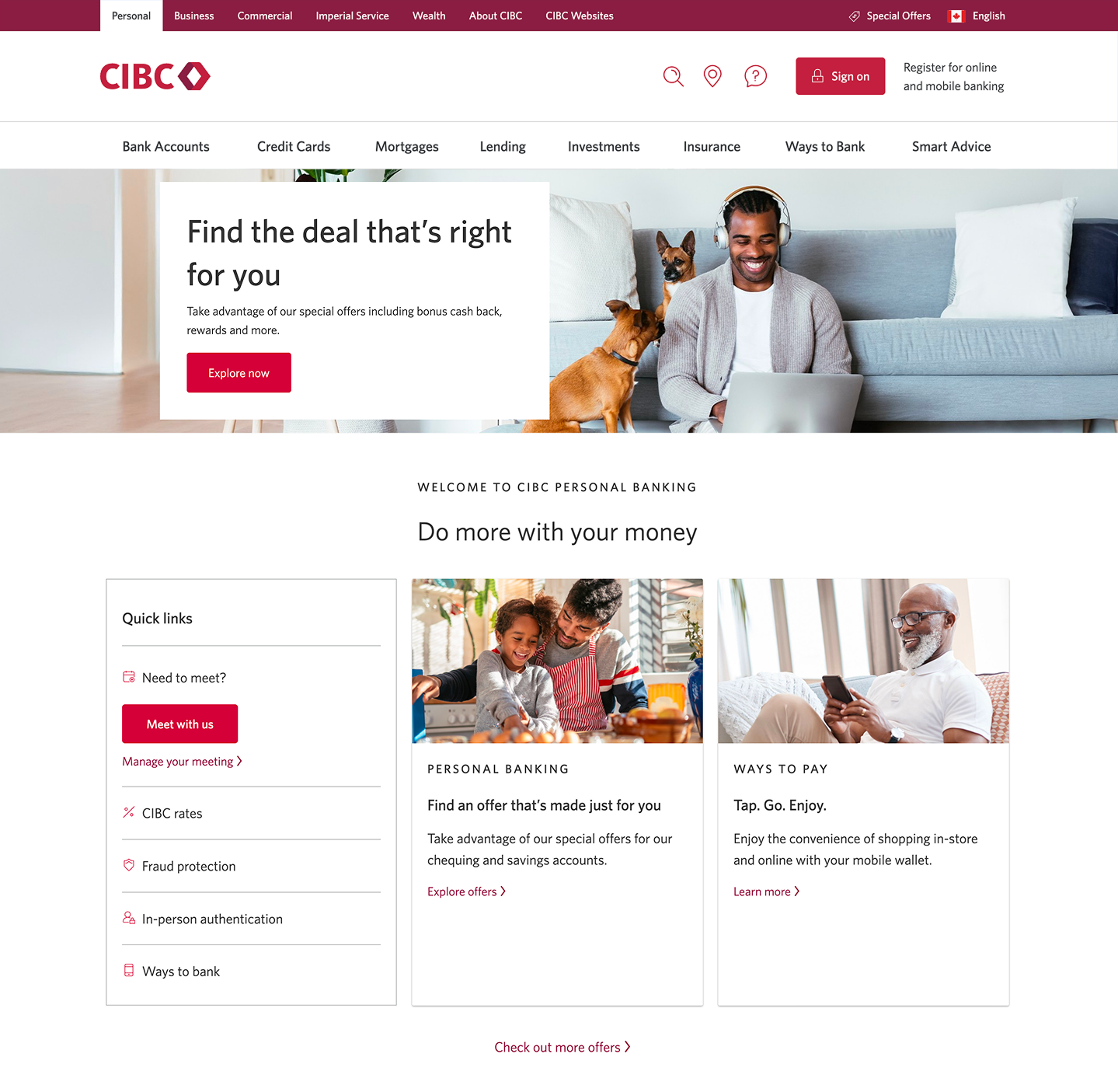
Step 1 : Let's get started on your web browser
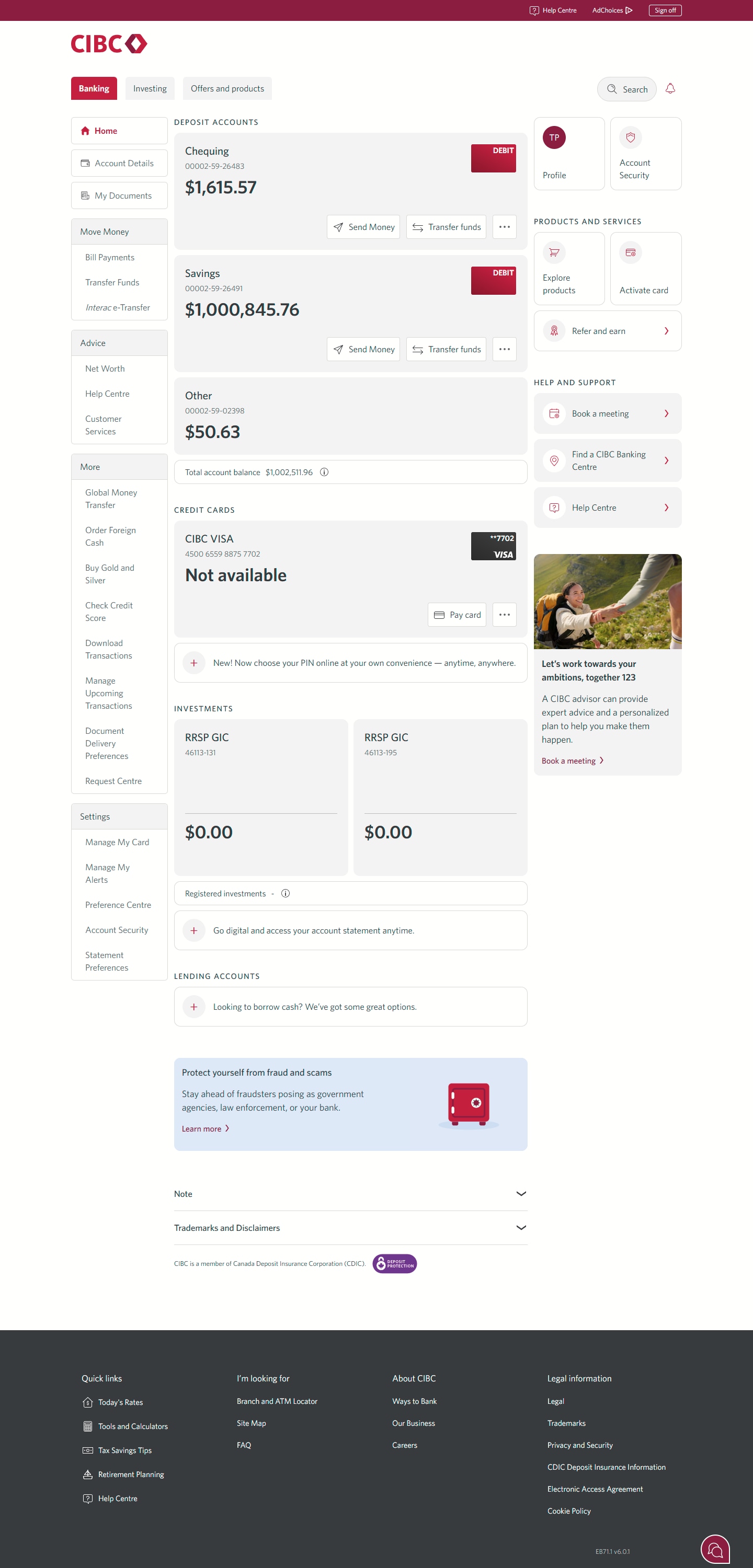
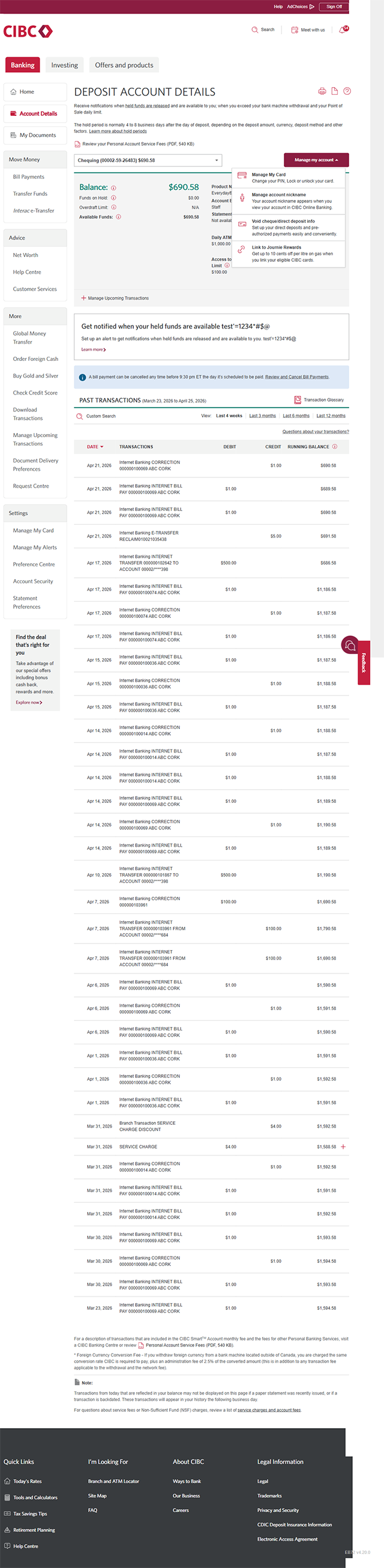
Step 2 : Select the account you need a void cheque for
On the CIBC Online Banking homepage, find the account you'd like to download a void cheque for.
Select anywhere on the account to go to the details for the deposit account on the next page.
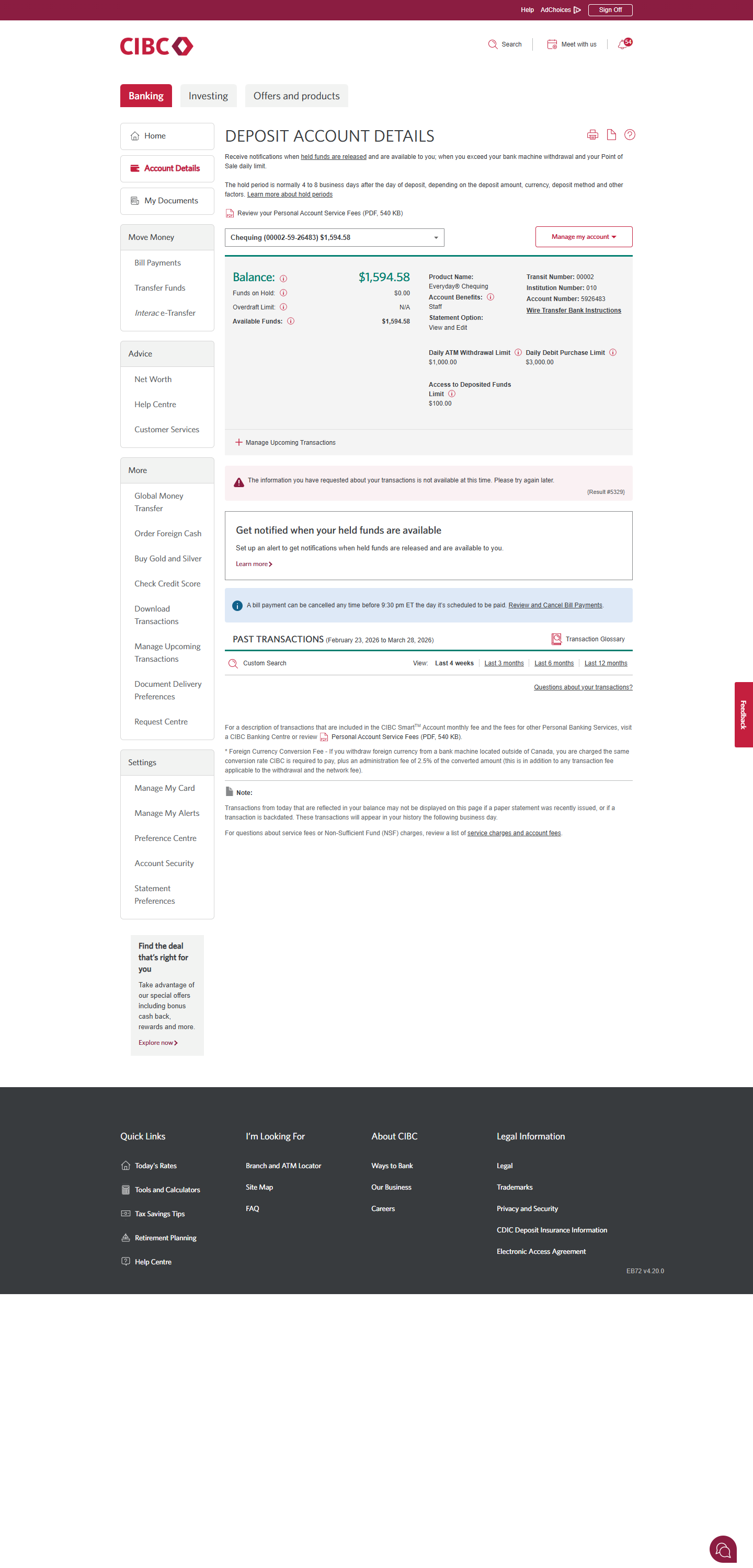
Step 3 : Open the "Manage my account" dropdown
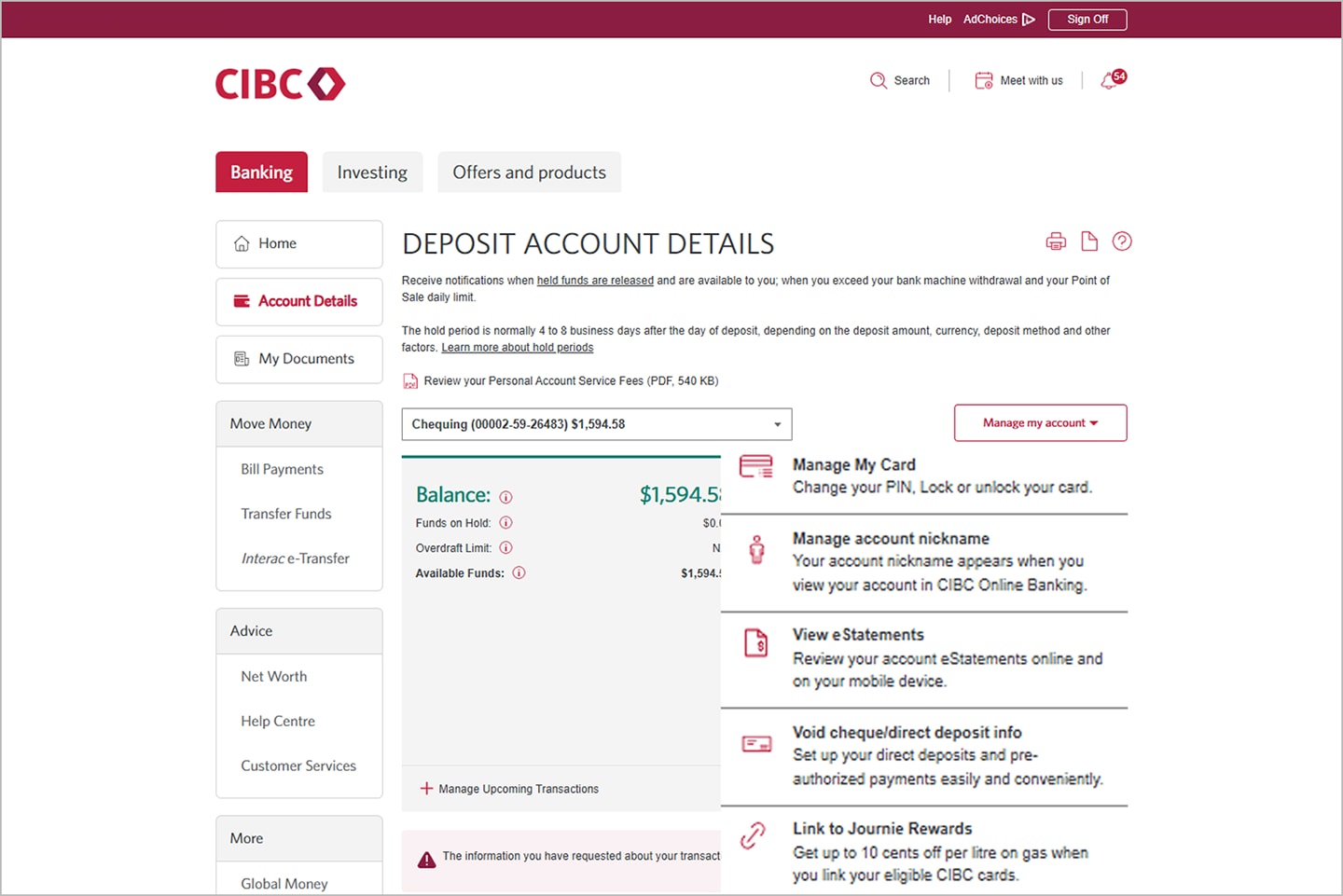
Step 4 : Find the "Void cheque/direct deposit" option
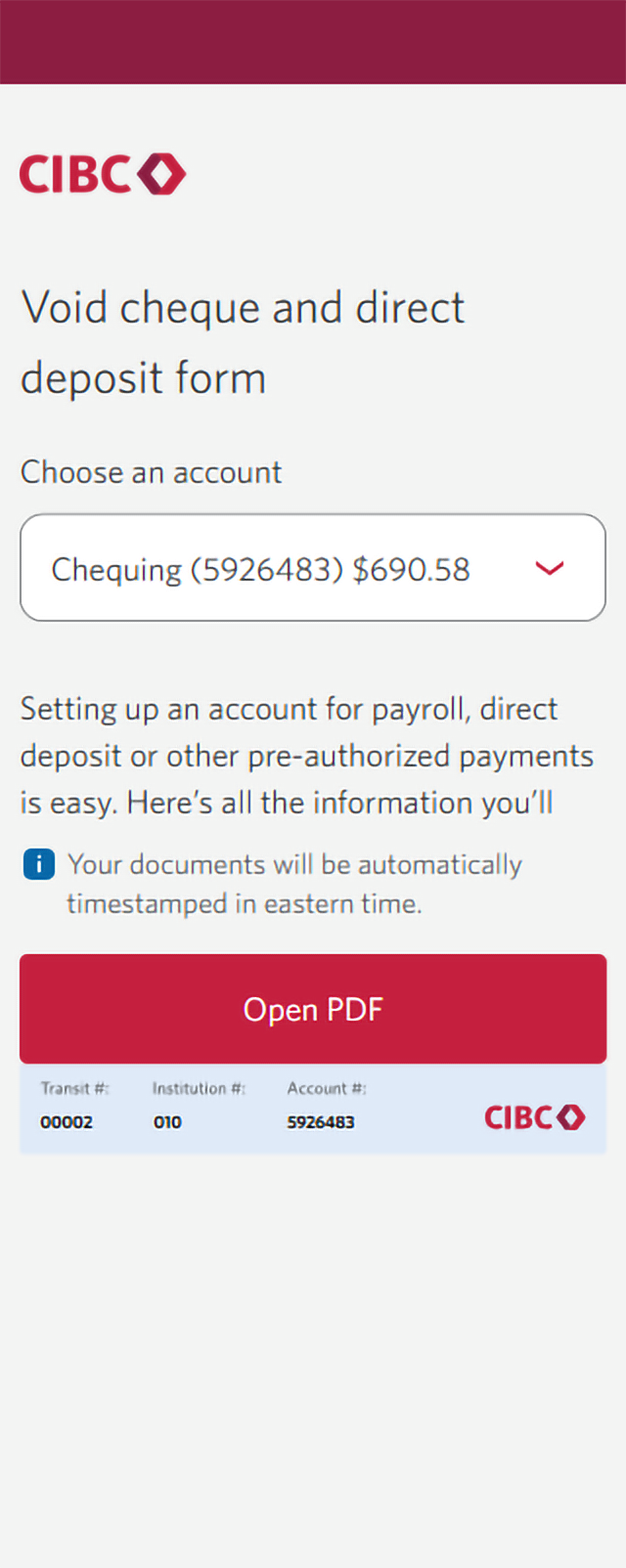
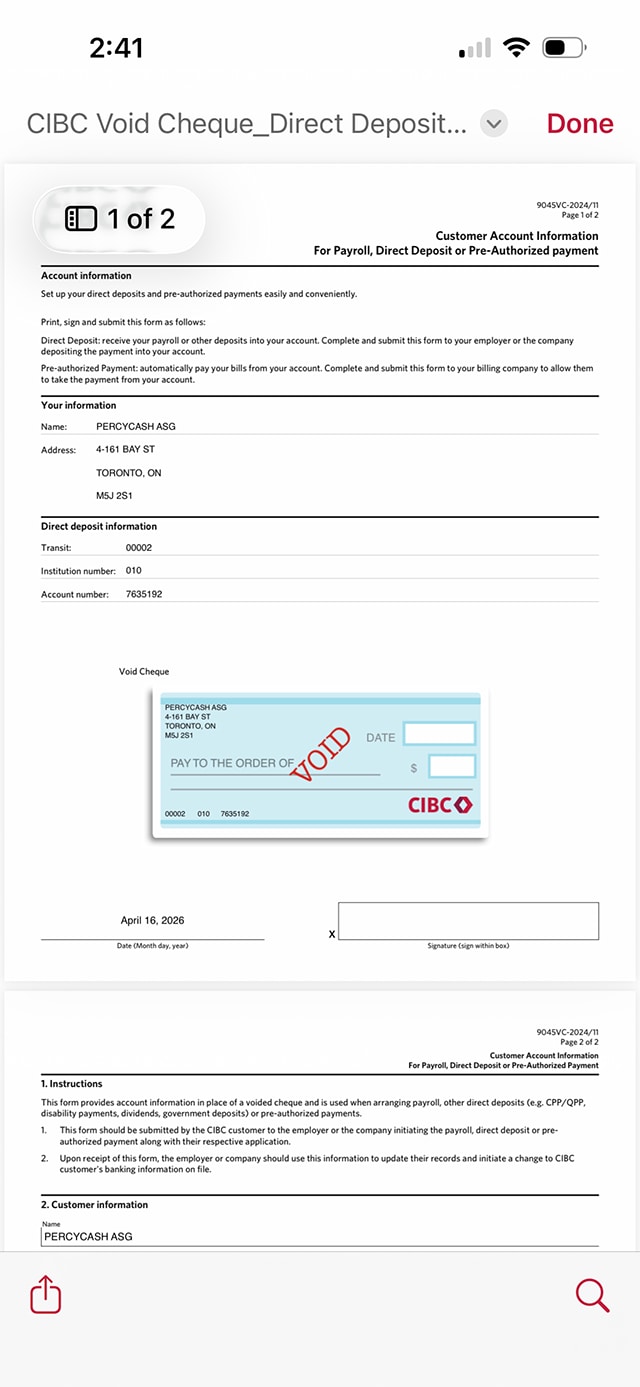
Step 5 : Open the PDF with your information
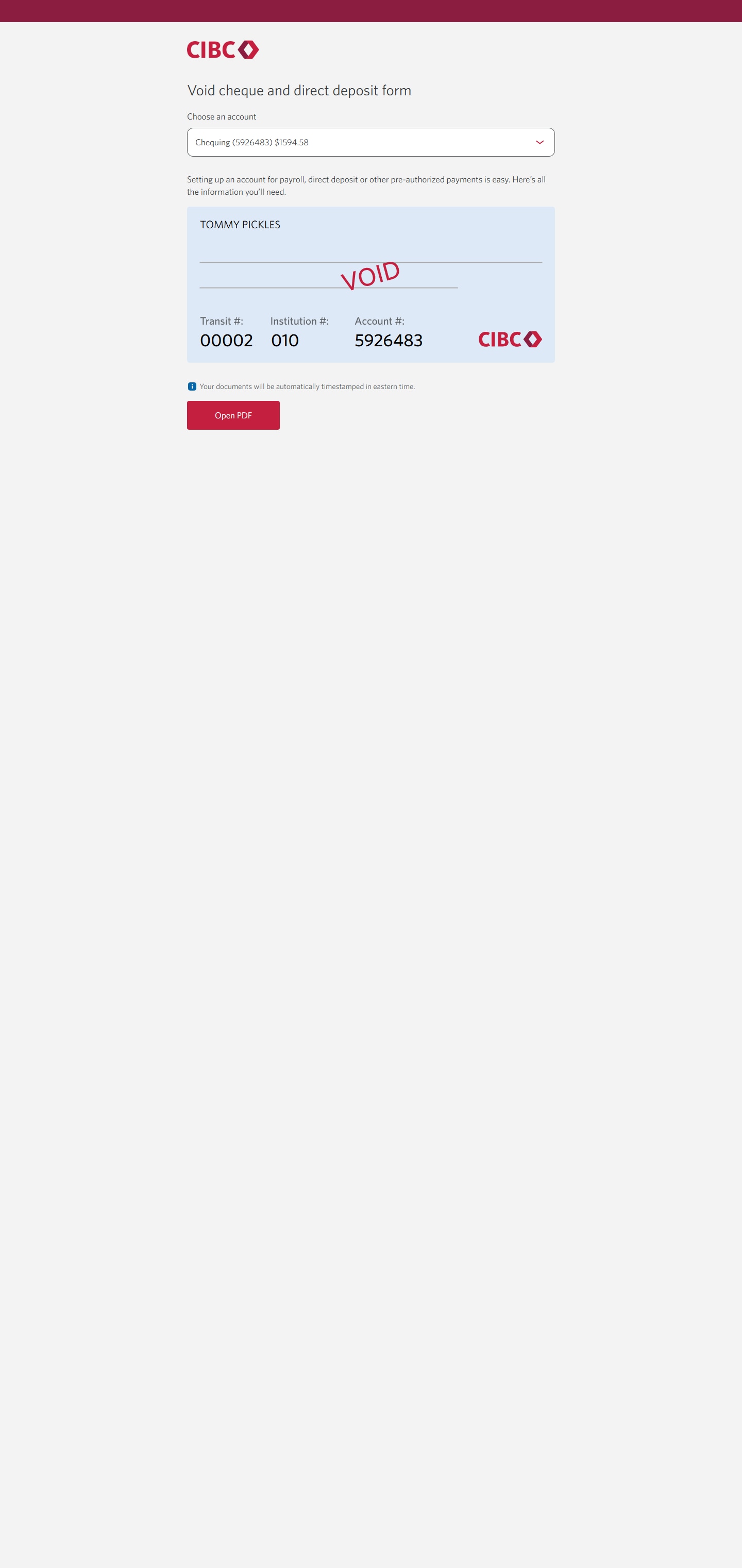
You'll be taken to a dedicated page for the void cheque and direct deposit form.
The page displays your direct deposit information and an option to open the form as a PDF. Select the "Open PDF" button to continue.
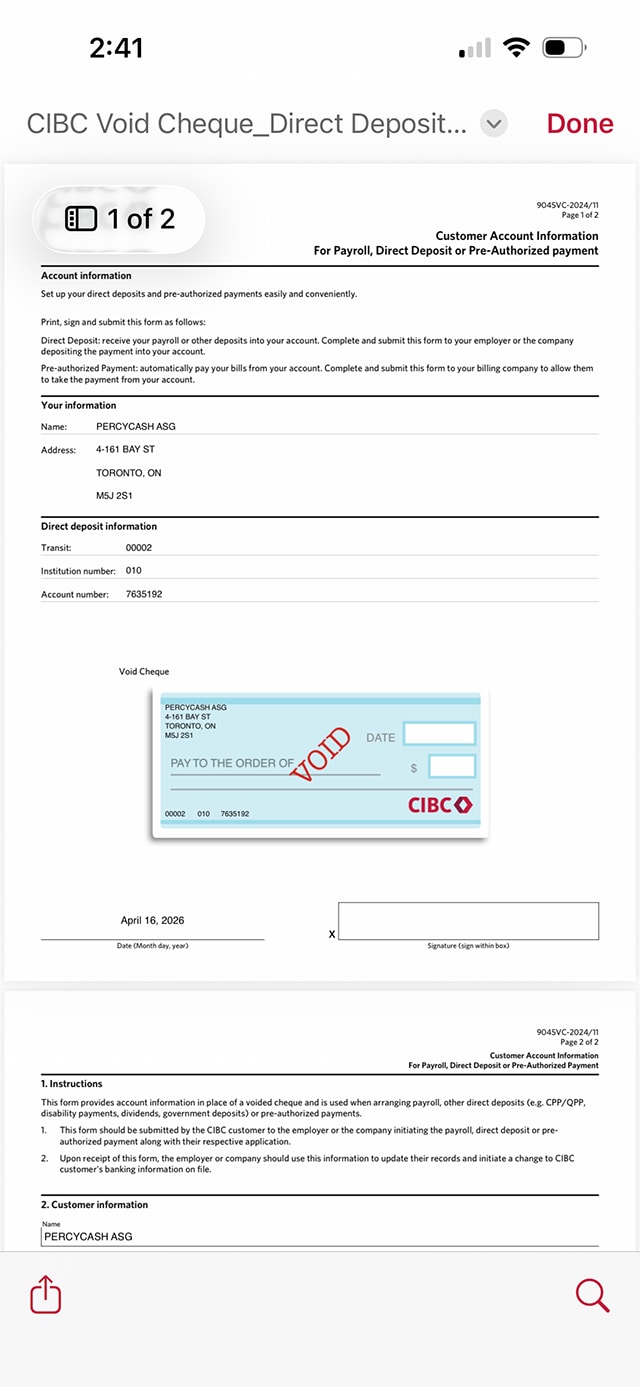
Step 6 : Great job!
You've successfully found the void cheque and direct deposit form for your account.
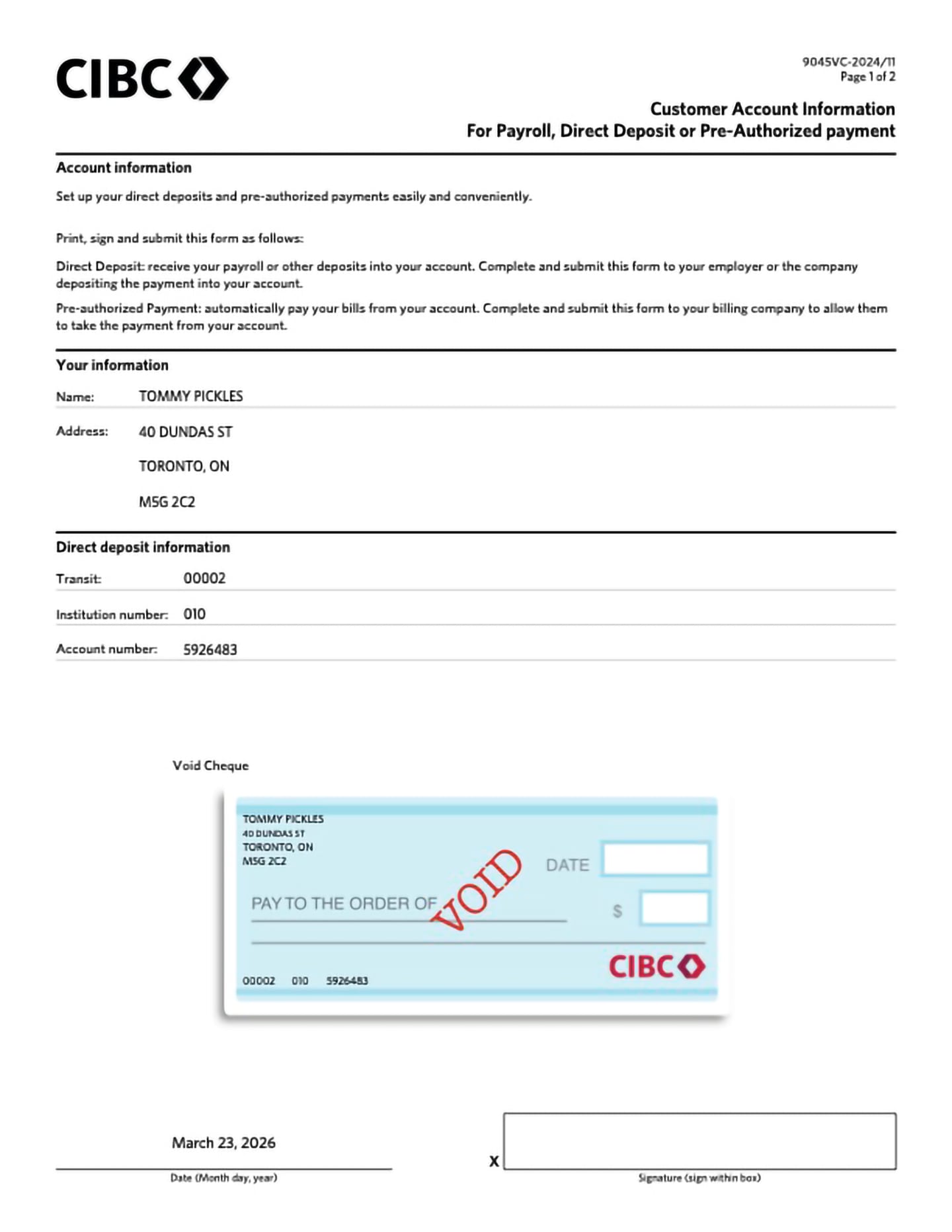
Your void cheque and direct deposit information will open as a PDF you can download or print for your use.

Step 1 : Let's get started on your web browser
Step 2 : Select the account you need a void cheque for
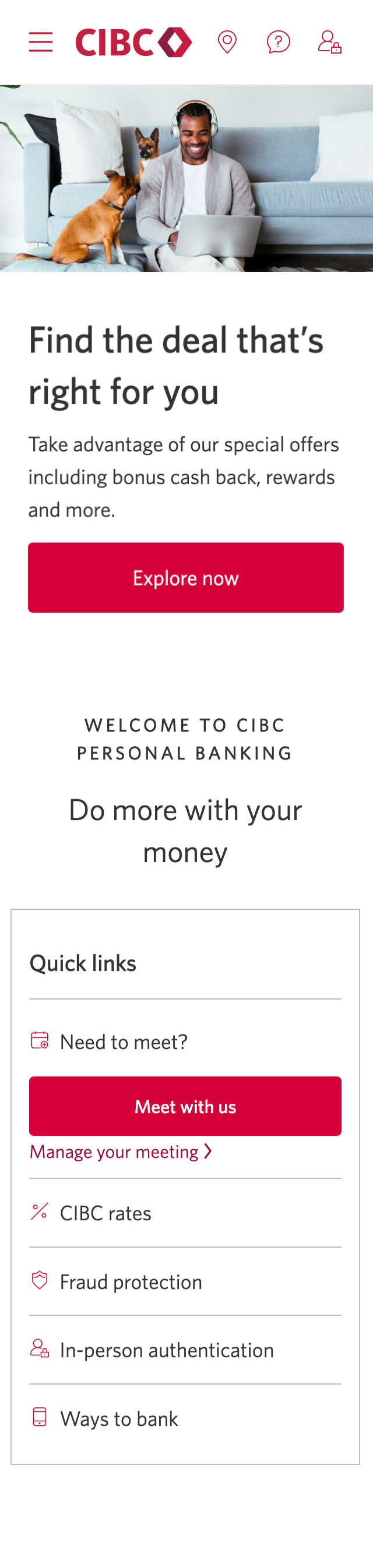
On the CIBC Online Banking homepage, find the account you'd like to download a void cheque for.
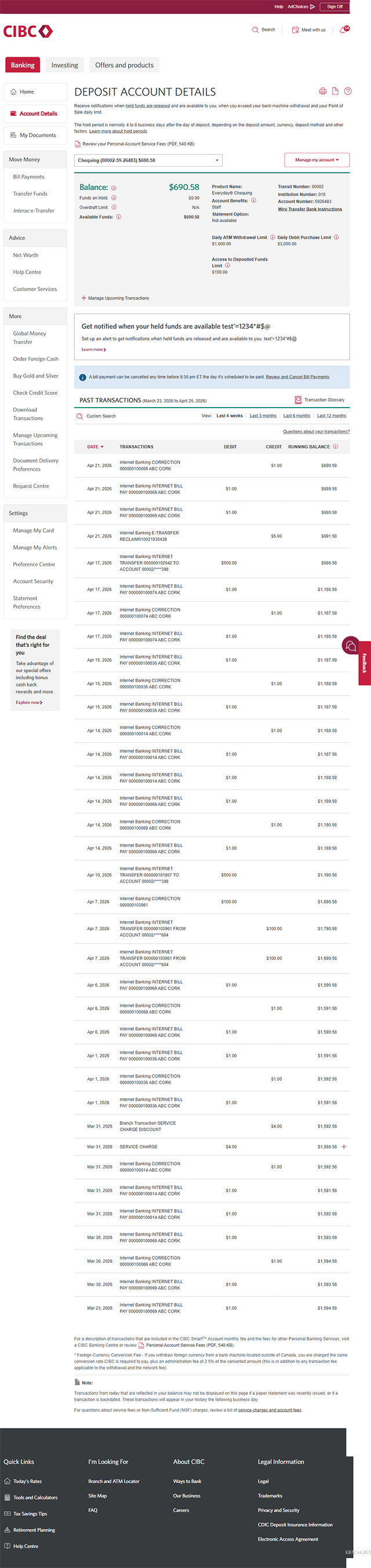
Select anywhere on the account to go to the details for the deposit account on the next page.
Step 3 : Open the "Manage my account" dropdown
Step 4 : Find the "Void cheque/direct deposit" option
Step 5 : Open the PDF with your information
You'll be taken to a dedicated page for the void cheque and direct deposit form.
The page displays your direct deposit information and an option to open the form as a PDF. Select the "Open PDF" button to continue.
Step 6 : Great job!
You've successfully found the void cheque and direct deposit form for your account.
Your void cheque and direct deposit information will open as a PDF you can download or print for your use.
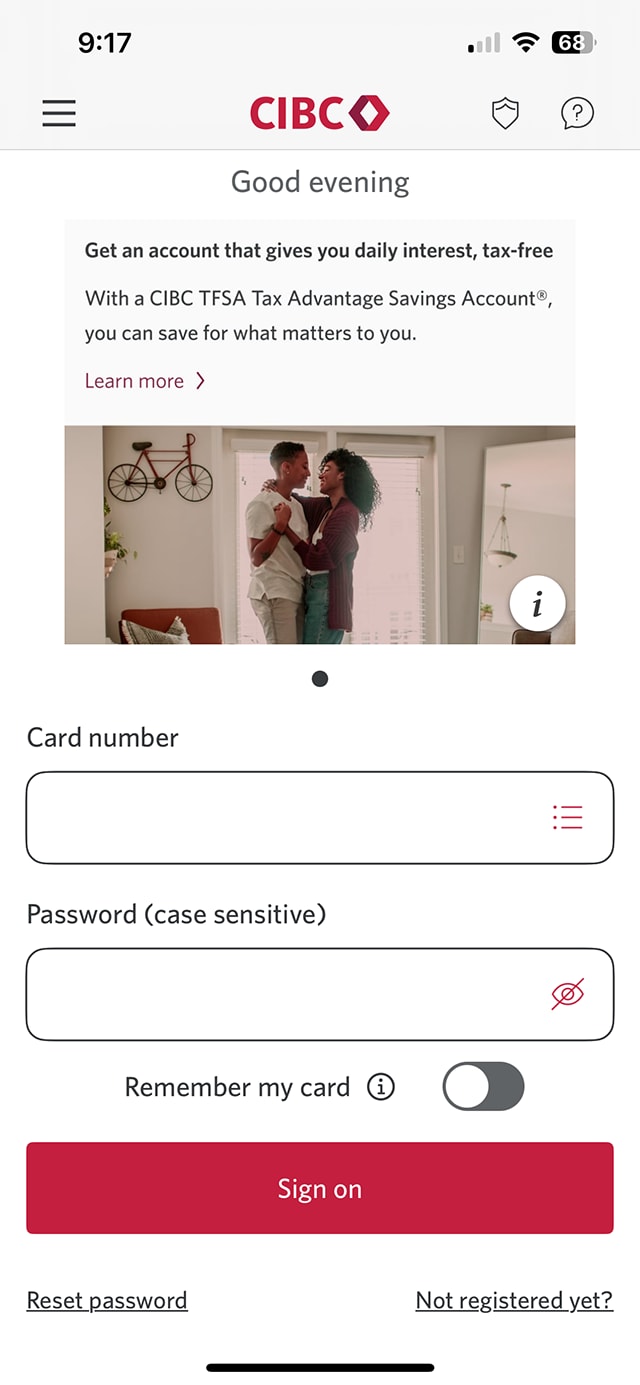
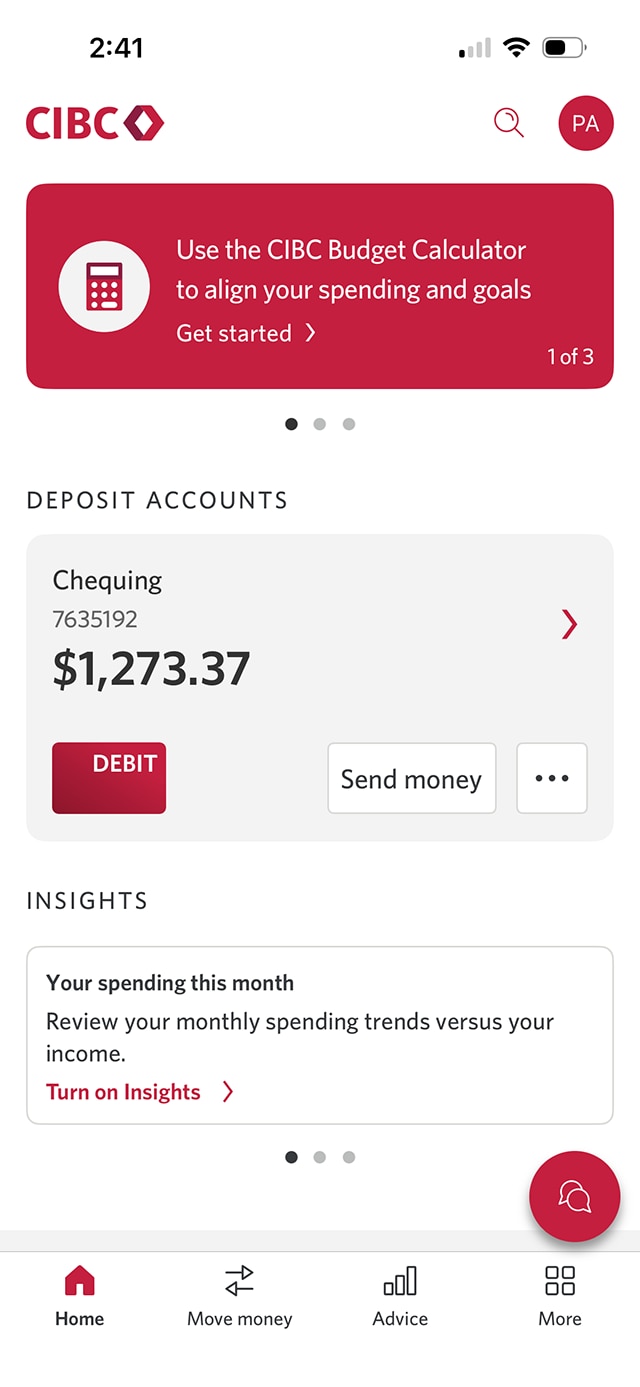
Step 1 : Let's get started on the mobile app
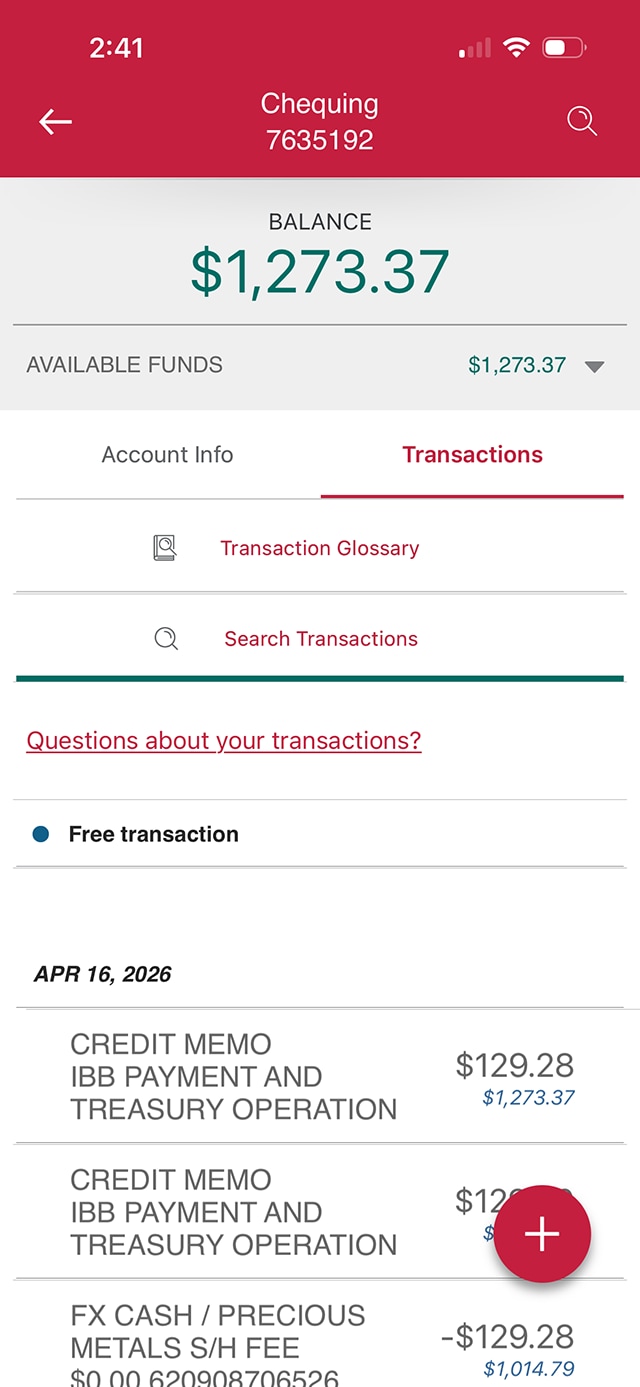
Step 2 : Select the account you need a void cheque for
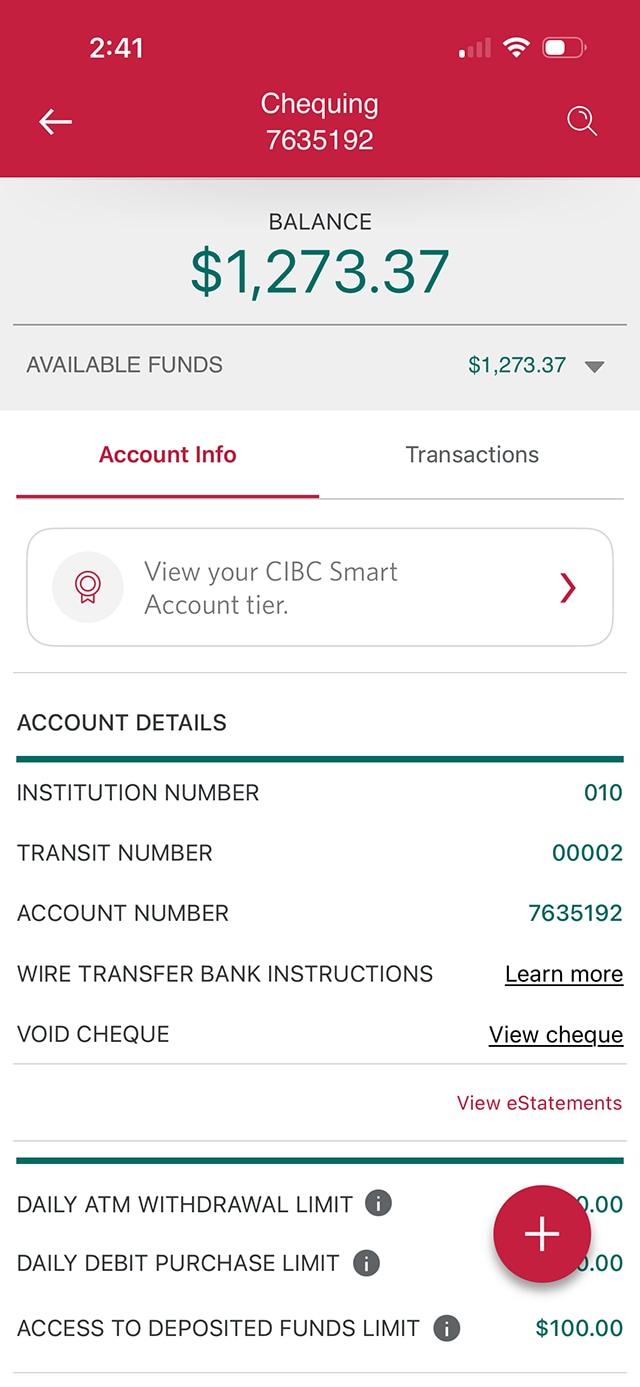
Step 3 : Go to the "Account Info" tab
Step 4 : Find the option to get your void cheque
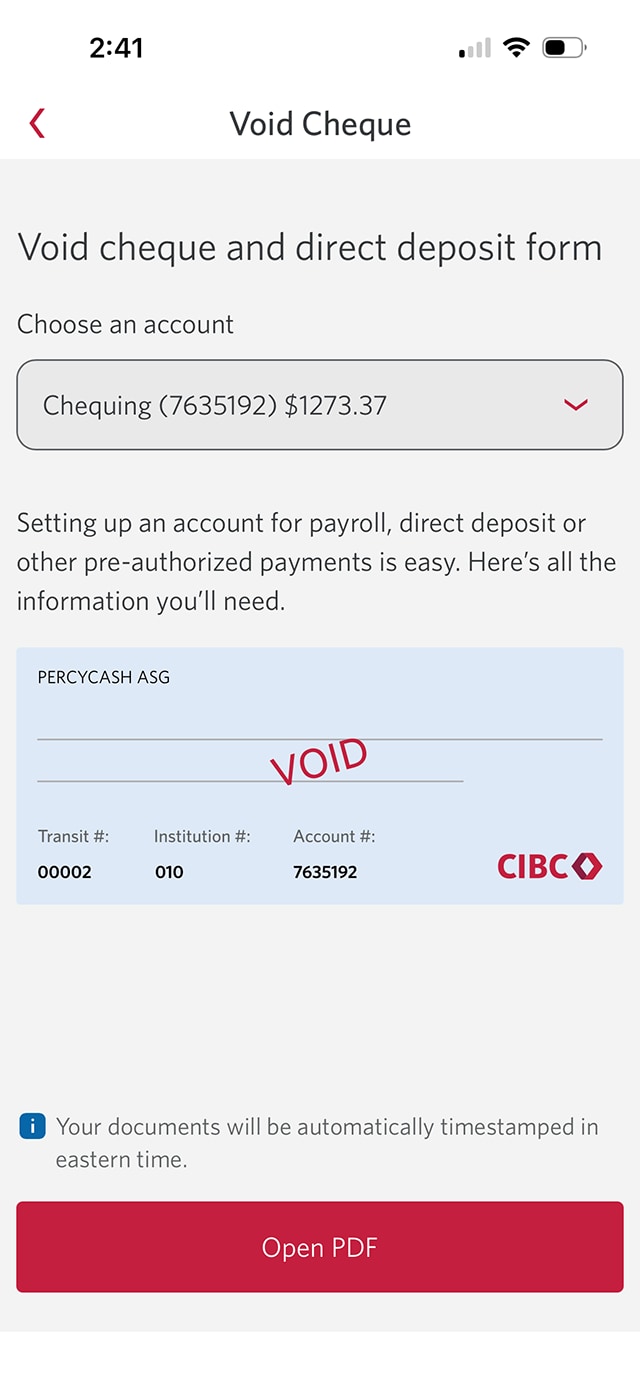
Step 5 : Open the PDF with your information
You'll be taken to a dedicated page for the void cheque and direct deposit form.
The page displays your direct deposit information and an option to open the form as a PDF. Select the "Open PDF" button to continue.
Step 6 : Great job!
You've successfully found the void cheque and direct deposit form for your account.
Your void cheque and direct deposit information will open as a PDF you can download or print for your use.
Want an overview of all the steps?
For full instructions on how to download a void cheque and set up direct deposit, check out the step-by-step process all in one place.
Recommended digital banking demos

How to deposit a cheque with eDeposit

How to register for Interac e-Transfer Autodeposit
Start demo on how to register for Interac e-Transfer Autodeposit.
How to transfer money between accounts

How to review and confirm your information
Get started

CIBC Online Banking®
Discover digital banking features that can help you bank easily online.
CIBC Mobile Banking® App
Stay connected to your finances on your mobile device, no matter where you are.

