

How to deposit a cheque with eDeposit
Learn how to deposit personal or business cheques into your account by taking a picture with the CIBC Mobile Banking® App.

Your progress
1
of
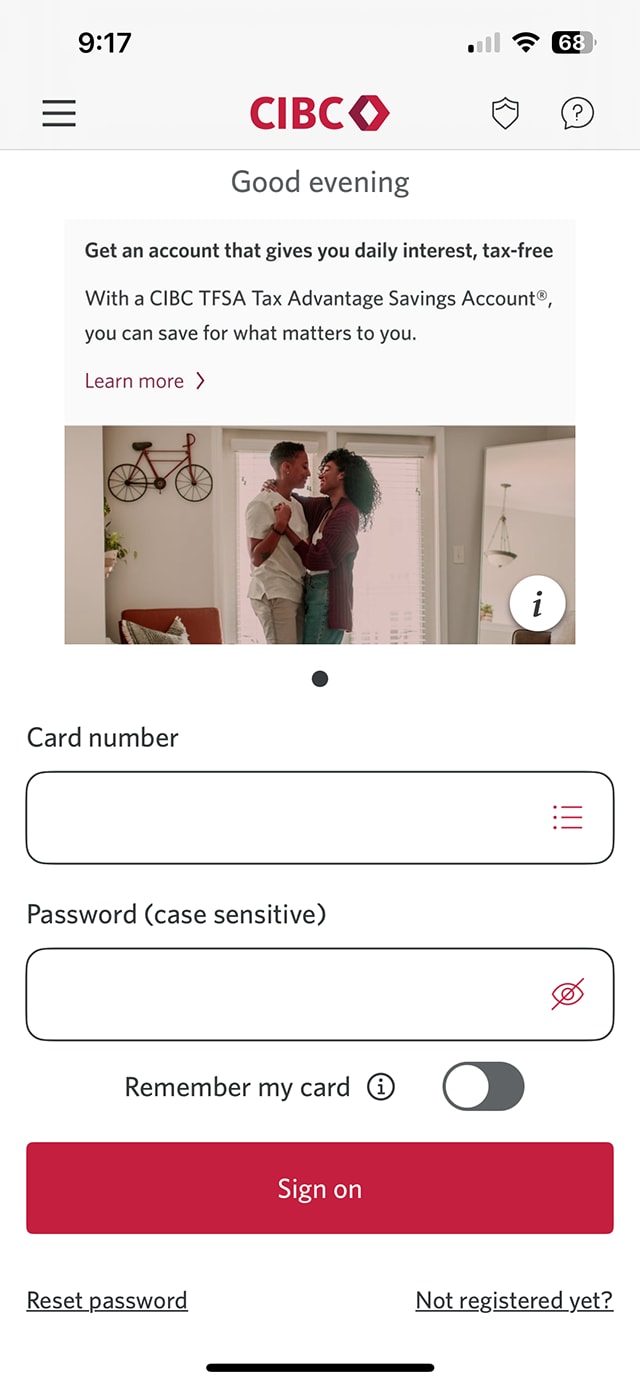
Step 1 : Let's get started on the mobile app
Select the "Sign on" button in the demo to continue.
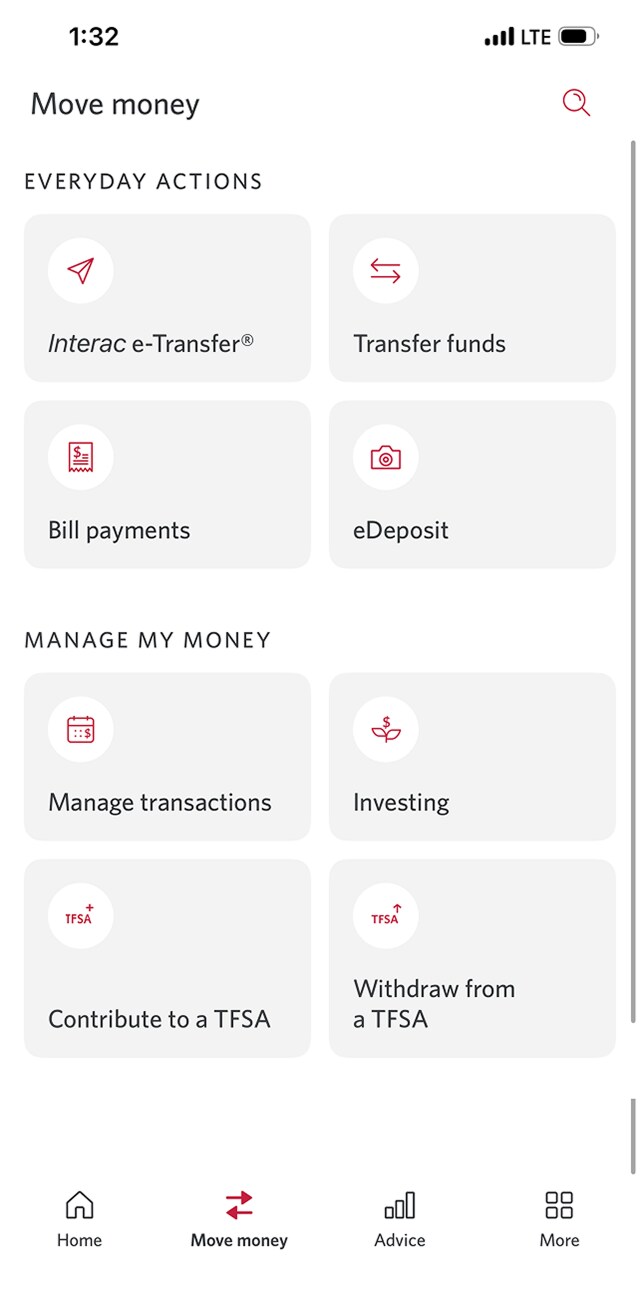
Step 2 : Select "Move money"
On the CIBC Mobile Banking App homepage, go to the menu bar and select "Move money".
Step 3 : Select "eDeposit"
In the "Everyday Banking" menu, select "eDeposit".
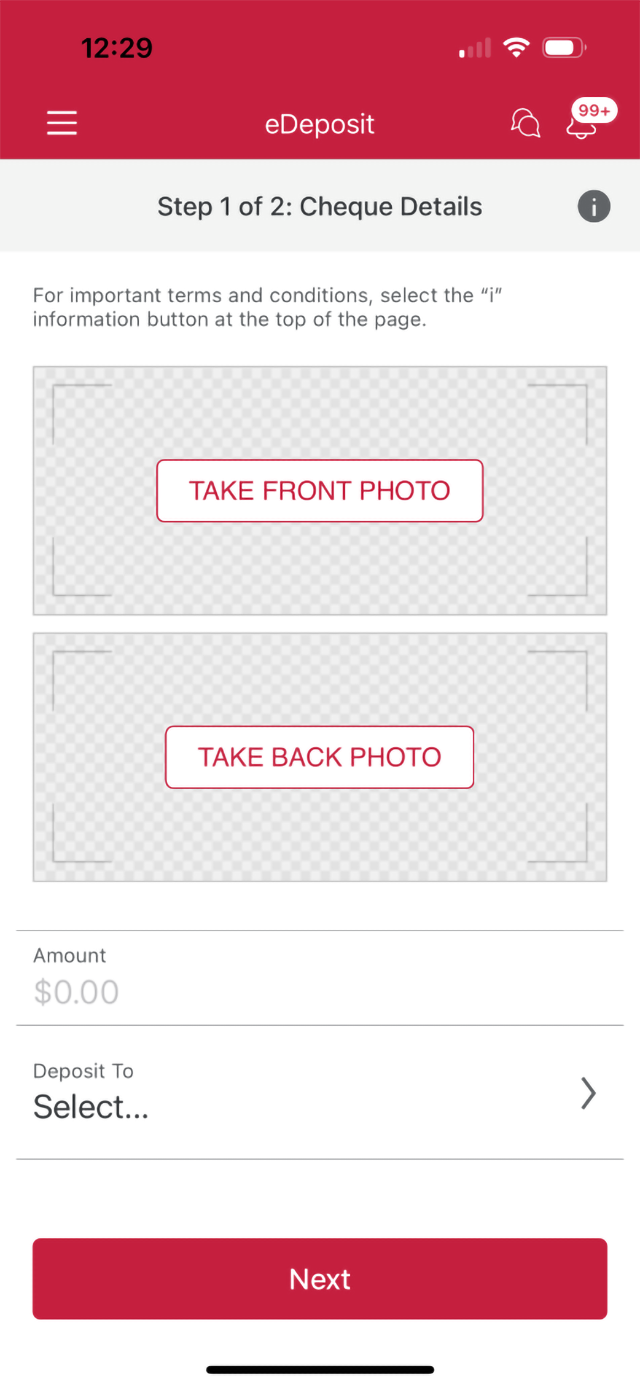
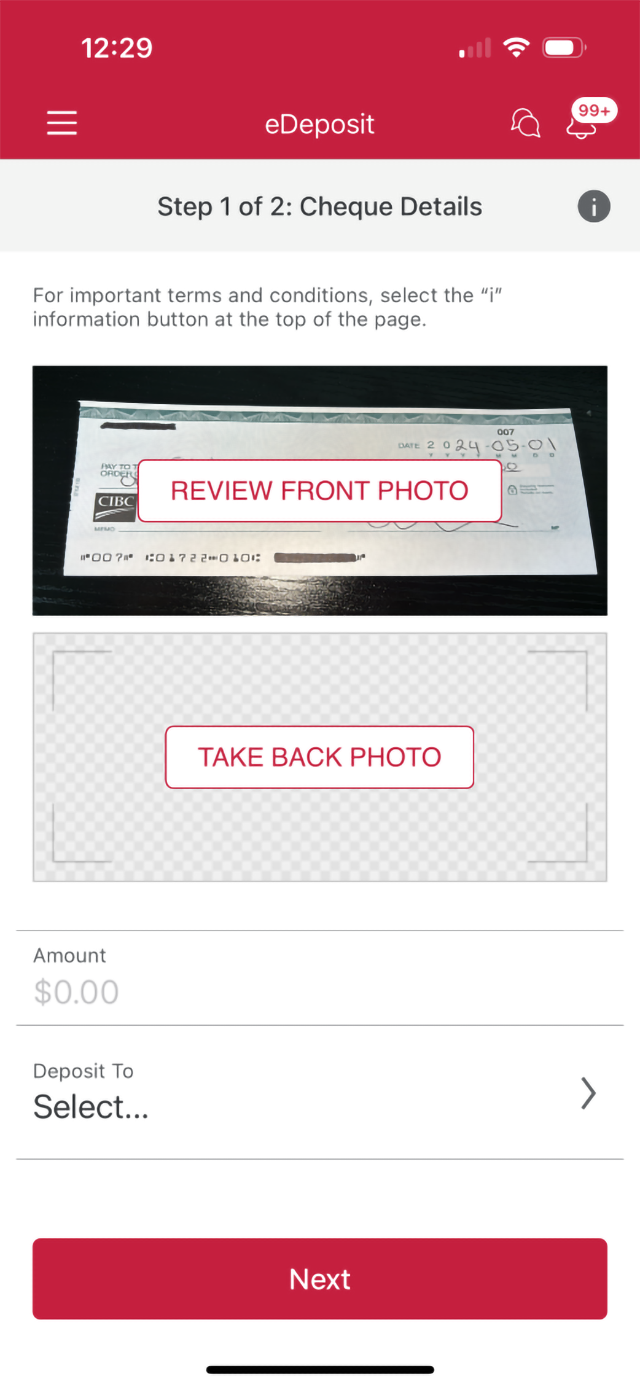
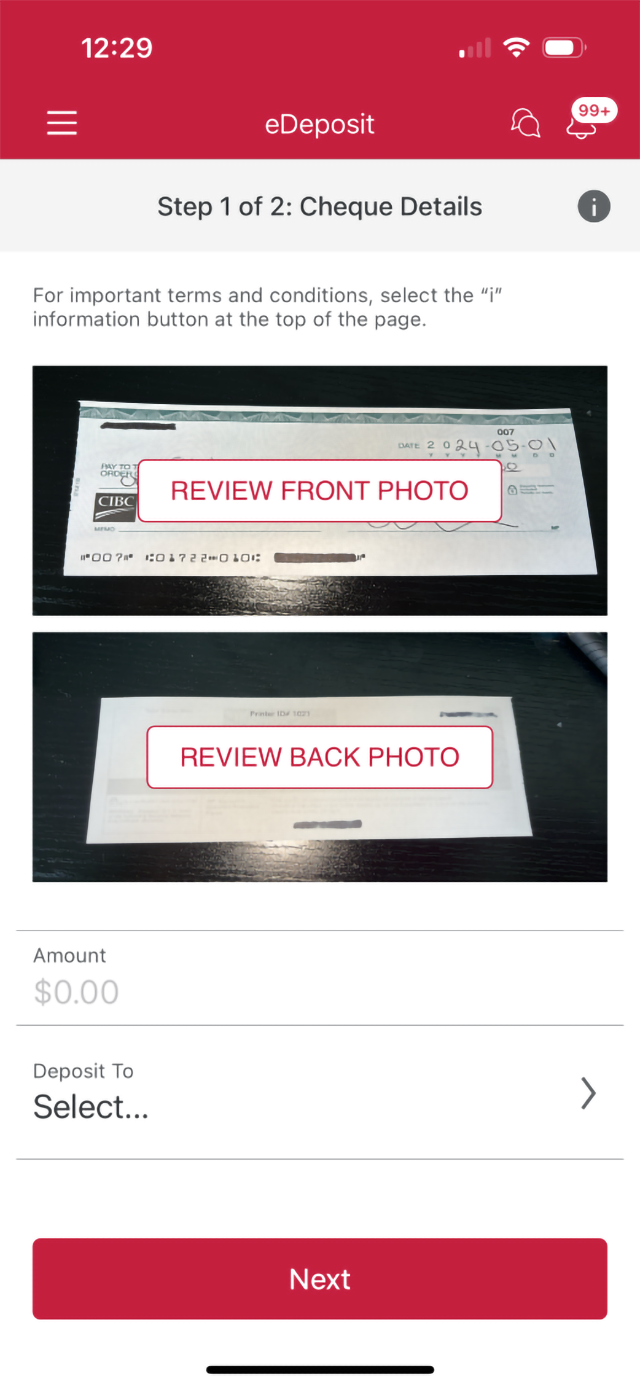
Step 4 : Take a photo of the front of your cheque
Select "take front photo". Next, use the camera function on the CIBC Mobile Banking App to take a photo of the front of your cheque.
Step 5 : Take a photo of the back of your cheque
Select "take back photo". Next, use the camera function on the CIBC Mobile Banking App to take a photo of the back of your cheque.
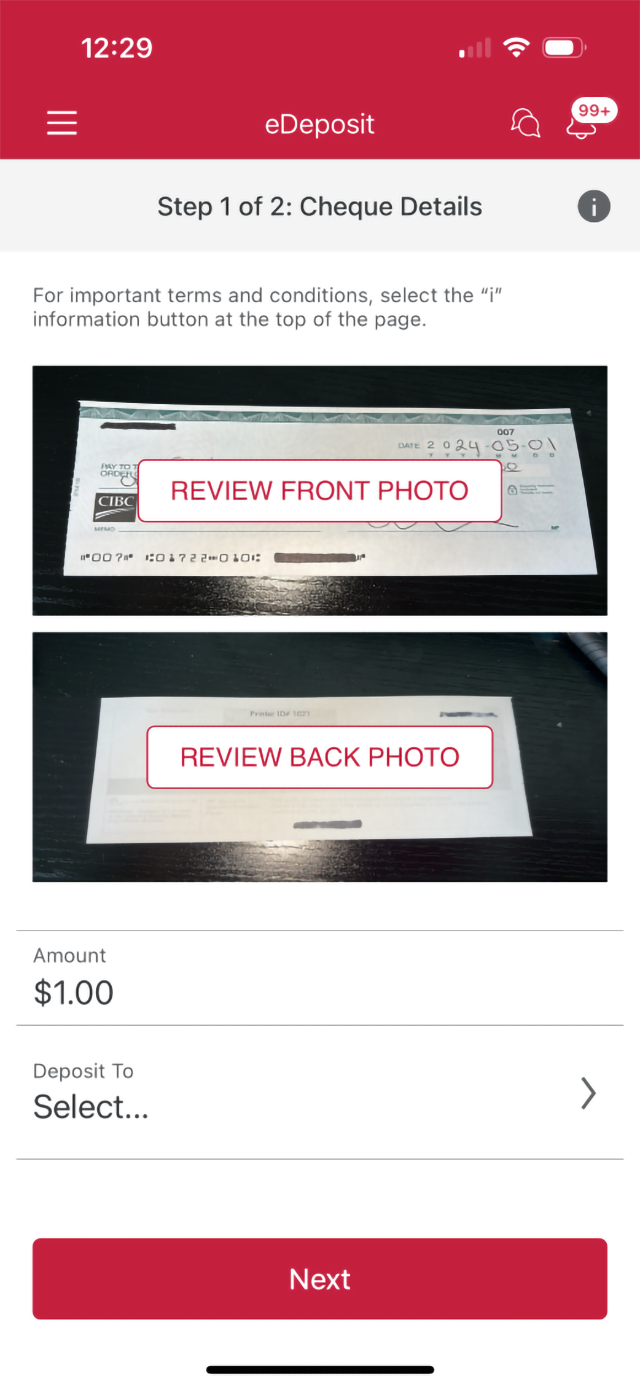
Step 6 : Enter the amount
Use the field provided and enter the amount of your cheque.
Step 7 : Select the "Deposit to" arrow
Continue and choose which account you want to deposit the cheque to.
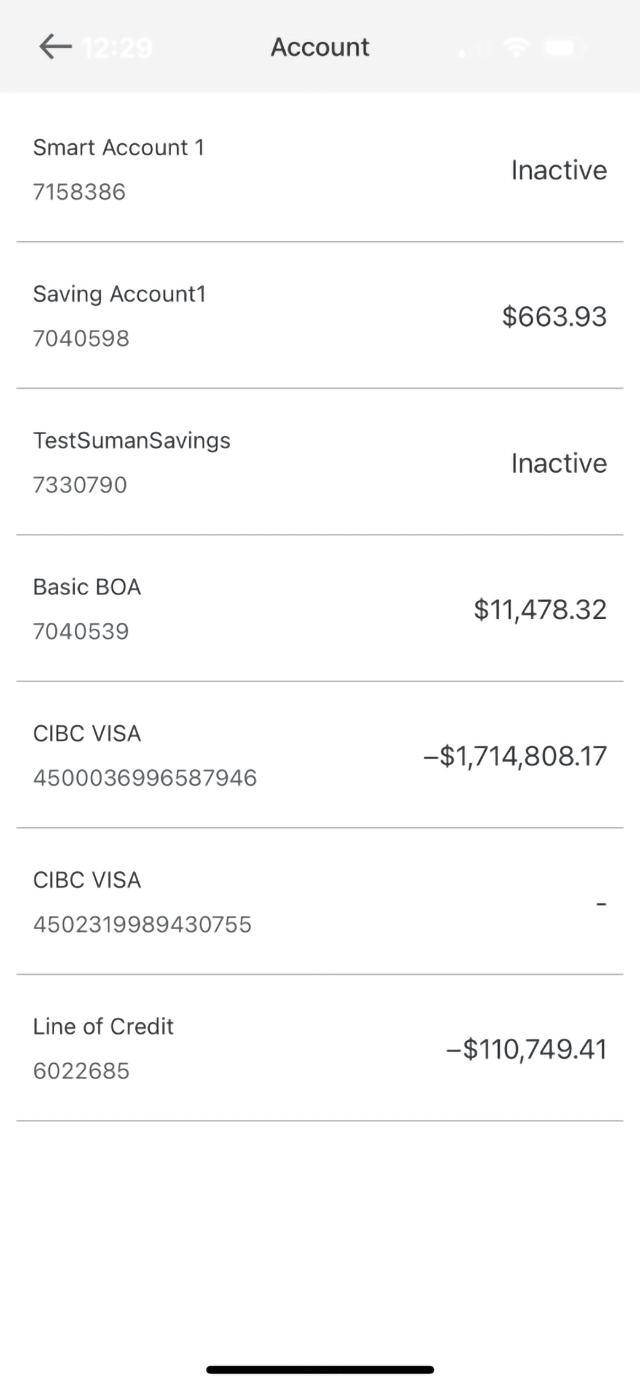
Step 8 : Select the account you want to deposit your cheque into
Review the list of your accounts and choose which account you want to deposit the cheque to.
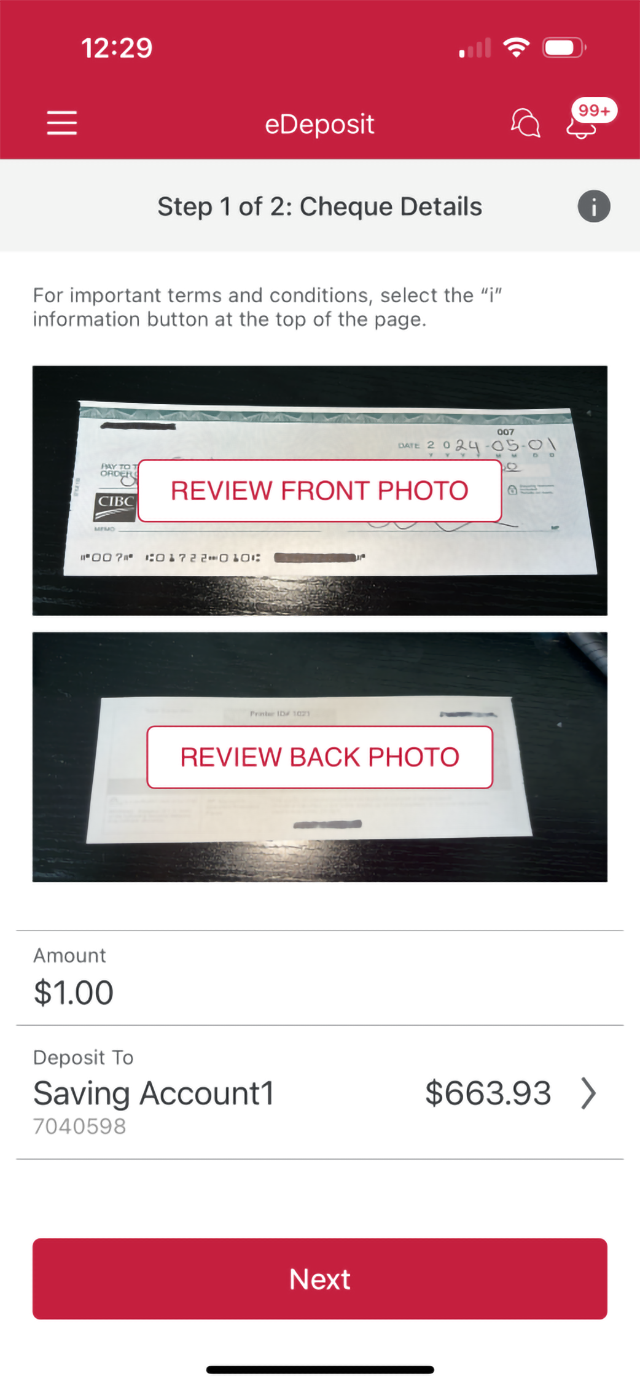
Step 9 : Select "Next"
Once all the details of your cheque deposit have been entered, select the "Next" button to continue.
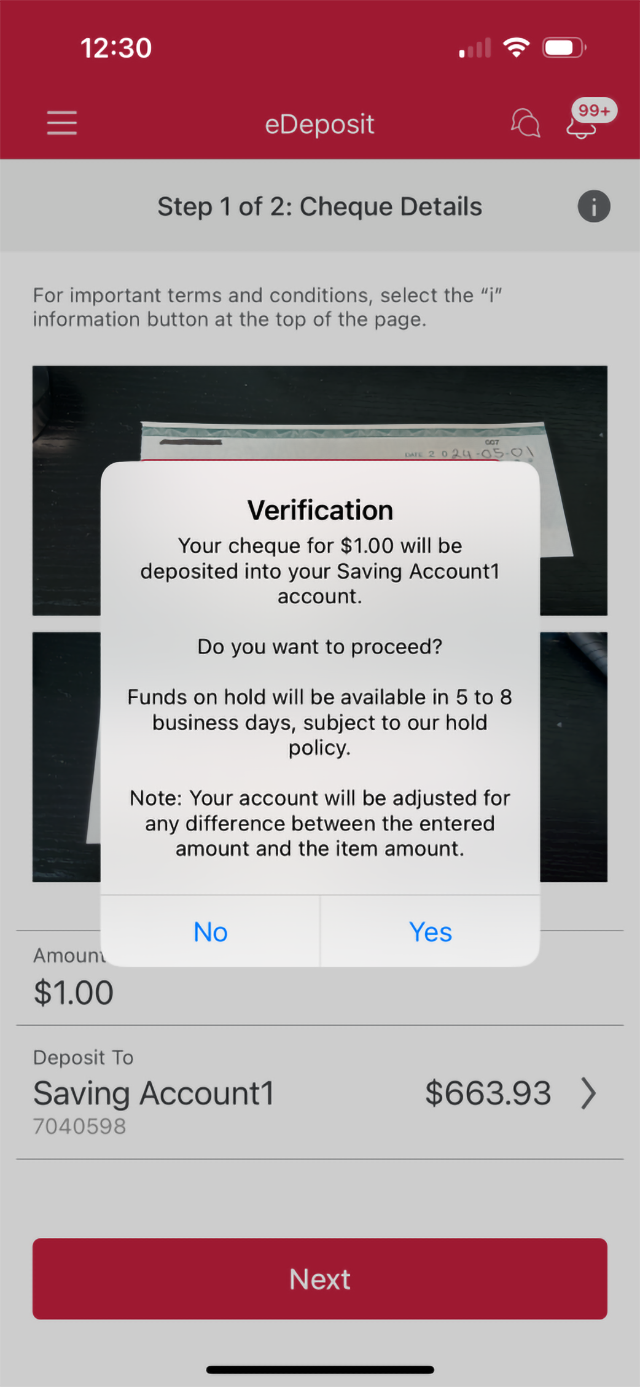
Step 10 : Verify your deposit
Review the details of your cheque deposit. When you're ready, select the "Yes" button to proceed with the transaction.
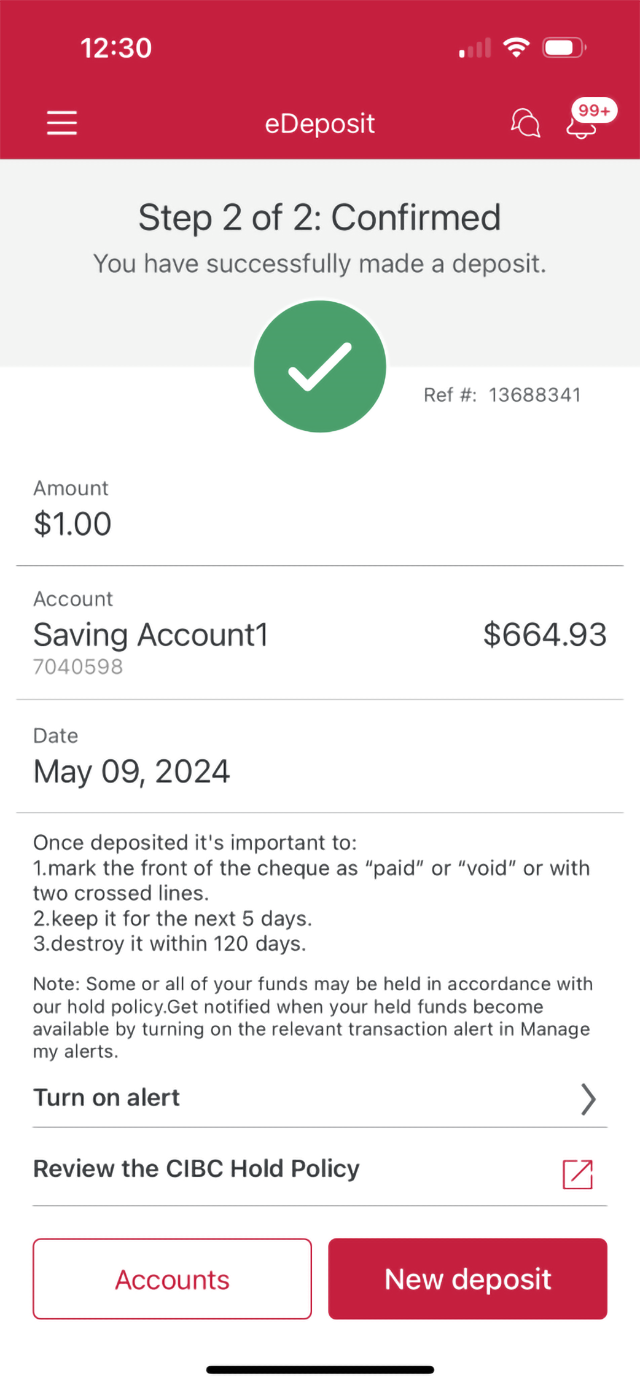
Step 11 : Great job!
You've successfully deposited a cheque using eDeposit.
There will be a message on-screen confirming that the transaction was completed.
Want an overview of all the steps?
For full instructions on how to deposit cheques, check out the step-by-step process all in one place.
Recommended digital banking demos

How to use the CIBC Mobile Banking App

How to download a void cheque and payment form
Start demo on how to download a void cheque and payment form.

How to register for Interact e-Transfer® Autodeposit
Start demo on how to register for Interact e-Transfer® Autodeposit.
How to transfer money between accounts
Get started

CIBC Online Banking®
Discover digital banking features that can help you bank easily online.
CIBC Mobile Banking® App
Stay connected to your finances on your mobile device, no matter where you are.

