

How to add a card to your mobile wallet
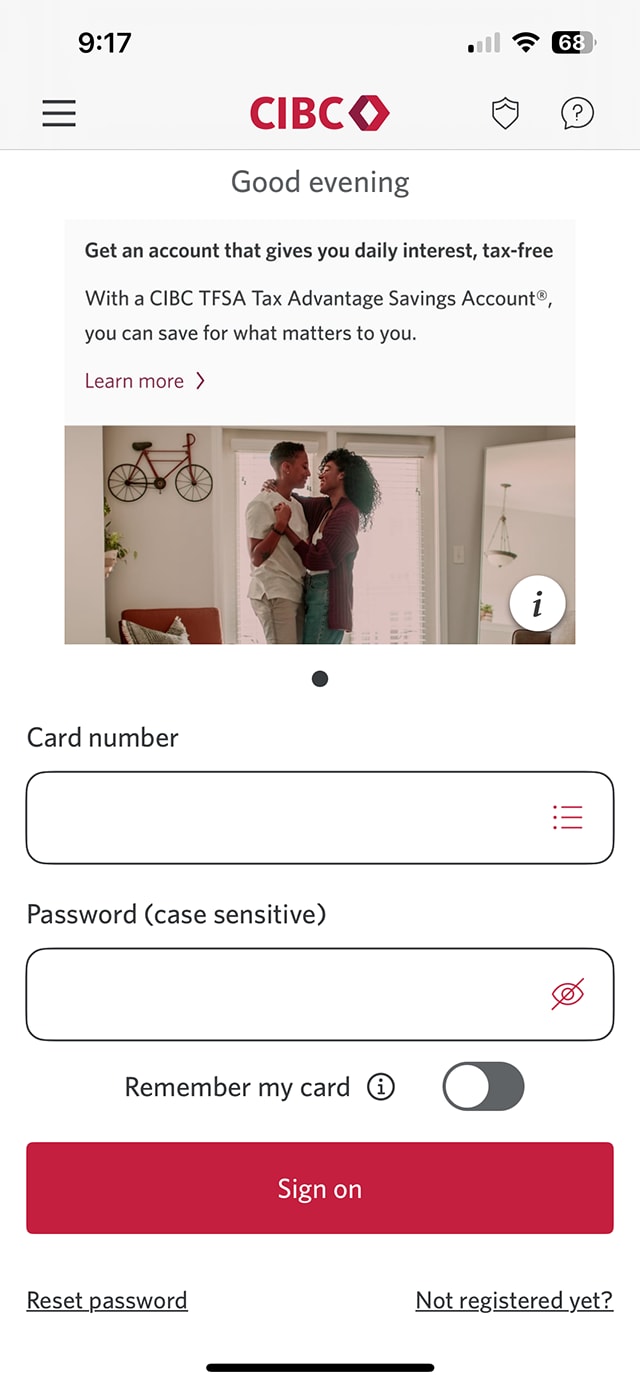


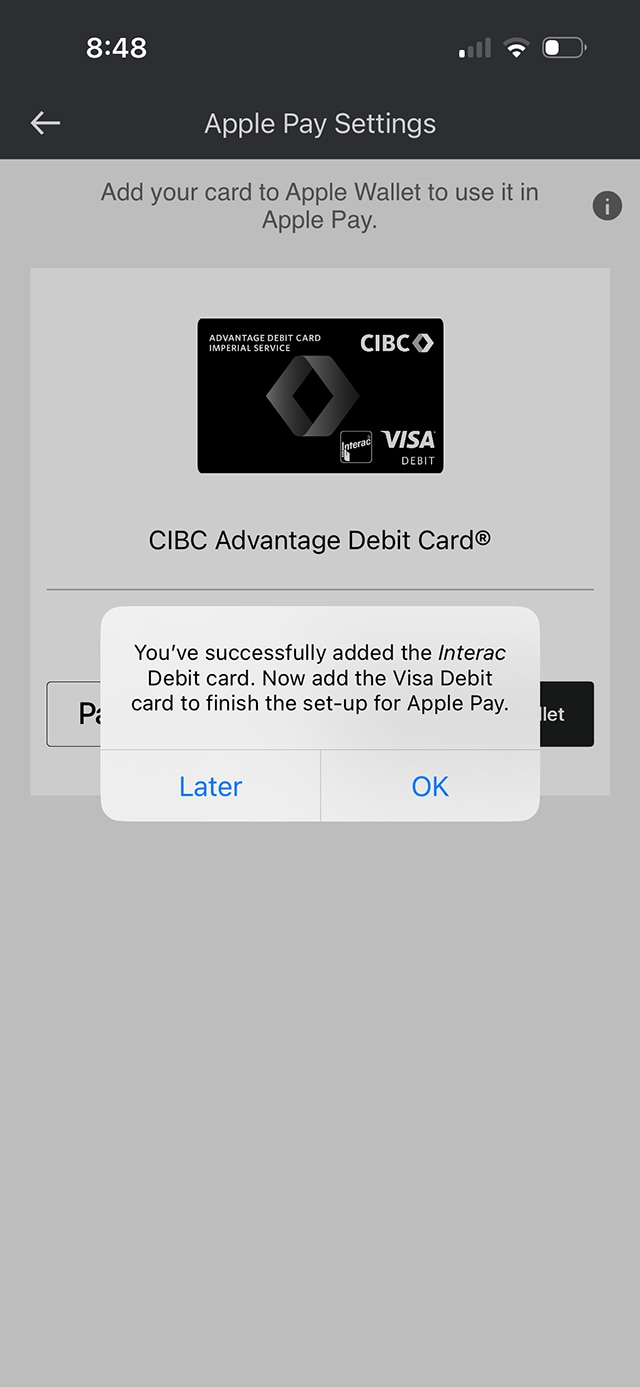
Step 1 : Let's get started on the mobile app
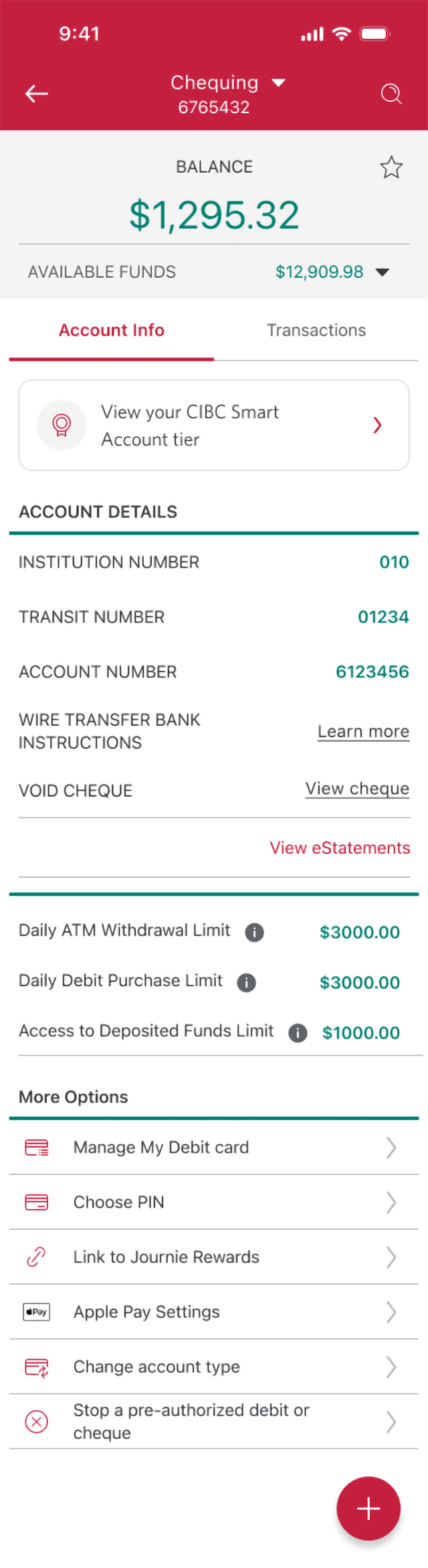
Step 2 : Select an account you want to add to your wallet
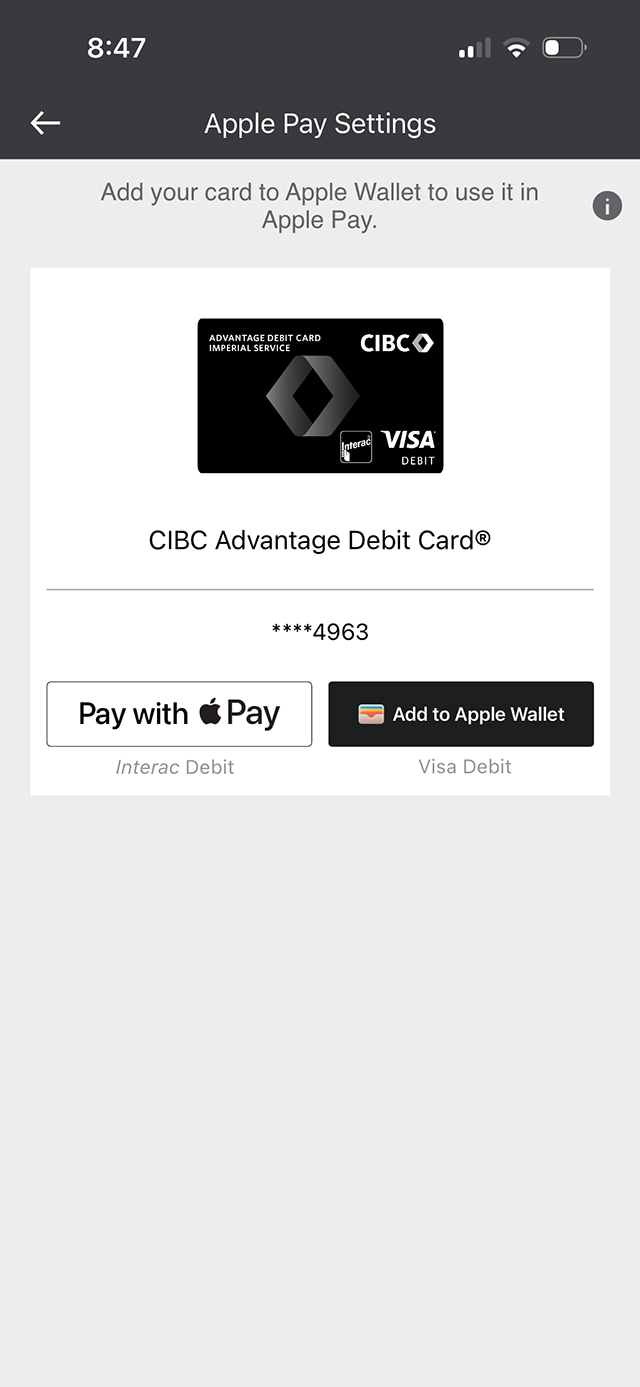
Step 3 : Select "Apple Pay® Settings"
Step 4 : Select "Add to Apple Wallet"
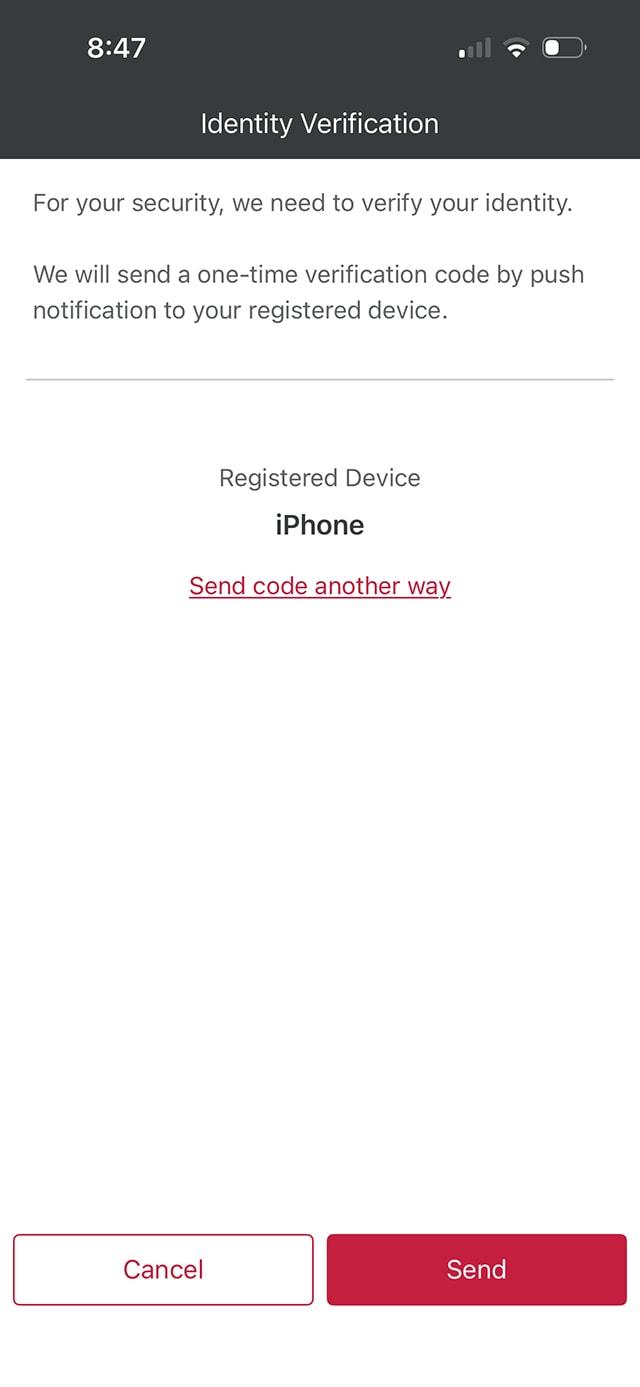
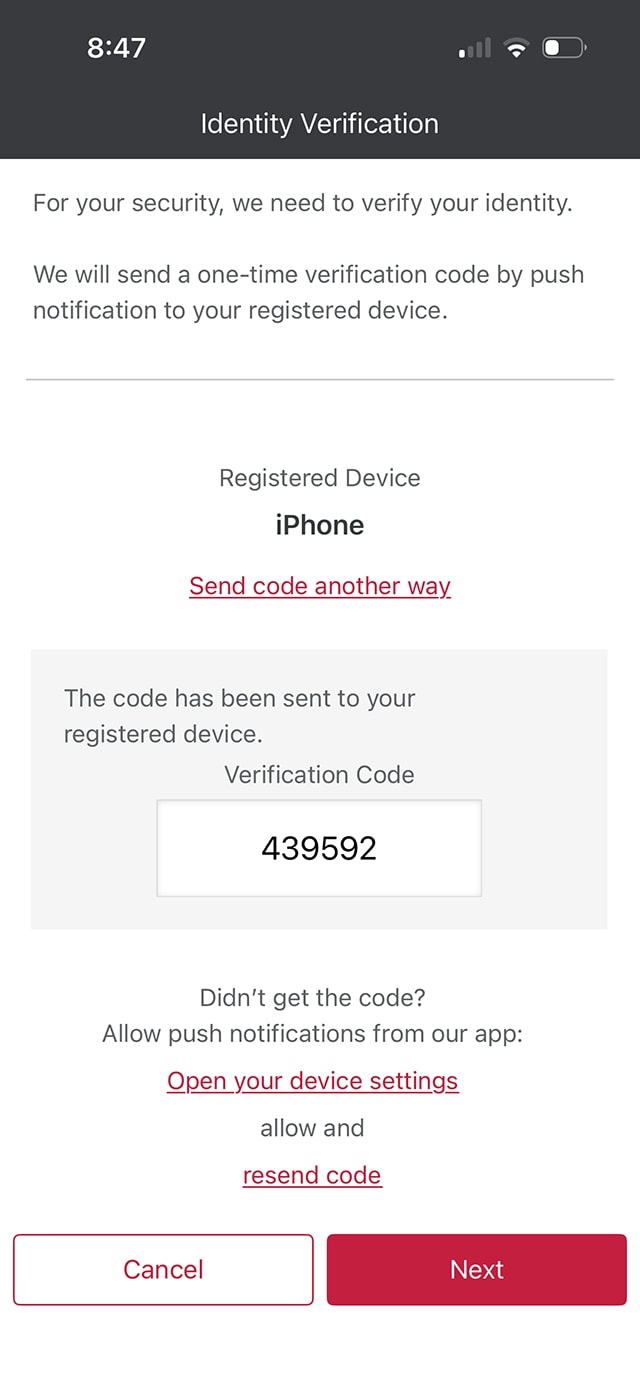
Step 5 : Request your one-time verification code
For your security, the CIBC Mobile Banking App will need to verify your identity. Request your one-time verification code by selecting the “Send" button.
For this demo, we have chosen to receive the verification code as a push notification. To receive the code through SMS or email, select the "Send code another way" link.
Step 6 : Enter your one-time verification code
Step 7 : Select the device you want the card added to
For this demo, we have chosen to add the card to the mobile wallet on "John's iPhone".
Select the device listed on-screen to confirm adding the card.
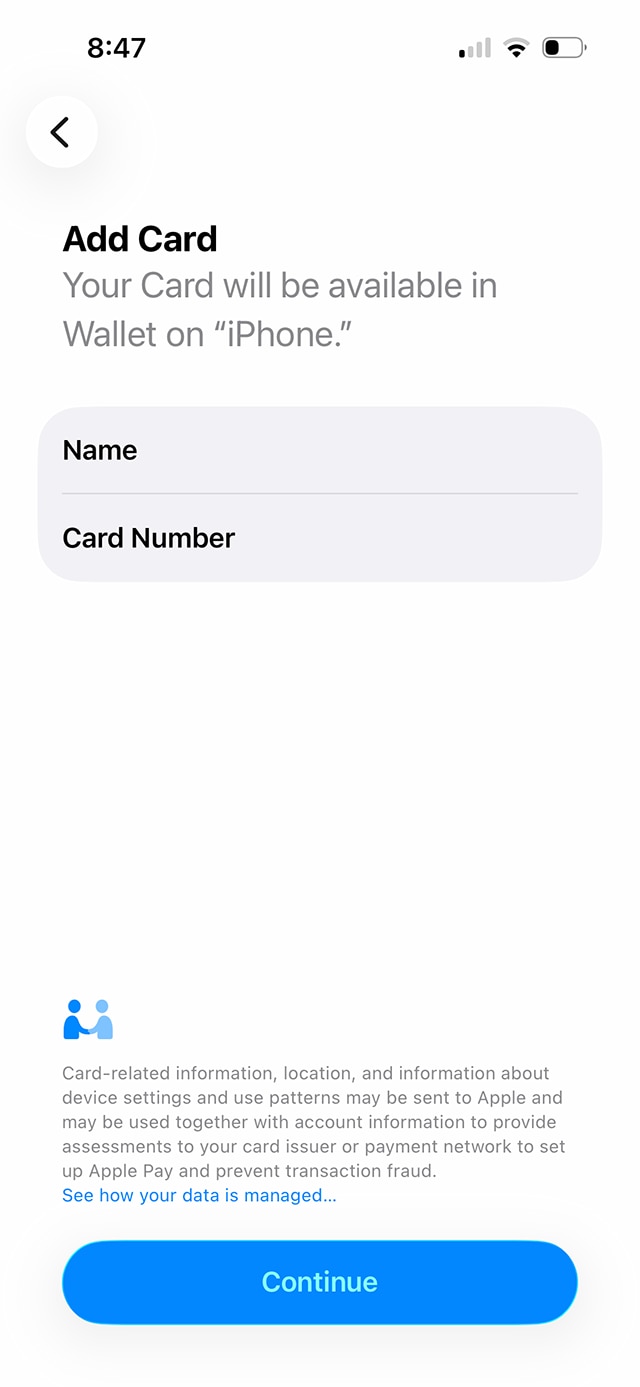
Step 8 : Review and select "Continue"
Your name and the card number you are adding to your mobile wallet will appear on-screen.
To confirm, select the "Continue" button.
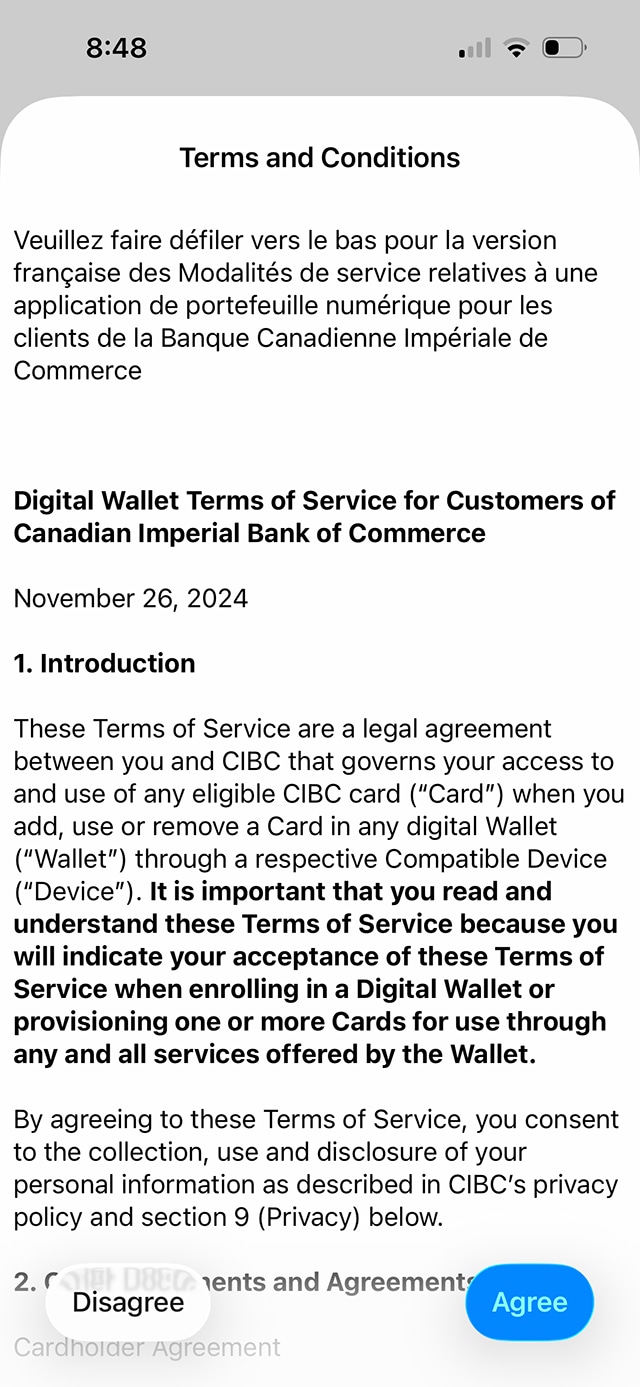
Step 9 : Review the terms and conditions
Review the digital wallet terms and conditions of service for CIBC customers.
Once you've completed your review, confirm that you agree to the terms and conditions by selecting the "Agree" button.
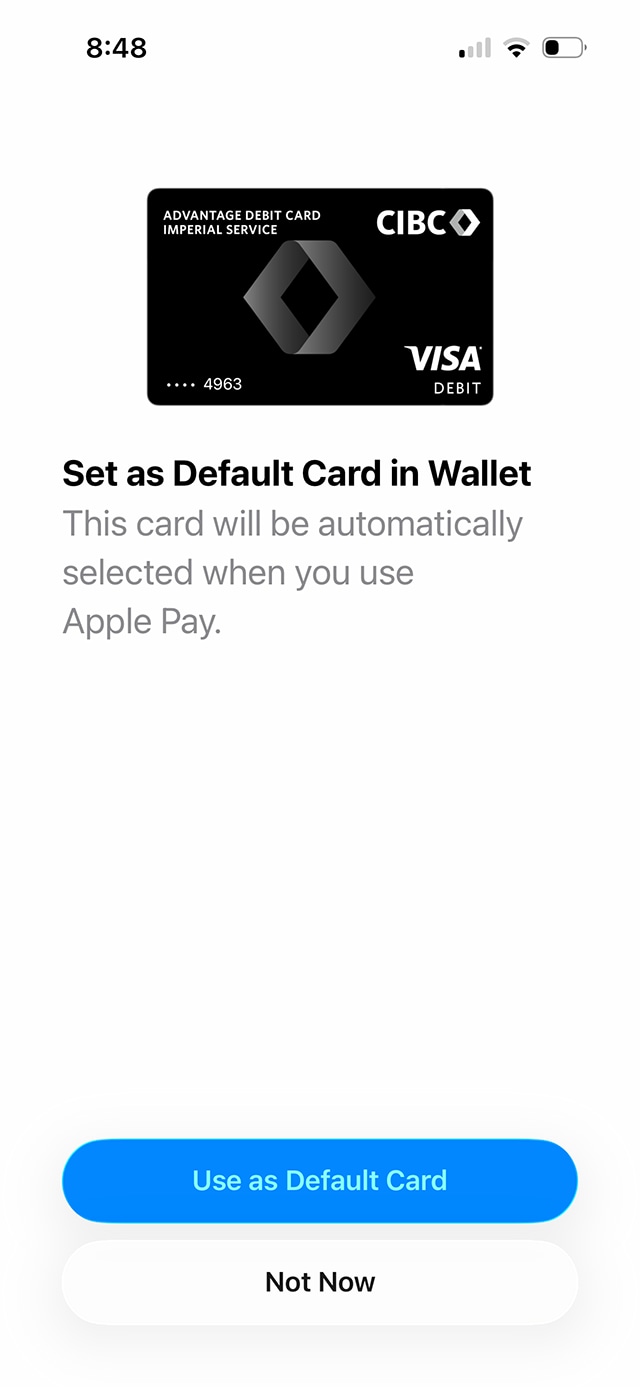
Step 10 : Select your default card
Step 11 : Great job!
Want an overview of all the steps?
For full instructions on how to add a card to your wallet, check out the step-by-step process all in one place.
Why does my CIBC debit card appear twice in my wallet app?
You may see 2 versions of your CIBC Advantage Debit Card in your wallet because it supports 2 different payment networks: Interac® Debit and Visa* Debit. This lets you choose the right option when you pay.
- Use Interac Debit for in-store purchases within Canada. You can tap to pay up to $250 at retailers that accept Interac Flash®
- Use Visa Debit for online, in-app or for international purchases, anywhere Visa is accepted
Recommended digital banking demos

How to use the CIBC Mobile Banking App

How to download a void cheque and payment form
Start demo on how to download a void cheque and payment form.

How to register for Interac e-Transfer® Autodeposit
Start demo on how to register for Interac e-Transfer® Autodeposit.
How to transfer money between your accounts
Get started

CIBC Online Banking®
Discover digital banking features that can help you bank easily online.
CIBC Mobile Banking® App
Stay connected to your finances on your mobile device, no matter where you are.

