

How to update your mortgage details and make prepayments
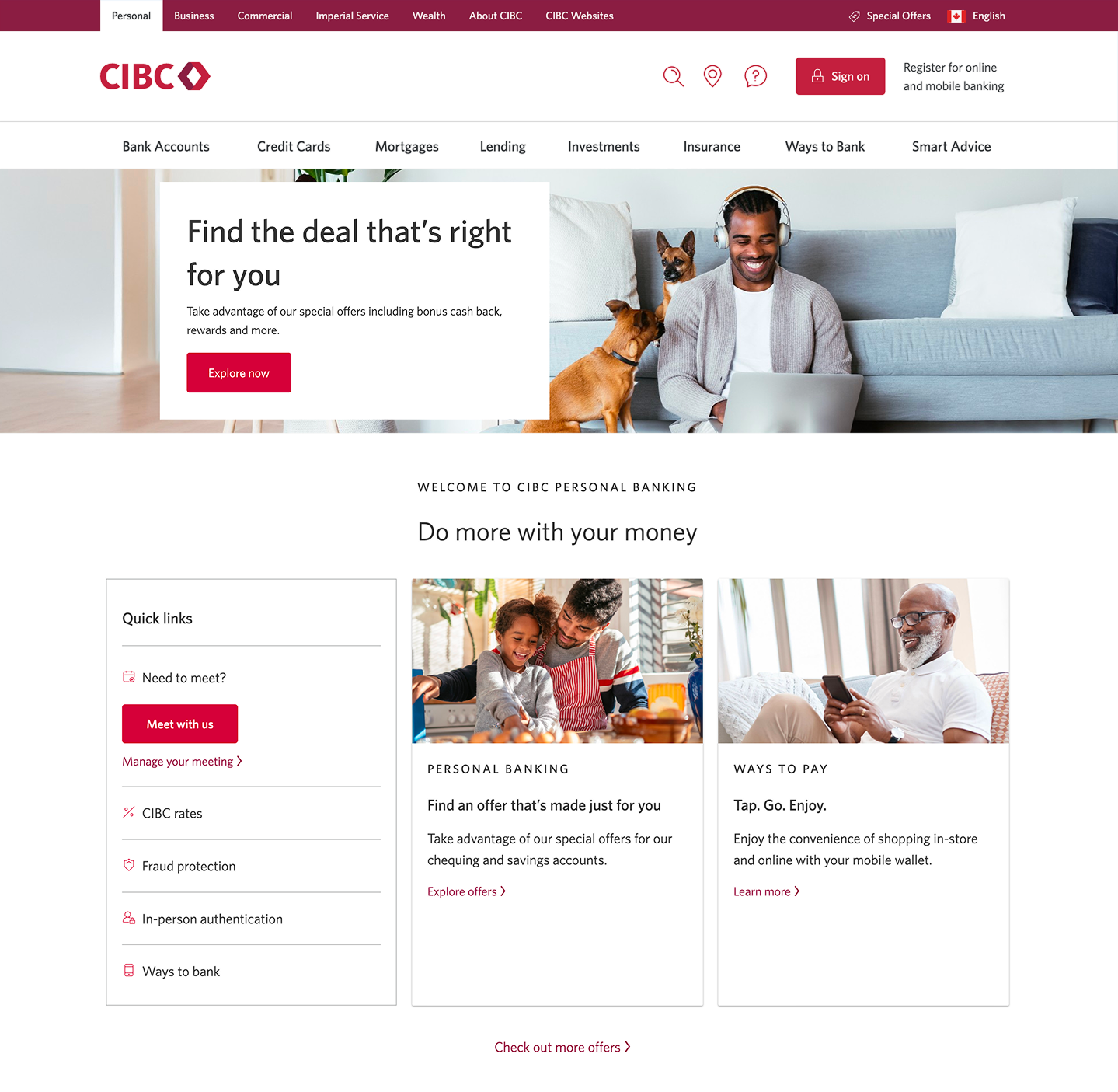
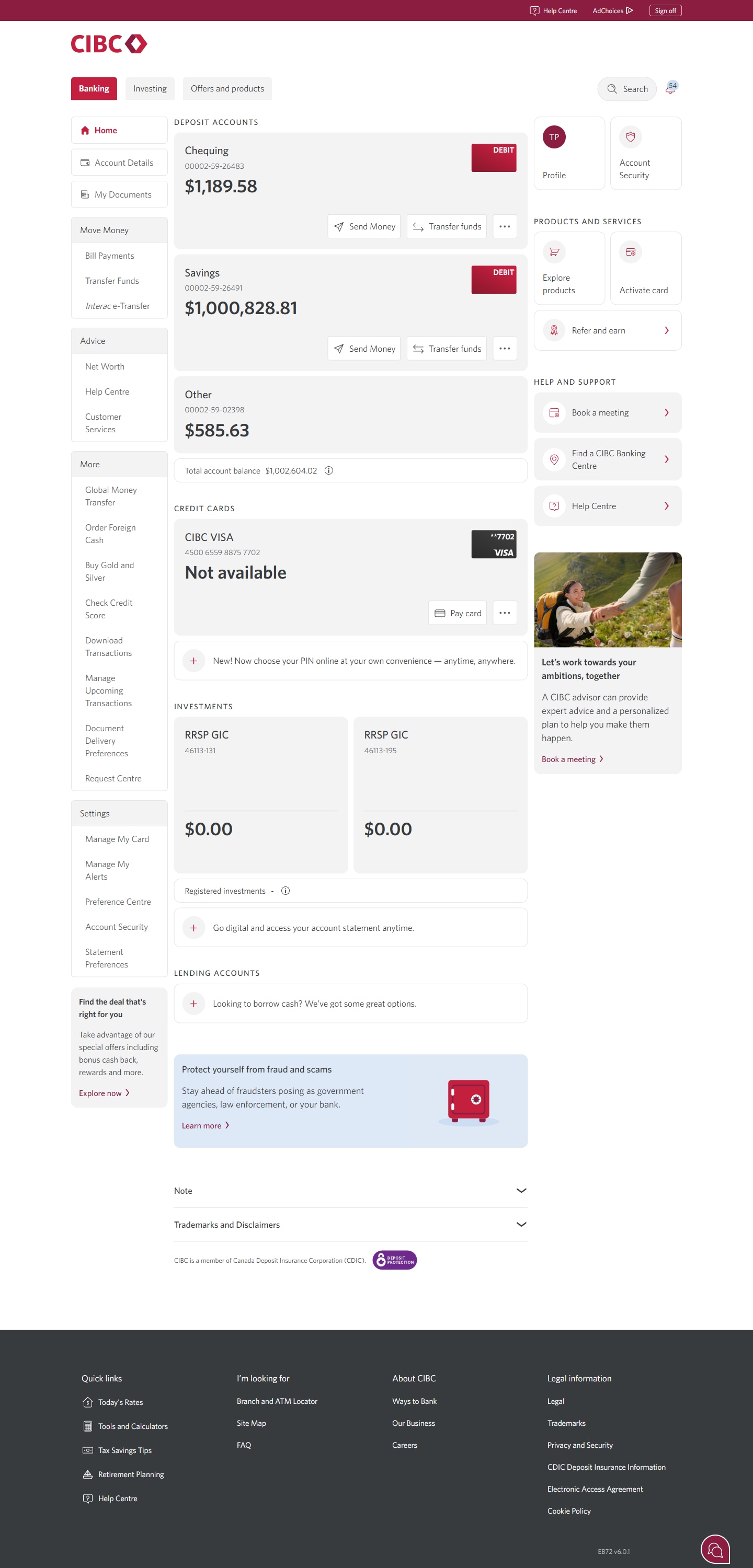


Step 1 : Let's get started on your web browser
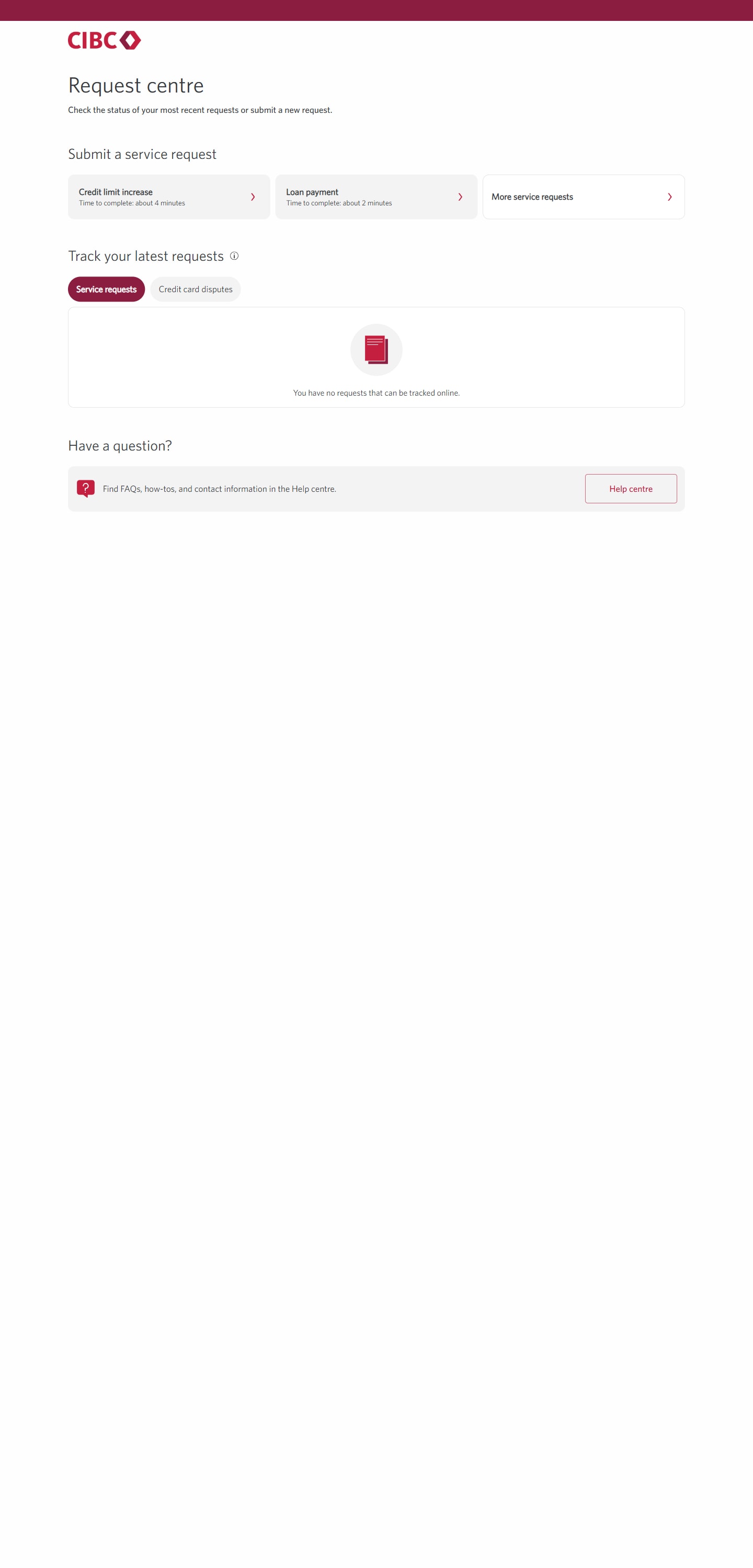
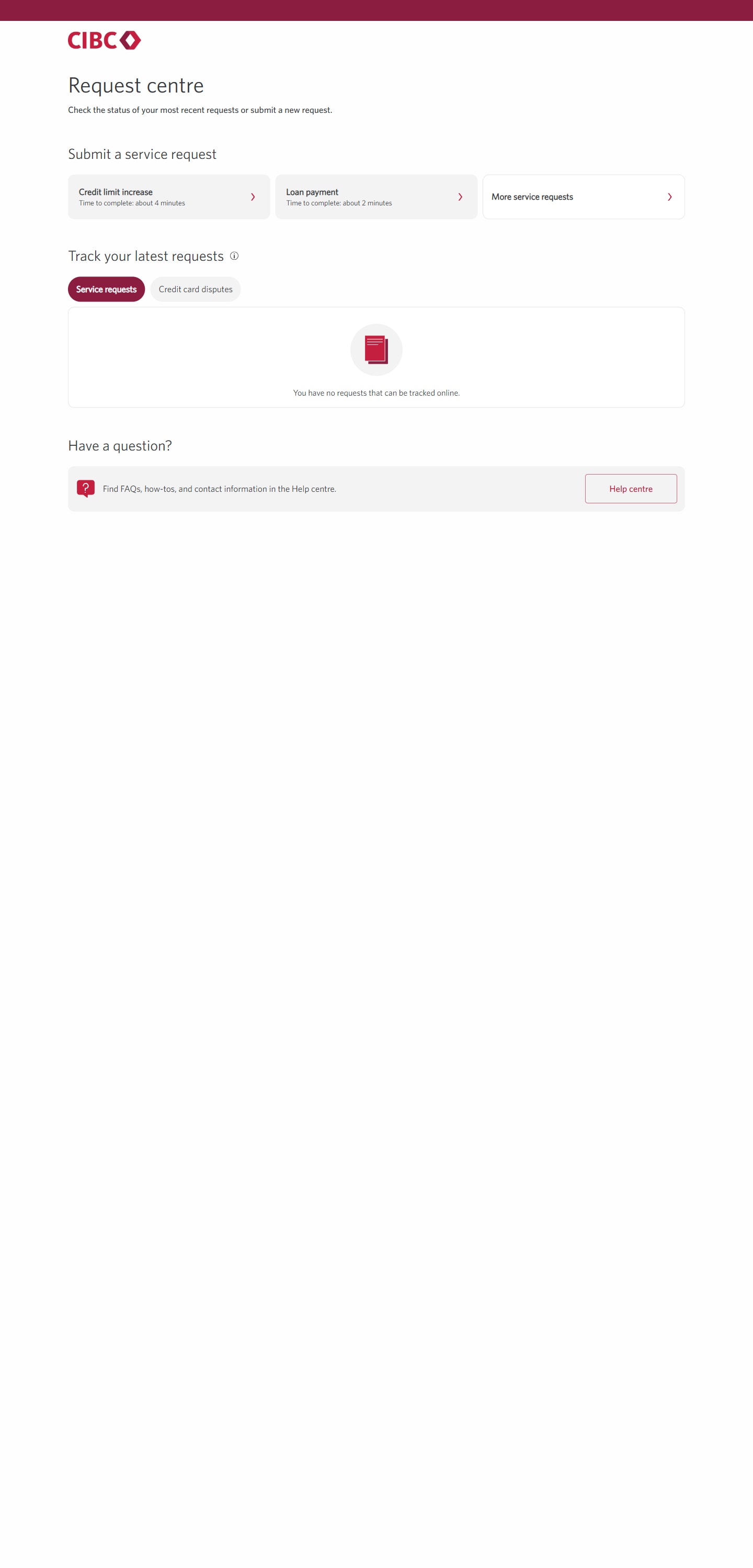
Step 2 : Select "Request Centre"
Step 3 : Select "More service requests"
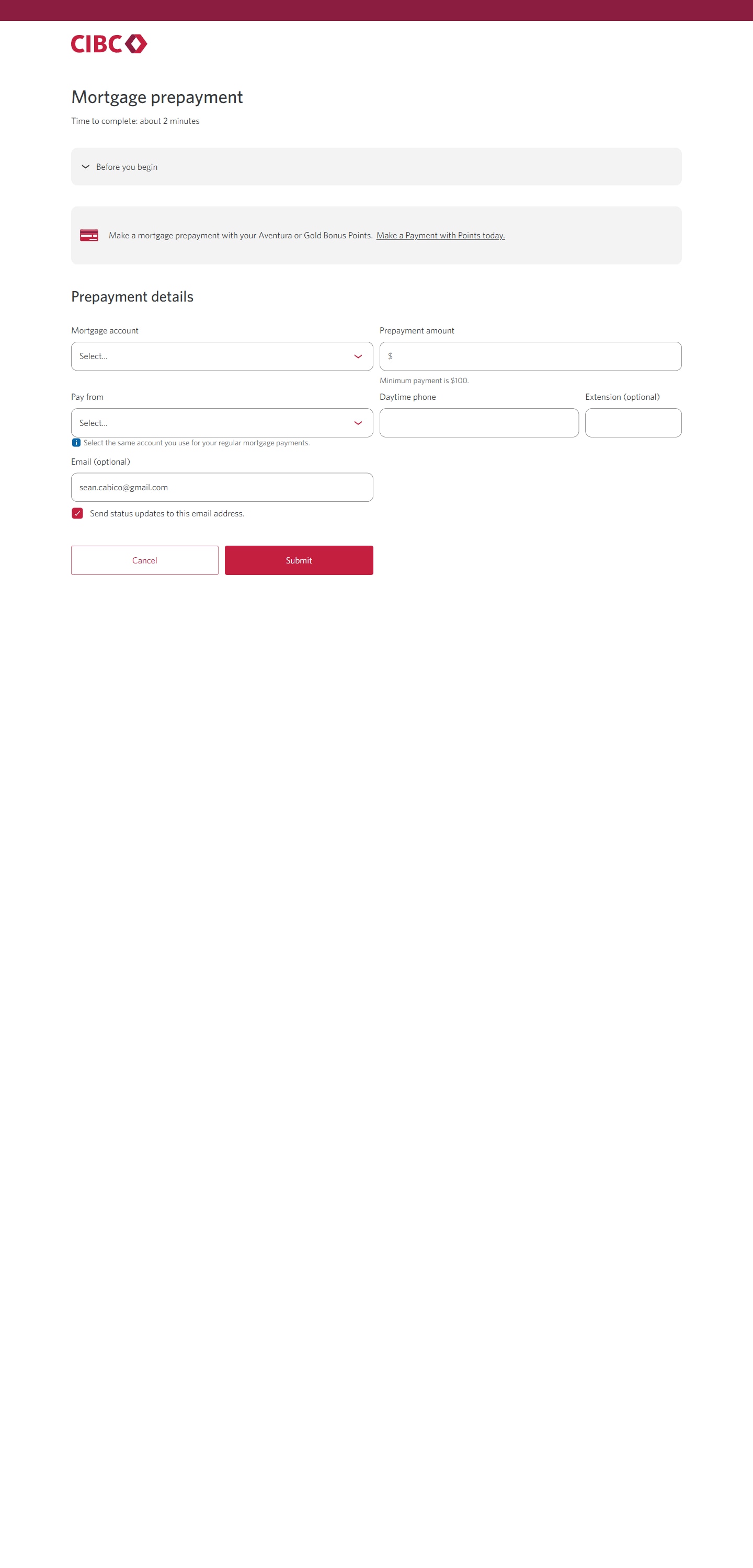
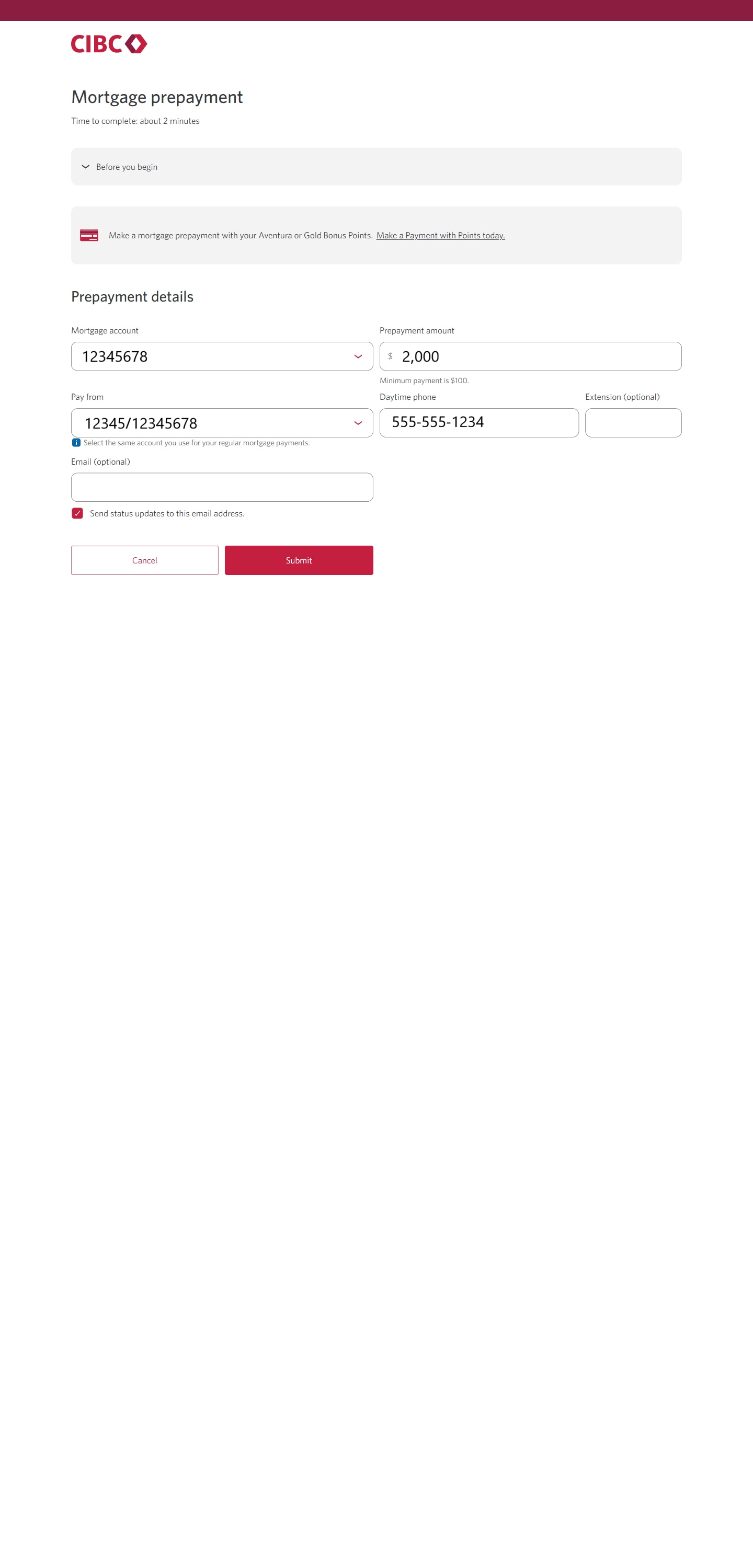
Step 4 : Make a mortgage prepayment
Step 5 : Complete the form
Step 6 : Submit your mortgage prepayment request
Once you've finished filling out the form, select the "Submit" button to complete your mortgage prepayment request.
After you submit the request, you'll be returned to the CIBC Request Centre page.
Step 7 : Select "More service requests"
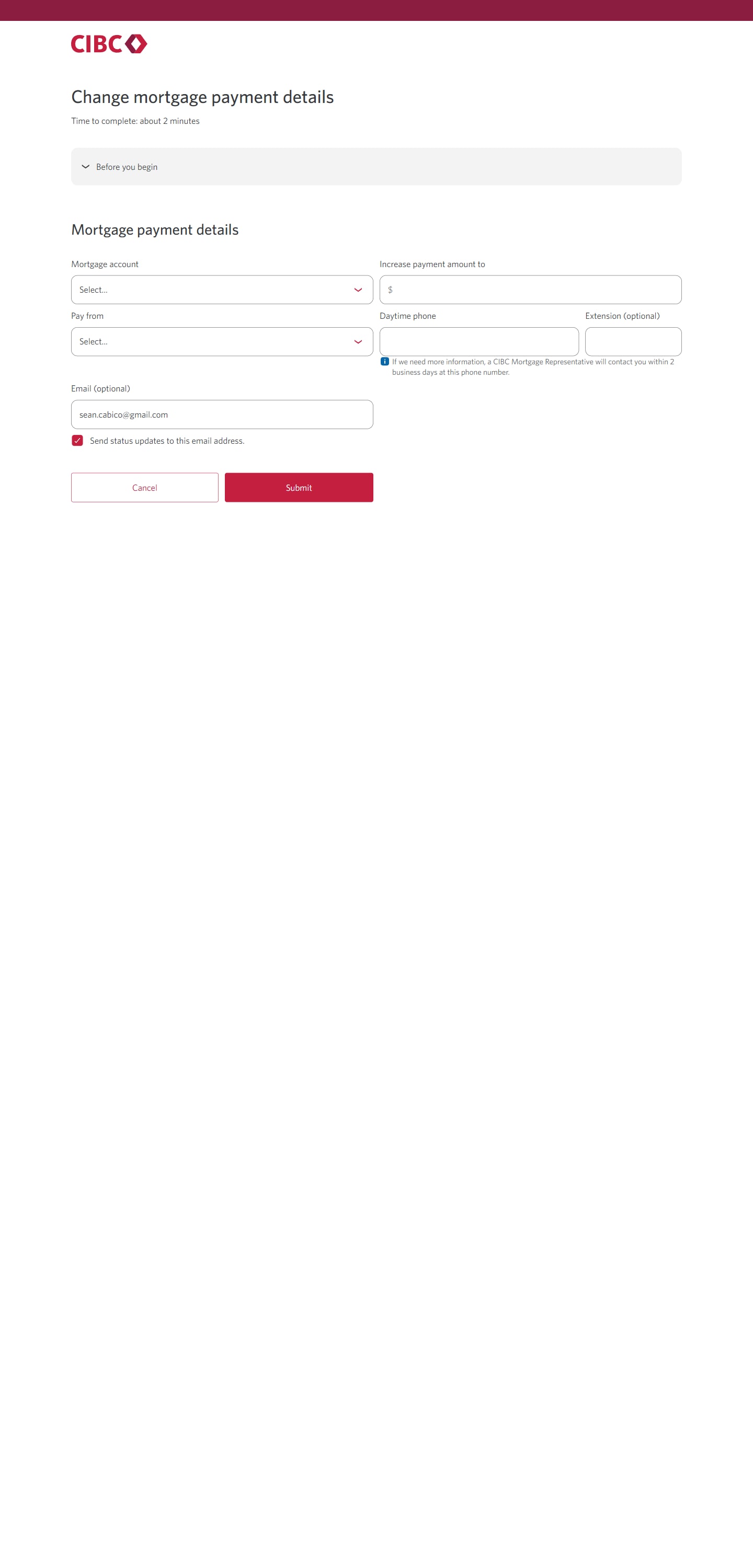
Step 8 : Change your mortgage payment details
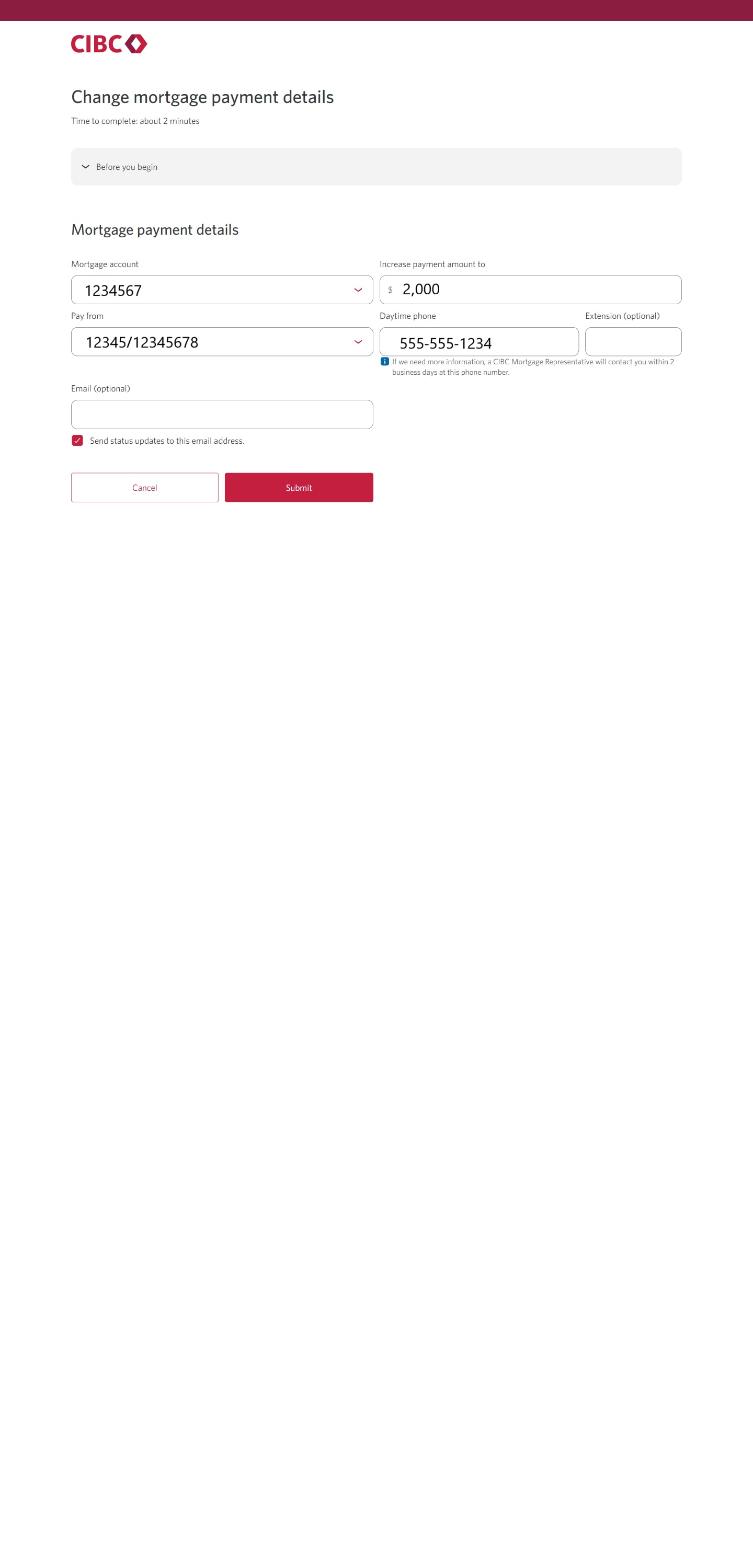
Step 9 : Complete the form
Step 10 : Submit your mortgage payment request
Step 11 : Great job!
You've successfully submitted a request to make prepayments on your mortgage and update your mortgage details.
You can track all your service requests on the CIBC Request Centre page.





Step 1 : Let's get started on your web browser
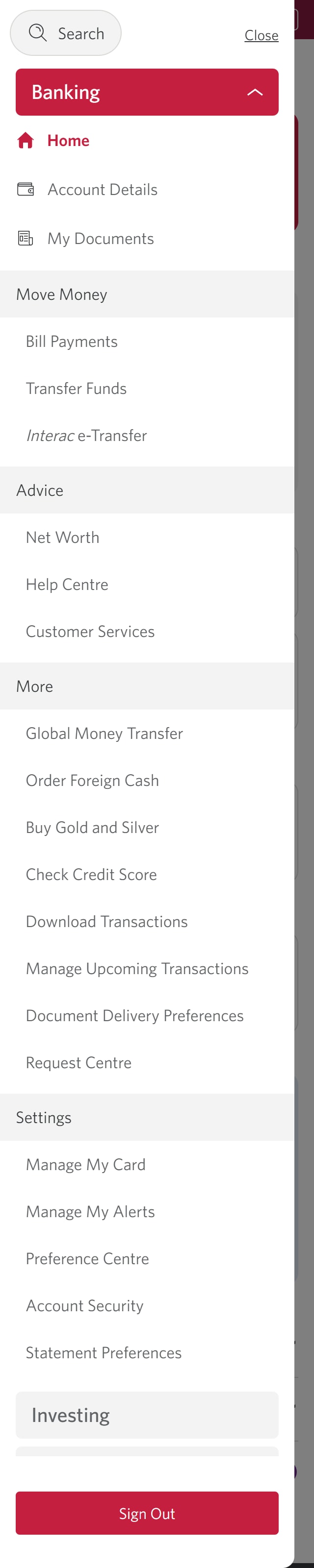
Step 2 : Select the three-line menu icon to open the navigation bar
Step 3 : Select "Request Centre"
Step 4 : Select "More service requests"
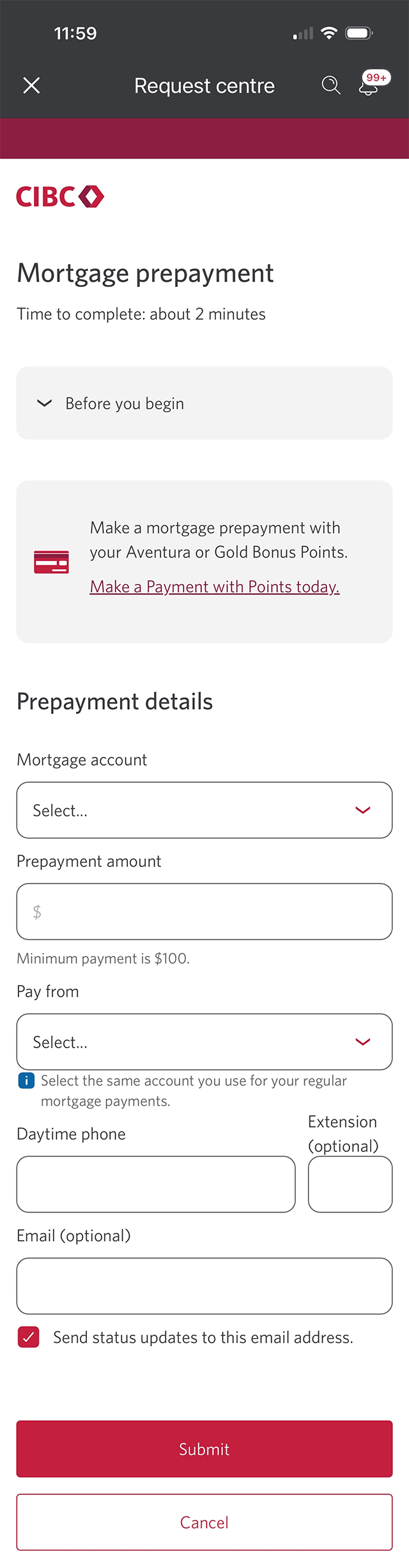
Step 5 : Make a mortgage prepayment
Step 6 : Complete the form
Step 7 : Submit your mortgage prepayment request
Once you've finished filling out the form, select the "Submit" button to complete your mortgage prepayment request.
After you submit the request, you'll be returned to the CIBC Request Centre page.
Step 8 : Select "More service requests"
Step 9 : Change your mortgage payment details
Step 10 : Complete the form
Step 11 : Submit your mortgage payment request
Step 12 : Great job!
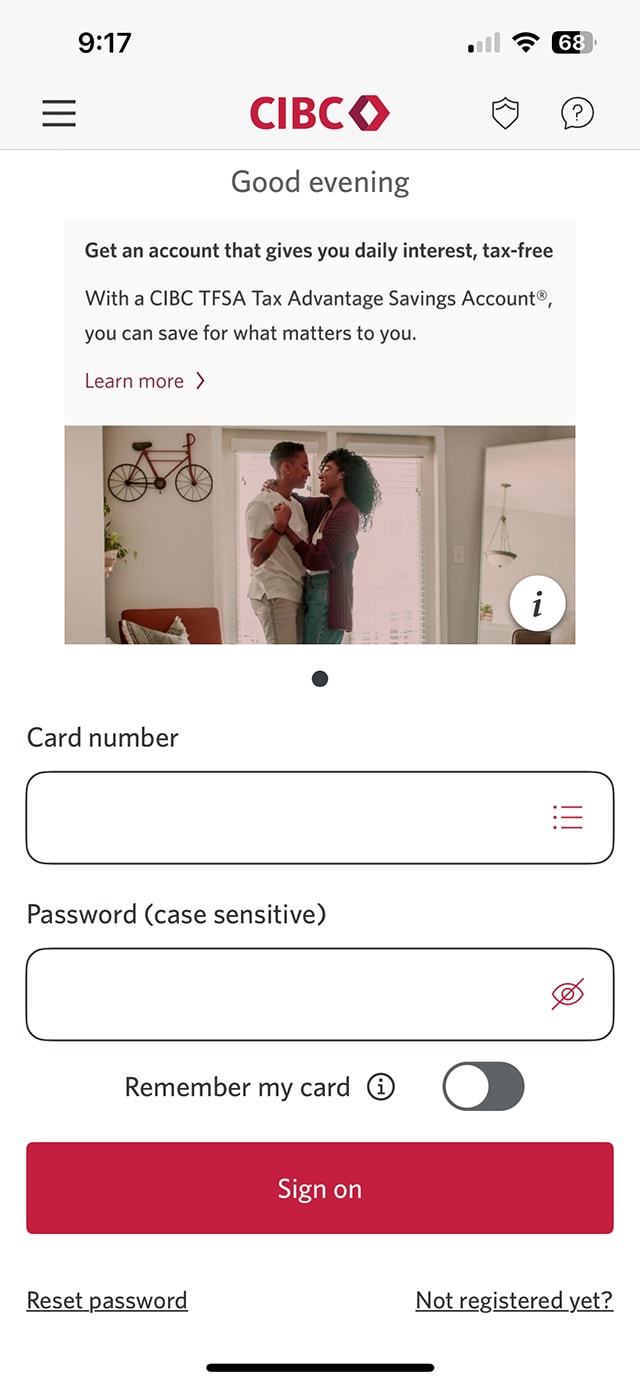
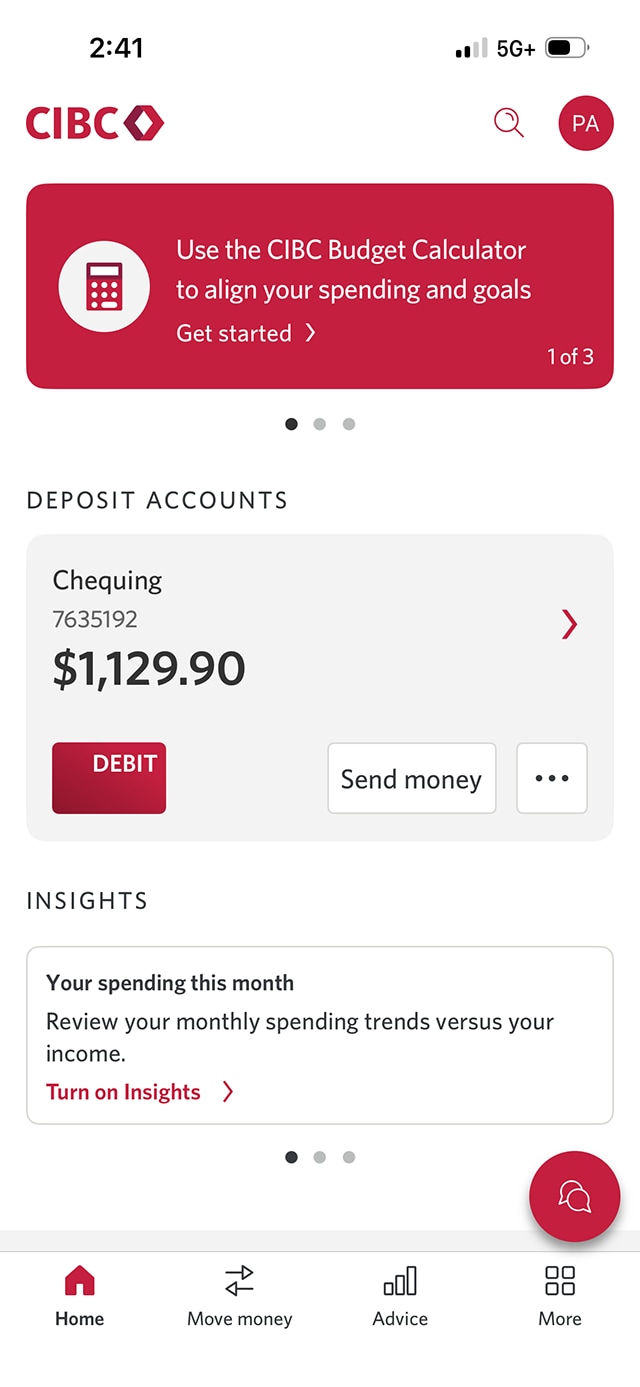




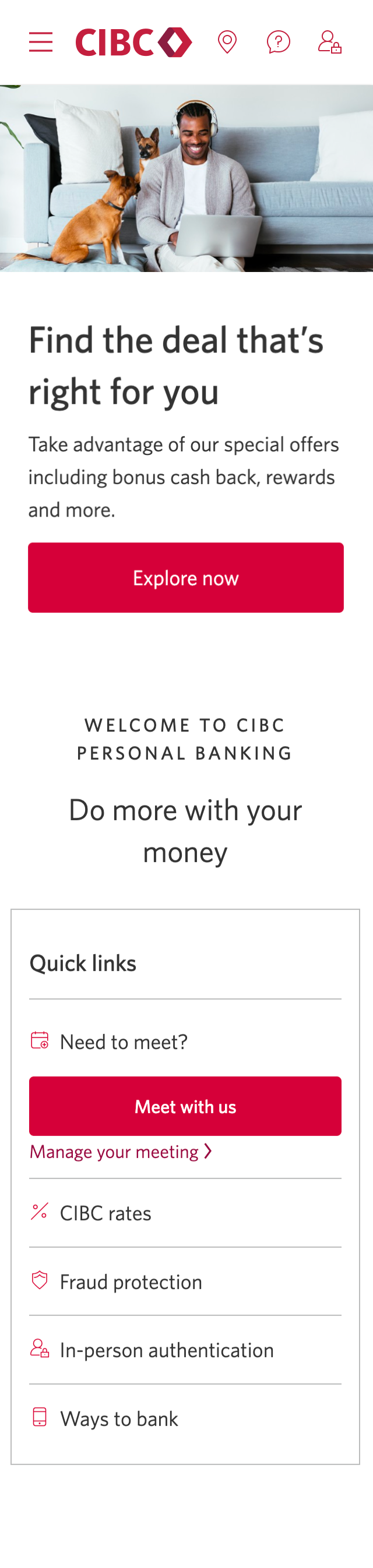
Step 1 : Let's get started on the mobile app
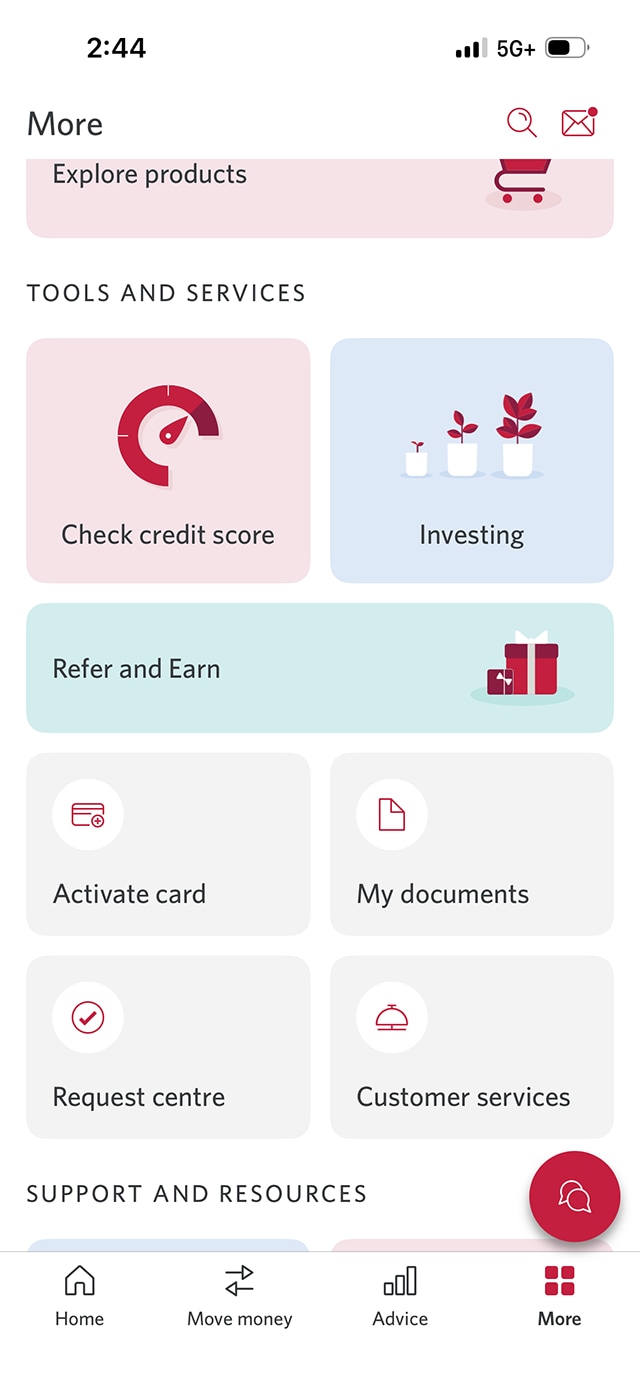
Step 2 : Select the "More" menu
Step 3 : Select "Request Centre"
From the More menu options, find the "Tools and Services" menu and select "Request Centre".
All requests related to your mortgage product must be submitted through the Request Centre.
Step 4 : Select "More service requests"
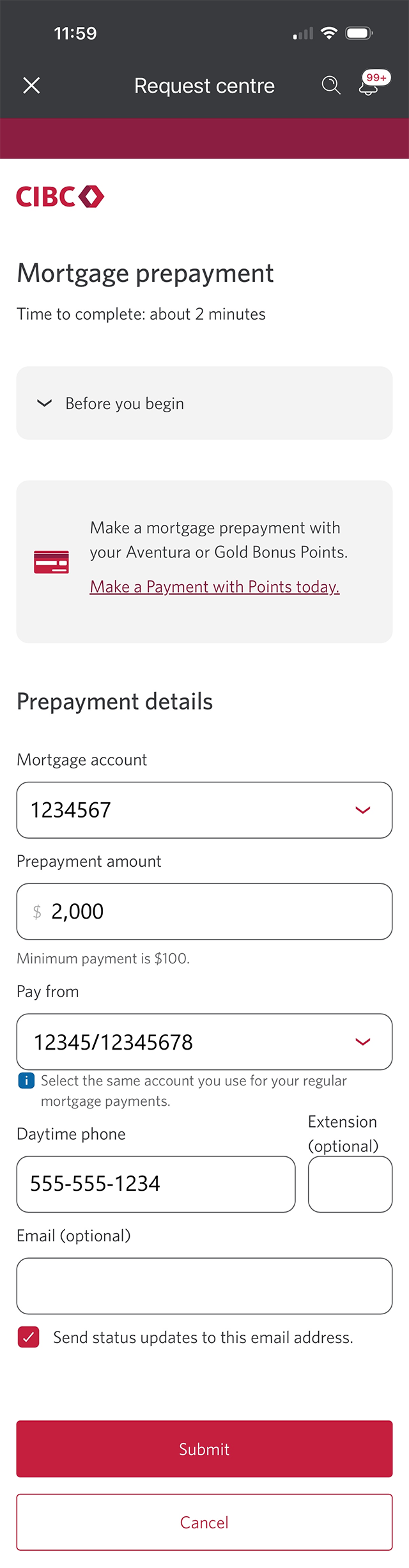
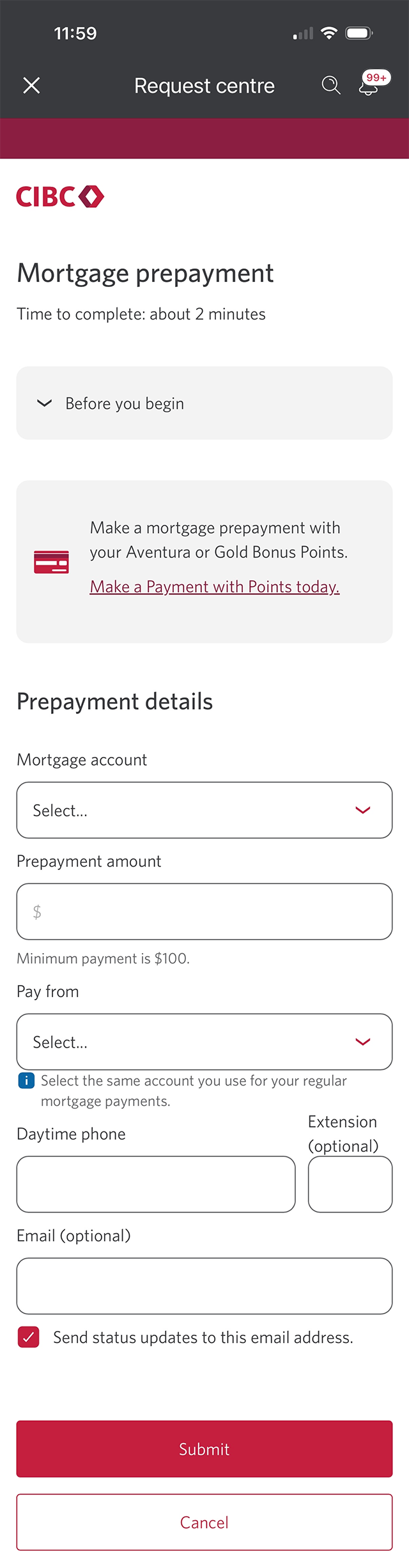
Step 5 : Make a mortgage prepayment
Step 6 : Complete the form
Fill out the fields boxes to complete your mortgage prepayment request. You'll need approximately 2 minutes to fill out the form.
When you're finished, select the "Submit" button to complete your mortgage prepayment request. After the request is submitted, you'll be returned to the CIBC Request Centre homepage.
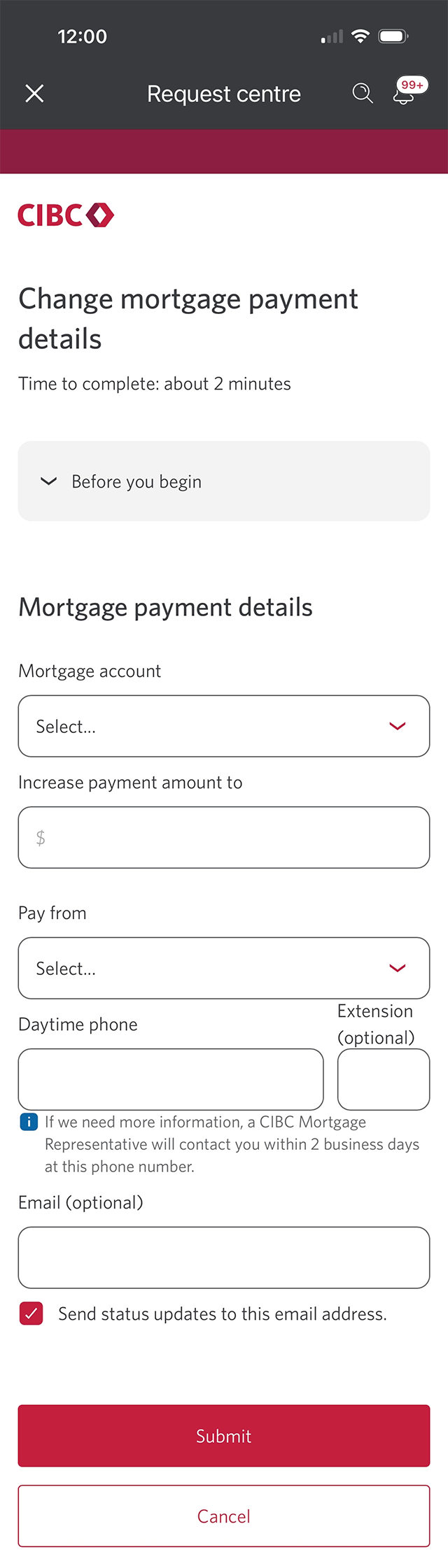
Step 7 : Change your mortgage payment details
Step 8 : Select "Change mortgage payment details"
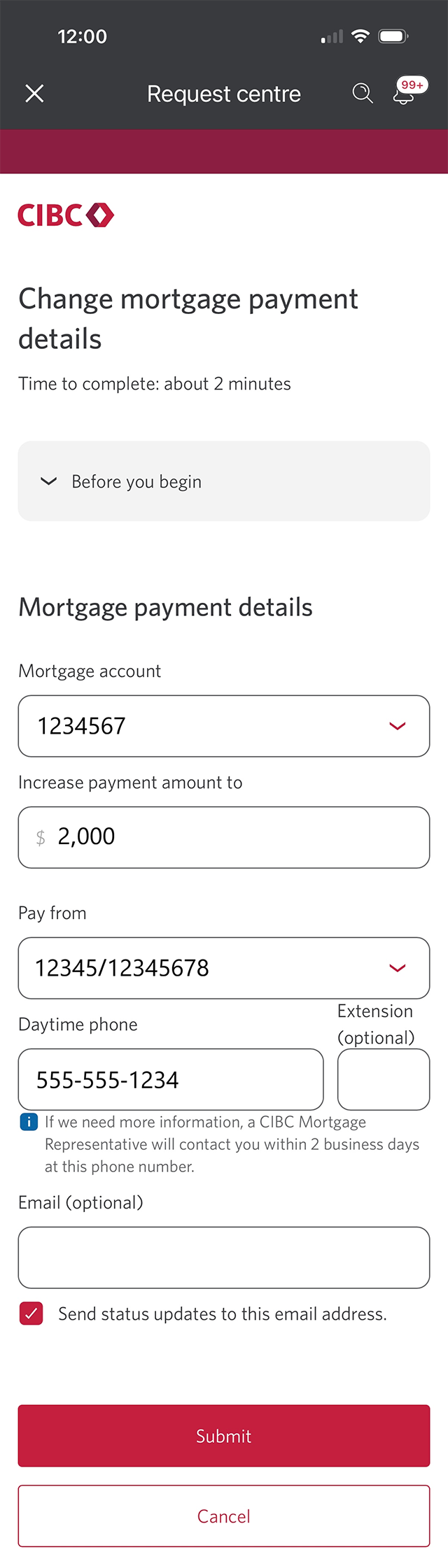
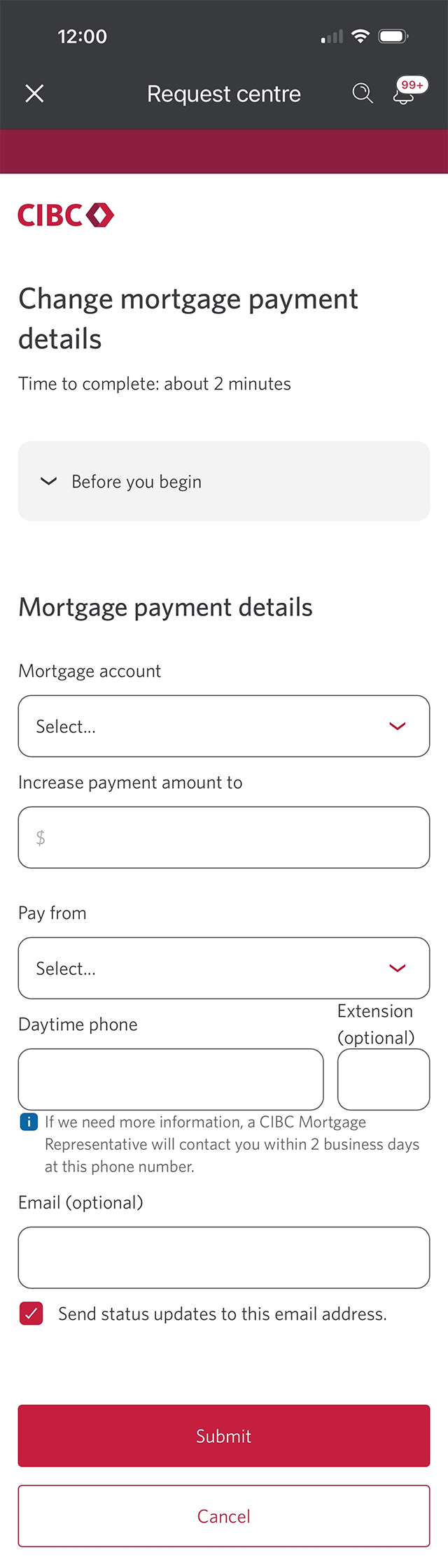
Step 9 : Complete the form
Fill out the field boxes to complete your mortgage payment change request. You'll need approximately 2 minutes to fill out the form.
Once you're finished, select the "Submit" button to complete your mortgage payment change request.
Step 10 : Great job!
You've successfully submitted a request to make prepayments on your mortgage and update your mortgage details.
You can track all your service requests on the CIBC Request Centre page.
Want an overview of all the steps?
For full instructions on the how to update mortgage details and make prepayments demo, check out the step-by-step process all in one place.
Try our mortgage calculators
Find out how changing your payment frequency and making prepayments can save you money.
Discover what it may cost to pay all or part of your closed mortgage before the maturity date.
Recommended digital banking demos

How to transfer money between your accounts

How to register for CIBC Online and Mobile Banking
Start demo on how to register for CIBC Online and Mobile Banking.

How to download a void cheque and payment form
Start demo on how to download a void cheque and payment form.

How to set up alerts for account activity
Get started

CIBC Online Banking®
Discover digital banking features that can help you bank easily online.
CIBC Mobile Banking® App
Stay connected to your finances on your mobile device, no matter where you are.

