

How to set up push notifications
Learn how to set up push notifications on the CIBC Mobile Banking® App for a more convenient banking experience.

Your progress
1
of
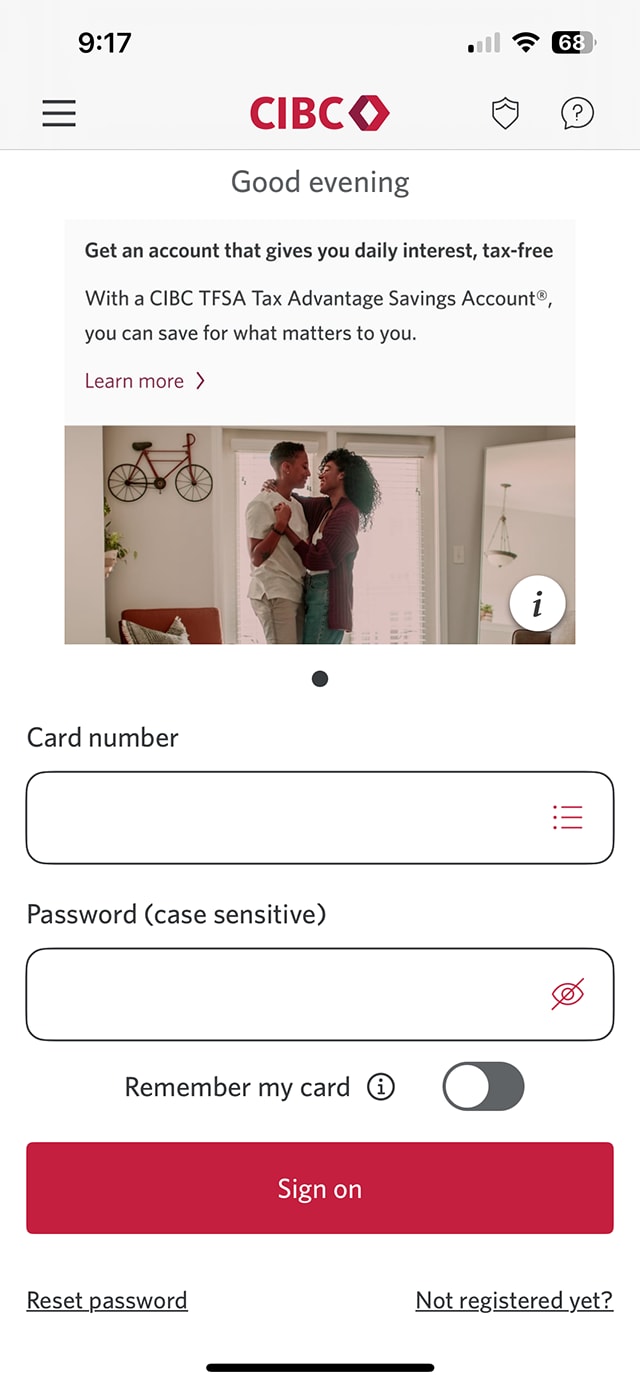
Step 1 : Let's get started on the mobile app
Select the "Sign on" button in the demo to continue.
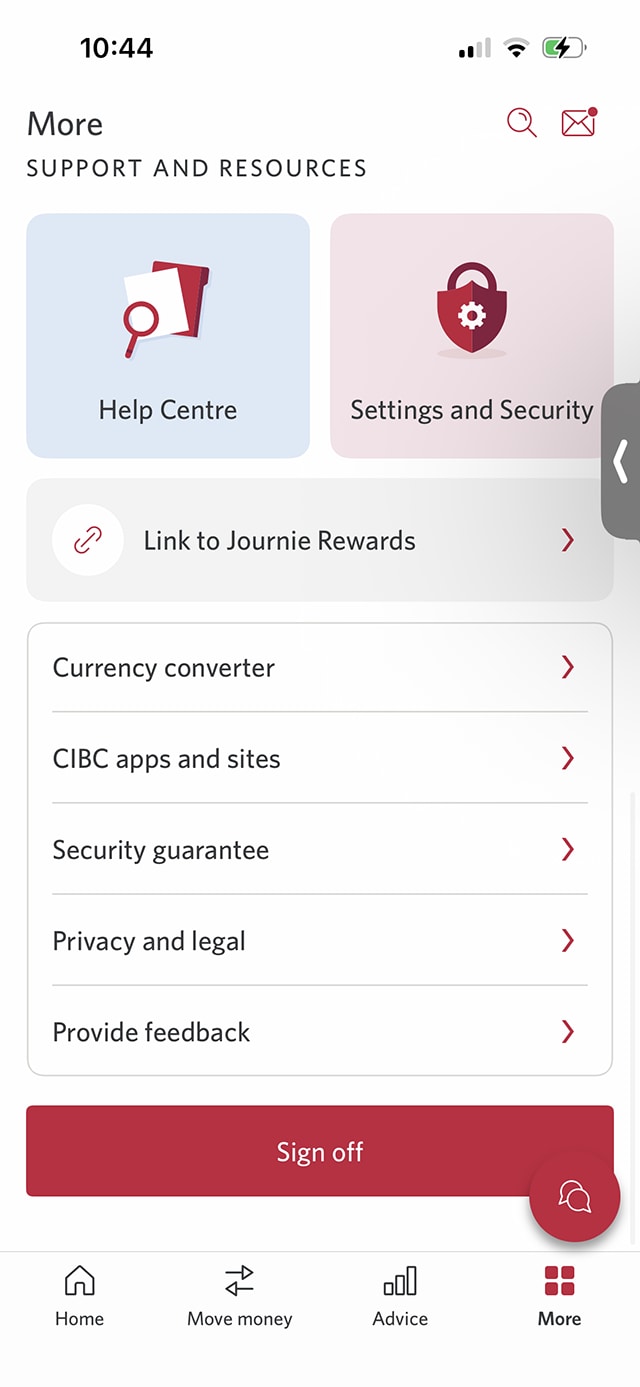
Step 2 : Select the "More" menu
On the CIBC Mobile Bank App homepage, select the "More" menu.
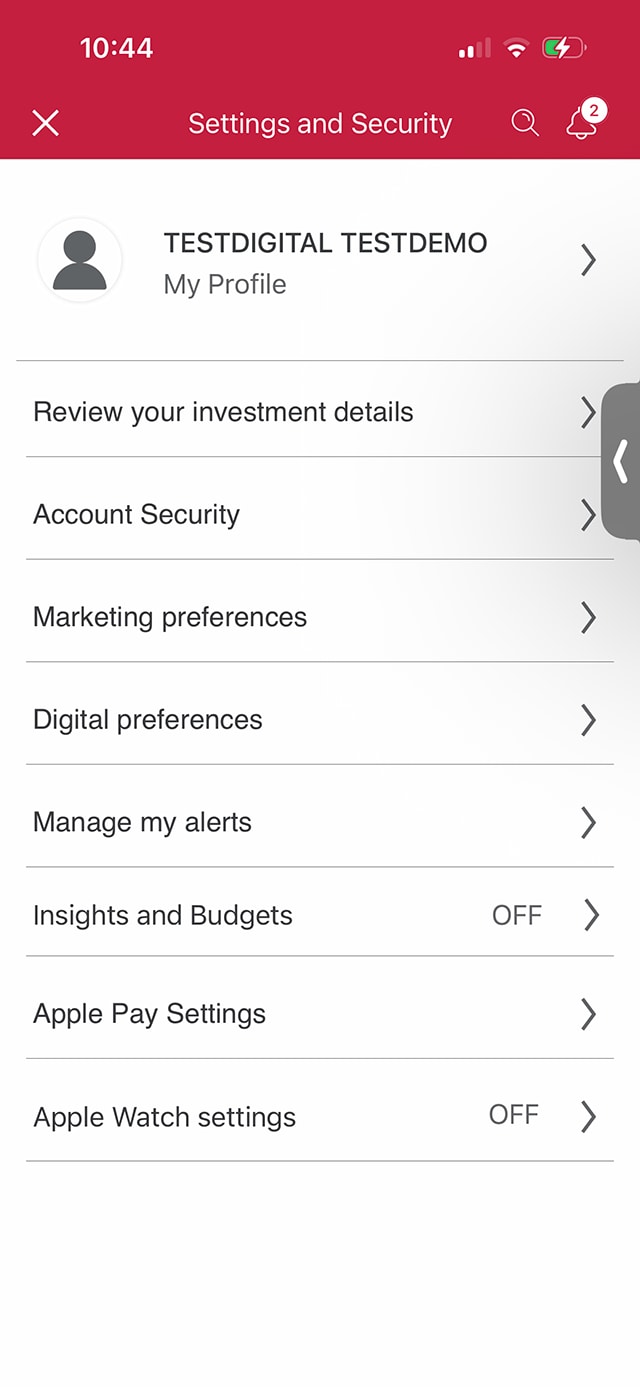
Step 3 : Select "Settings and Security"
From the "Support and Resources" menu options, select "Settings and Security".
Step 4 : Select "Account Security"
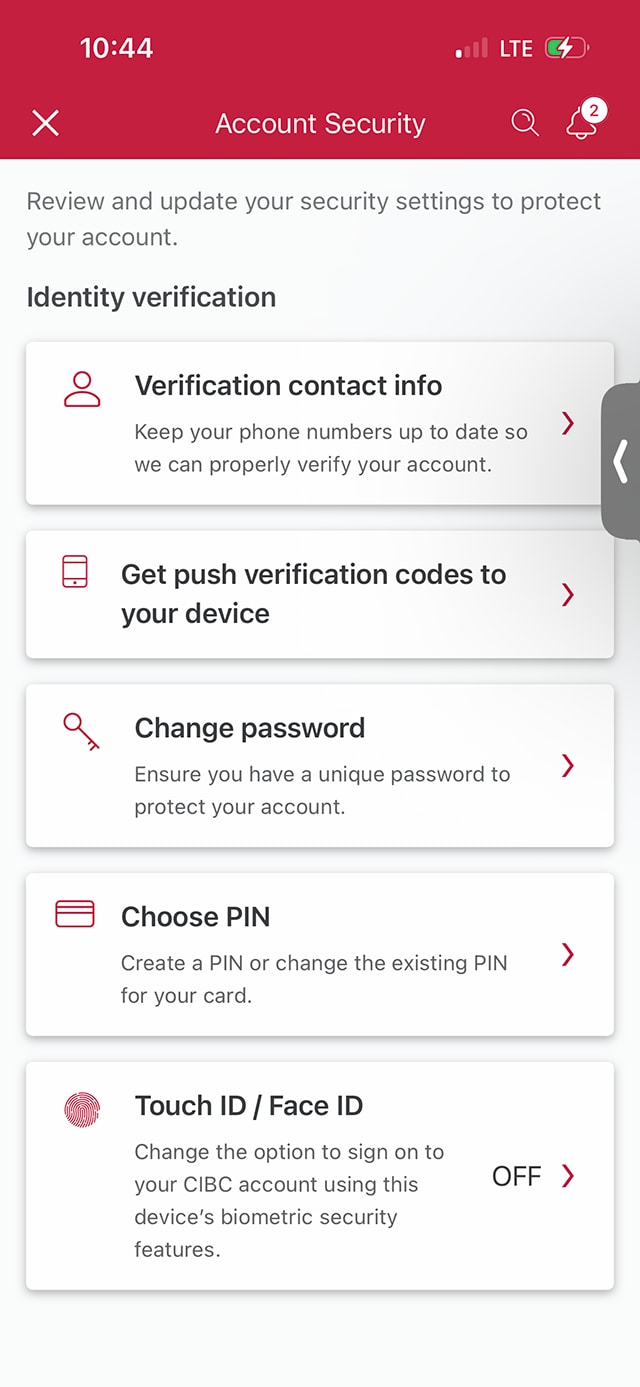
Step 5 : Select "Get push verification codes to your device"
From the "Account Security" menu options, select "Get push verification codes to your device".
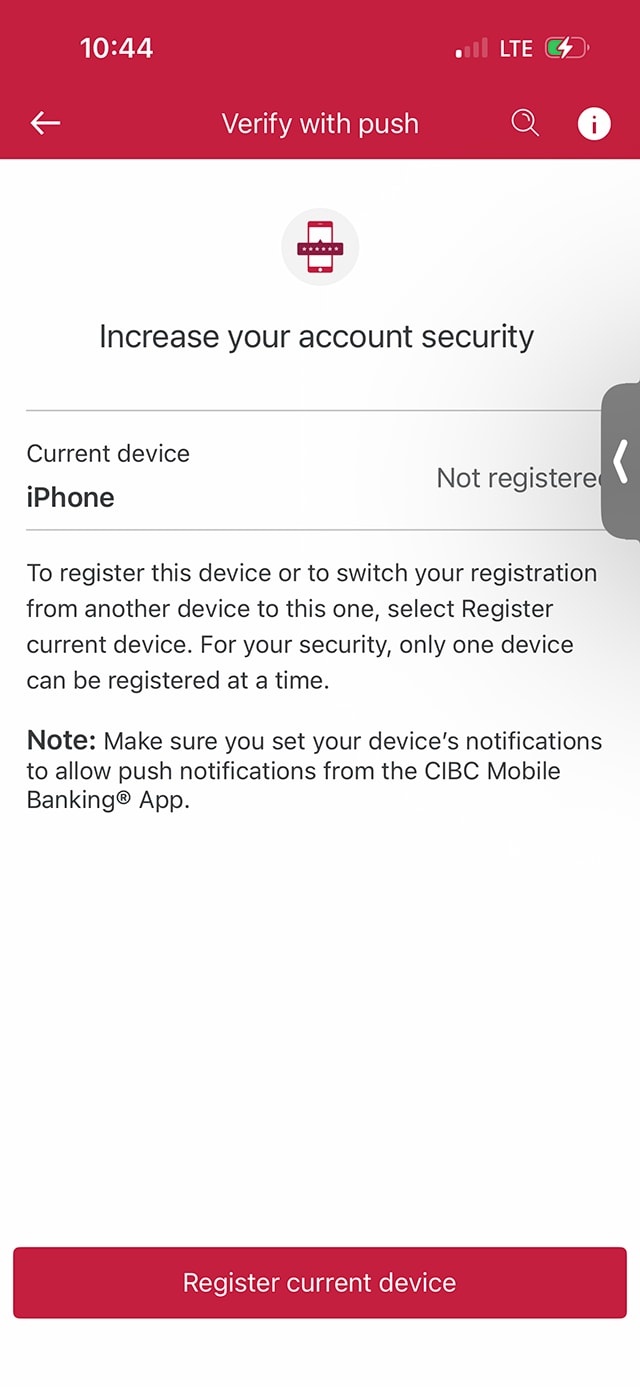
Step 6 : Select "Register current device"
Your current device will be listed on screen. Select the "Register current device" button to continue.
Only one device can be registered for push notifications.
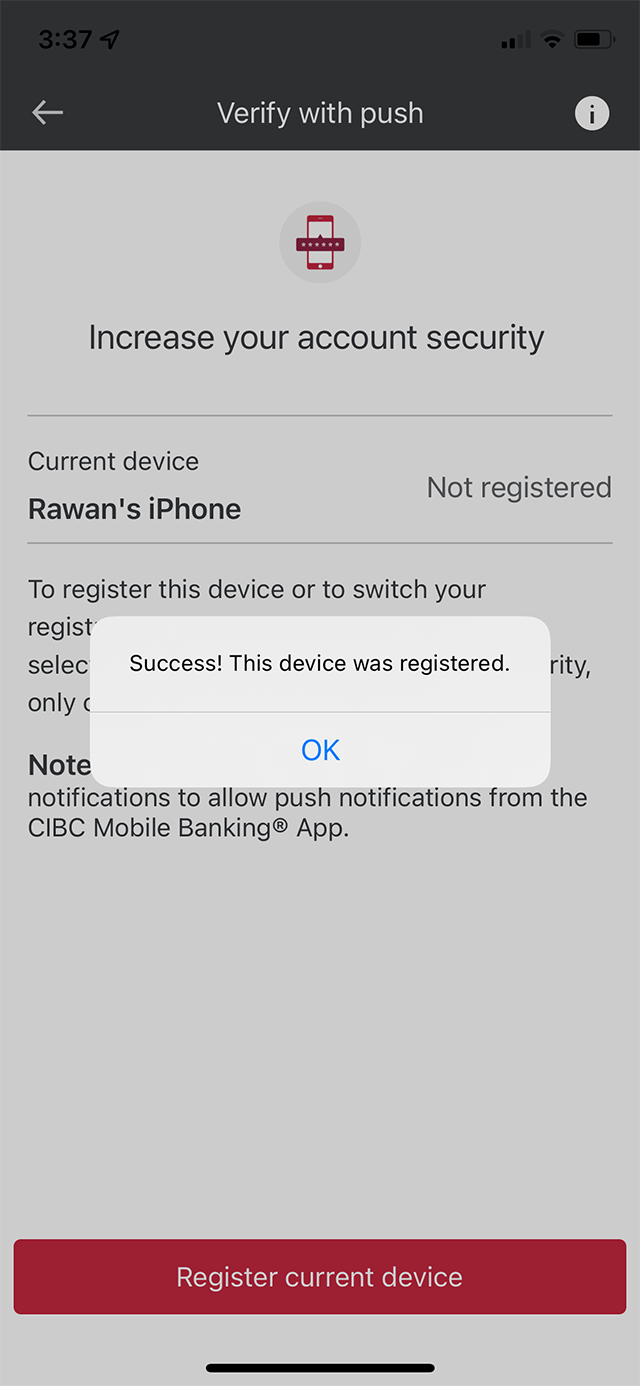
Step 7 : Great job!
You've successfully registered for push notifications on your device with the CIBC Mobile Banking App.
A message on-screen will confirm that your device has been registered.
Want an overview of all the steps?
For full instructions on how to register for push notifications, check out the step-by-step process all in one place.
Recommended digital banking demos

How to Register for CIBC Online and Mobile Banking
Start demo on how to Register for CIBC Online and Mobile Banking.

How to add a card to your mobile wallet

How to reset your password

How to set up alerts for account activity
Get started
CIBC Online Banking®
Discover digital banking features that can help you bank easily online.
CIBC Mobile Banking® App
Stay connected to your finances on your mobile device, no matter where you are.

